

Сүрөттөө
Wuppi Blocks is a collection of twelve lightweight Gutenberg blocks and service-focused patterns for modern block themes. It is designed to pair naturally with the Wuppi theme, while keeping the core blocks and section patterns usable on other modern WordPress themes.
The plugin focuses on common needs for service businesses: icons, notices, testimonials, accordions, service cards, team profiles, opening hours, counters, pricing tables, price lists, icon lists, and an animated hero section. All custom blocks use WordPress core APIs and bundled assets only. On non-Wuppi themes, the plugin exposes four ready-made section patterns: Service Card, Services Grid, Contact Cards, and Contact Booking. When the Wuppi theme is active, it also registers the extra Home Page Starter and Contact Page Starter layouts.
Features
- wuppi/icon — inline SVG icons from the Lucide icon set with size, color, stroke, and alignment controls
- wuppi/notice — alert and notice boxes with info, warning, success, and error variants
- wuppi/testimonial — testimonial card with quote, author, role, and star rating
- wuppi/accordion — expandable FAQ items with optional JSON-LD schema markup
- wuppi/icon-list — list of items with inline icons and text labels
- wuppi/lumina-hero — animated aurora borealis hero section with InnerBlocks content area
- wuppi/service-card — service card with icon, heading, description, and optional link
- wuppi/team-member — team member card with photo, name, role, bio, and social links
- wuppi/opening-hours — business hours table with automatic today highlight
- wuppi/counter — animated numeric counter triggered on scroll
- wuppi/pricing-table — pricing card with feature list, badge, and call-to-action button
- wuppi/price-list — service or menu price list with configurable currency and divider styles
- Service Card pattern — single card with icon, heading, and description
- Services Grid pattern — three service cards in a responsive row
- Contact Cards pattern — stacked horizontal cards for contact information
- Contact Booking Section pattern — full section with hours, address, and booking details
- Home Page Starter — full-page layout available only when the Wuppi theme is active
- Contact Page Starter — full-page contact layout available only when the Wuppi theme is active
Credits
Icons
Lucide SVG icons
Copyright: Lucide Contributors
License: ISC – https://lucide.dev/license
Source: https://lucide.dev
Скриншоттор
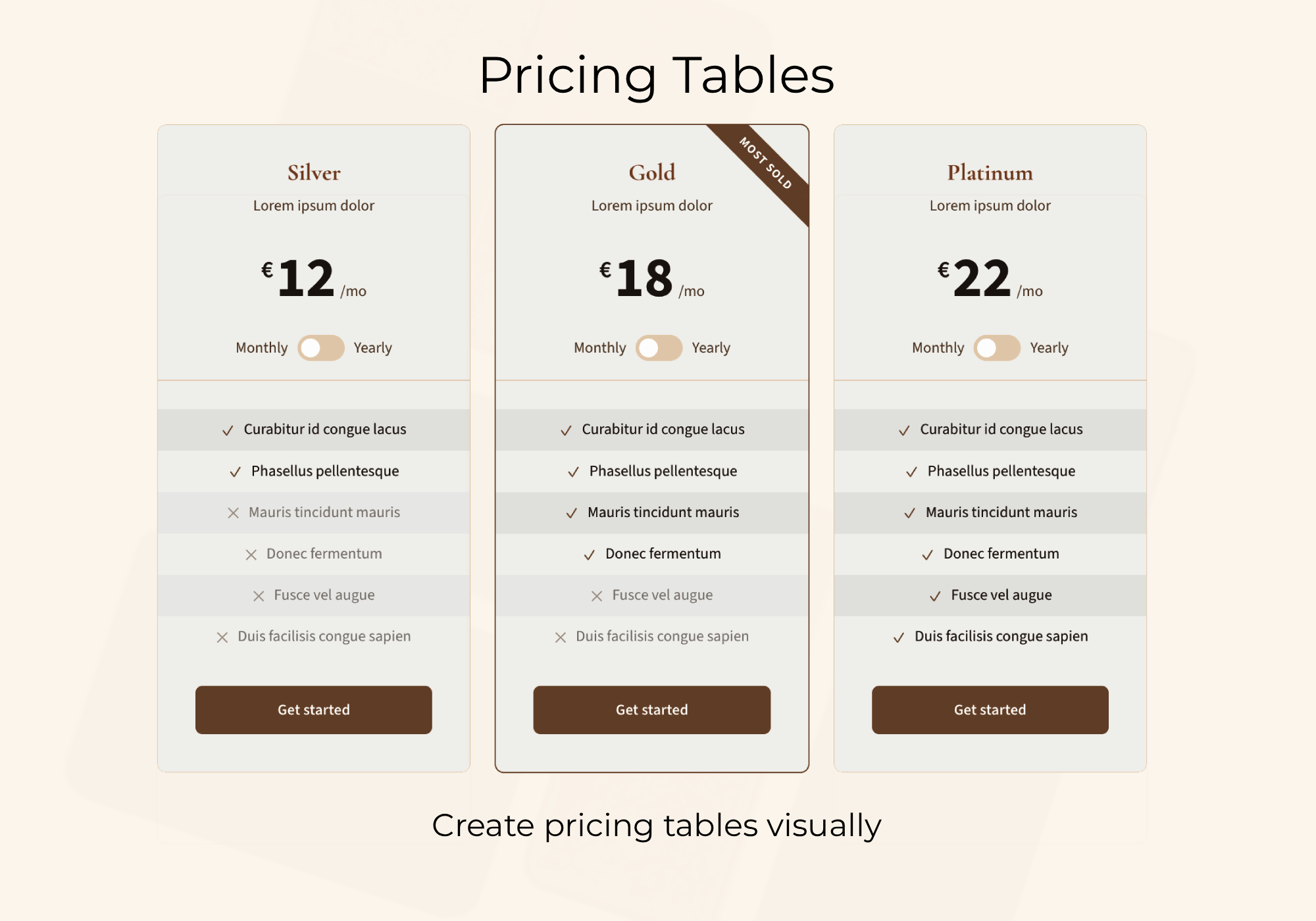
Pricing Table blocks with monthly and yearly pricing, feature lists, and a featured plan badge. 
Hero section layouts for service websites. 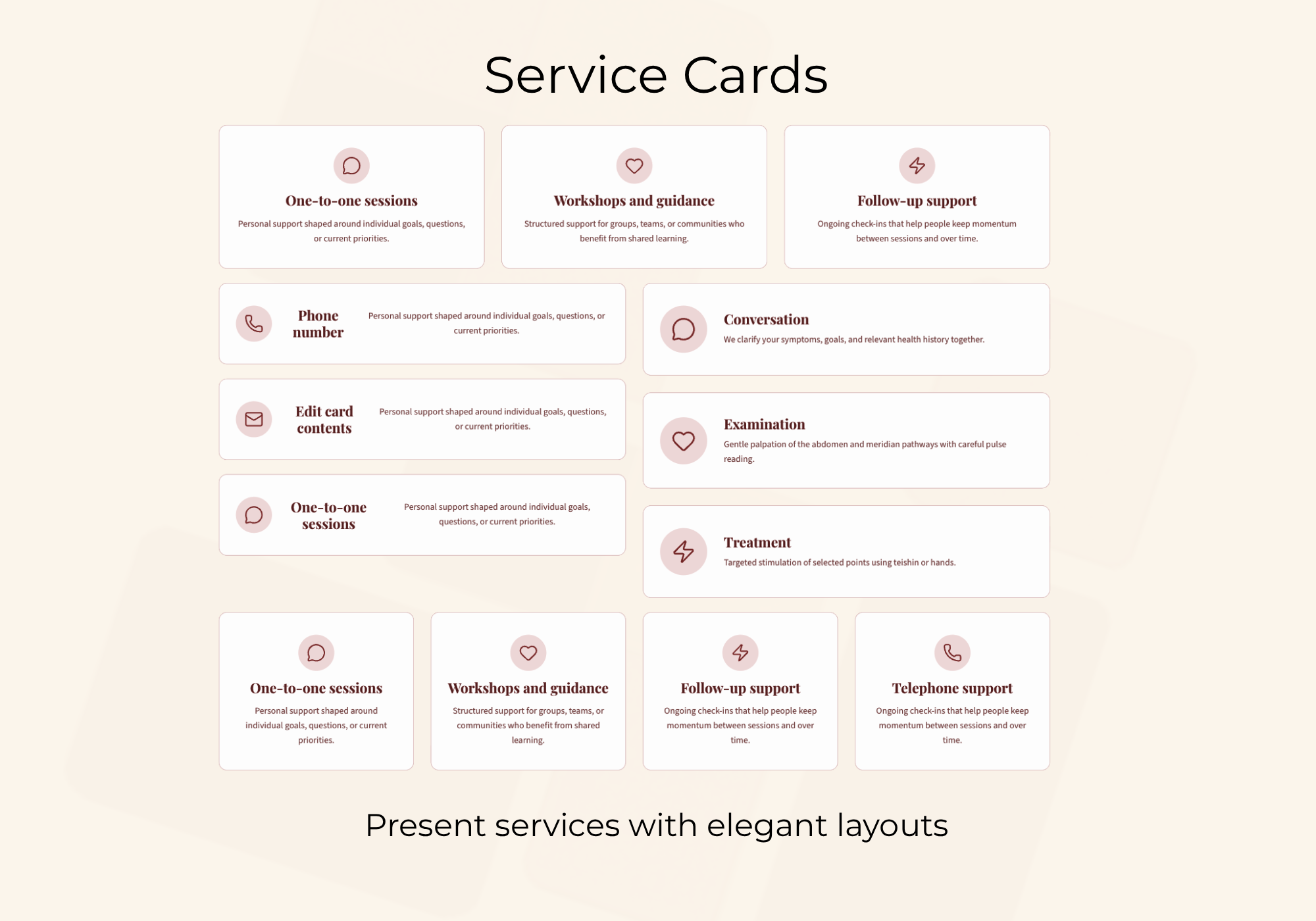
Service Card layouts for presenting individual services and grouped service sections. 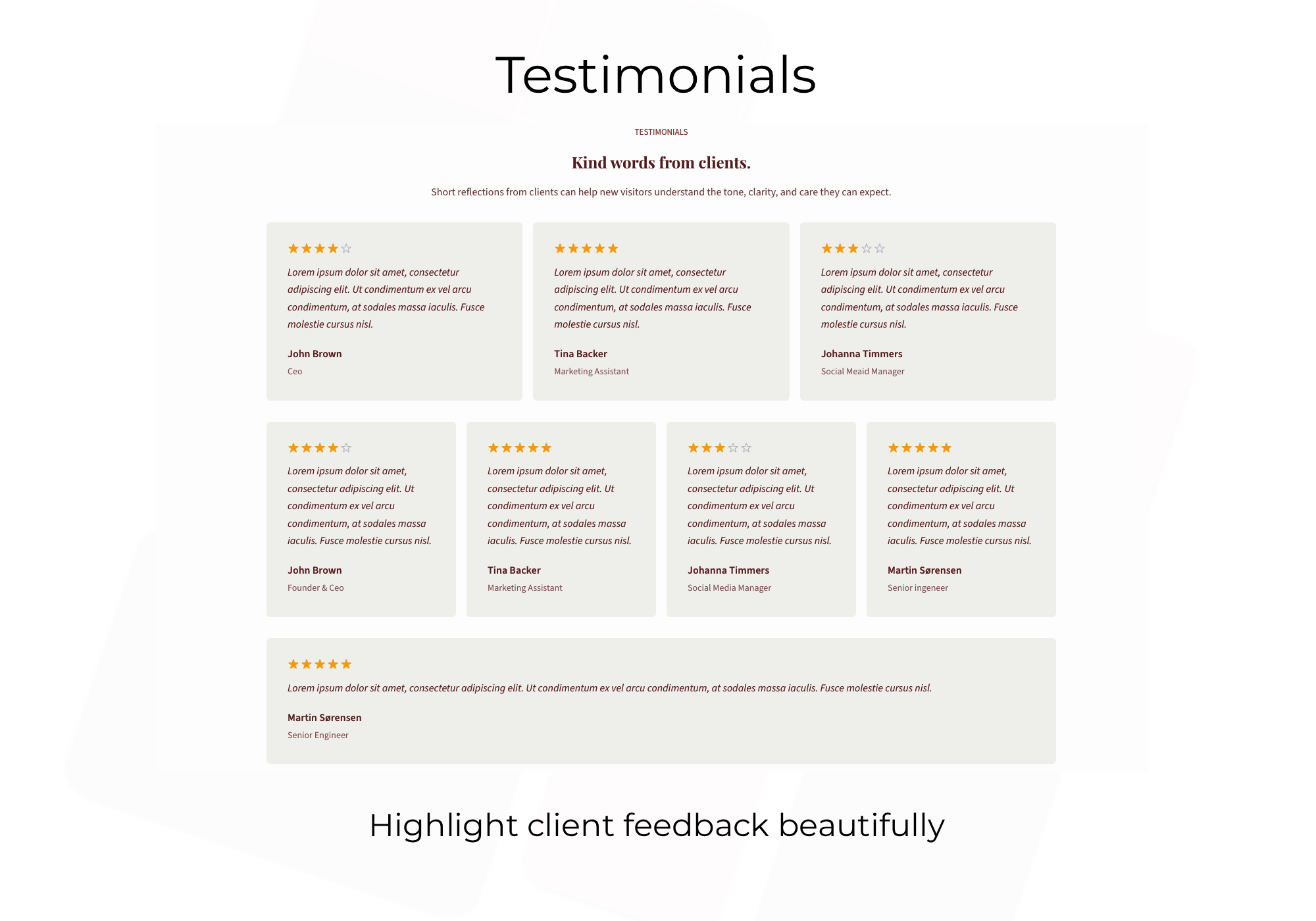
Testimonial block layouts for showcasing single quotes and larger review grids. 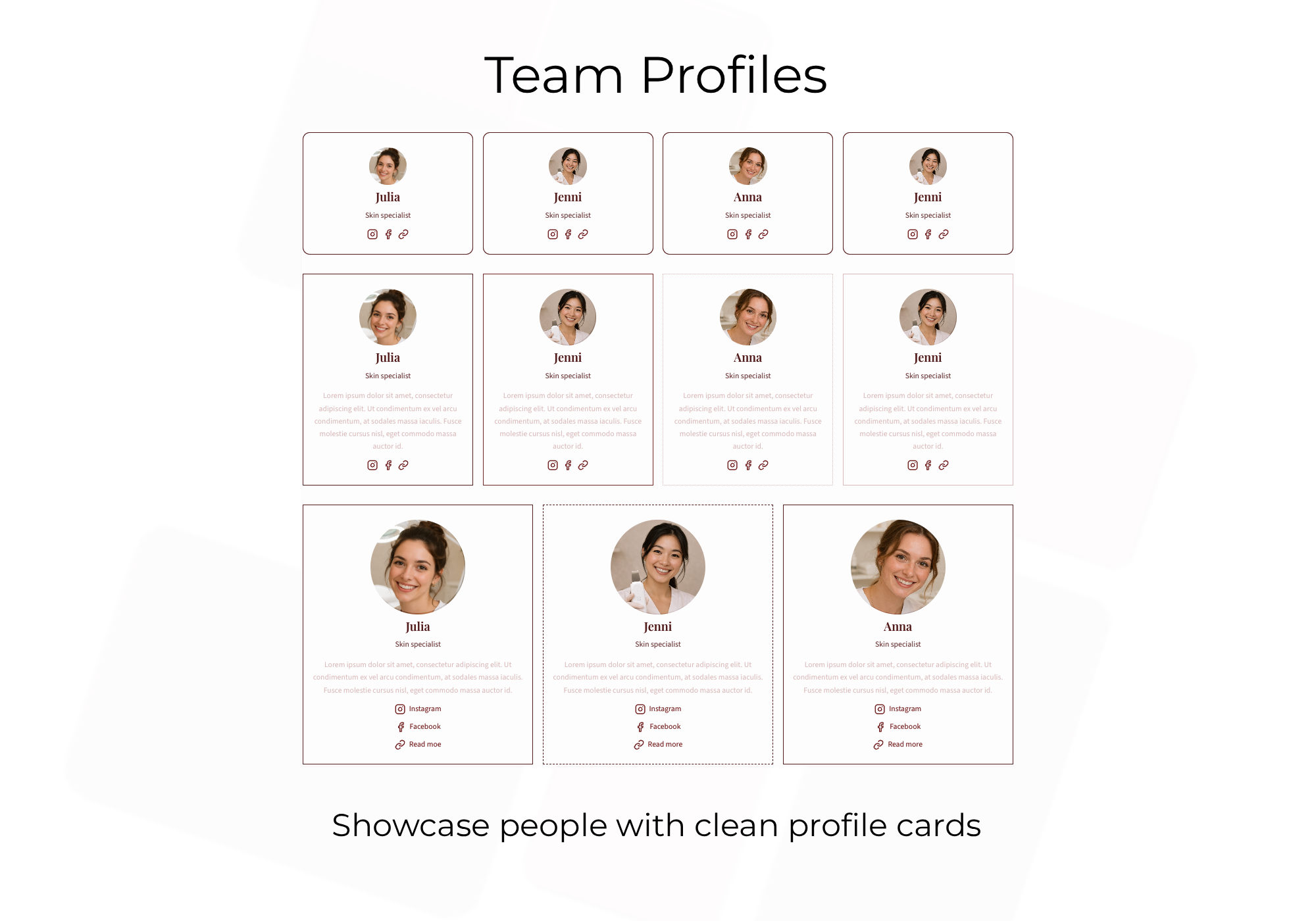
Team Member profile cards with photos, roles, biographies, and social links. 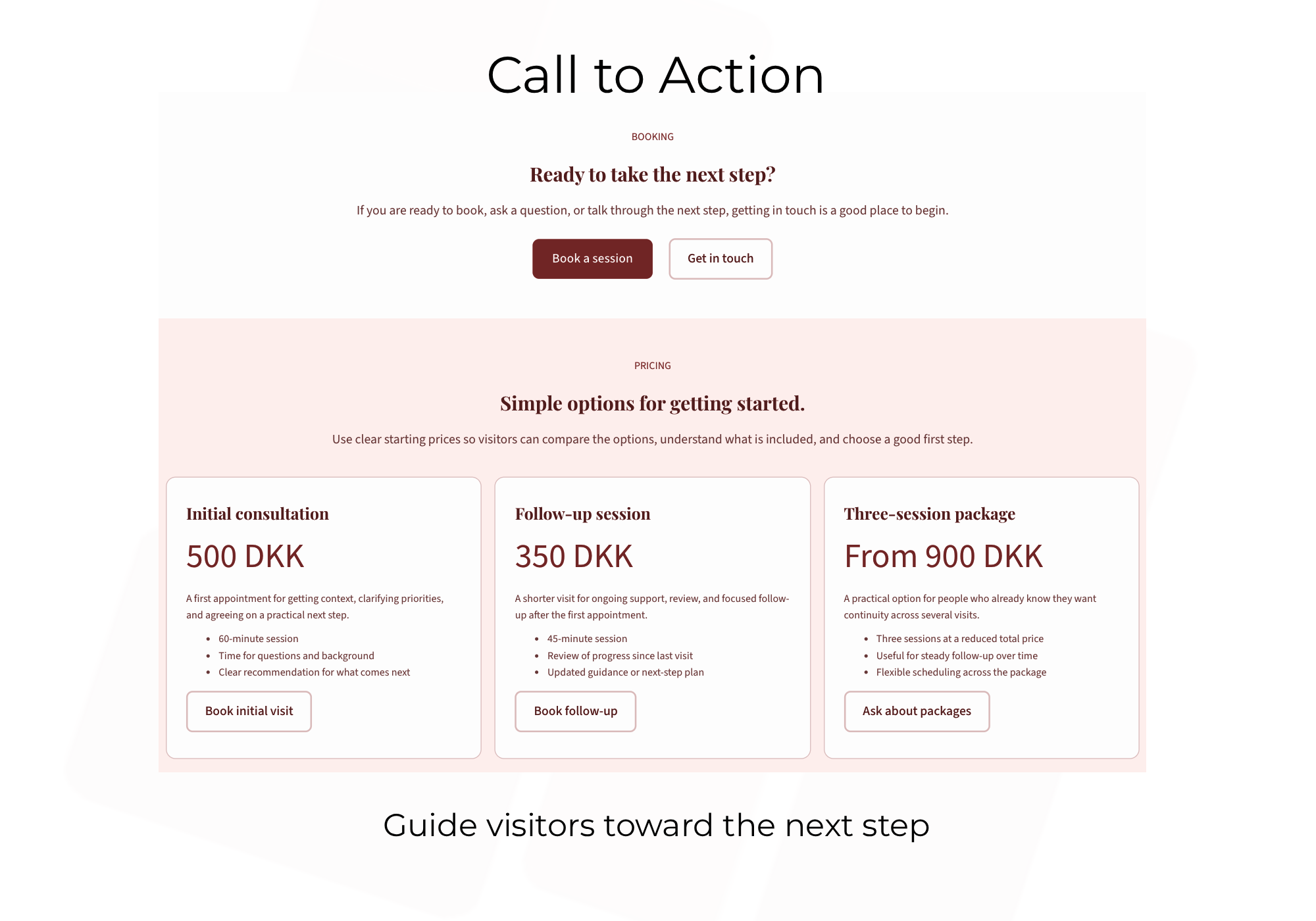
Call-to-action and pricing sections that guide visitors toward booking or contact. 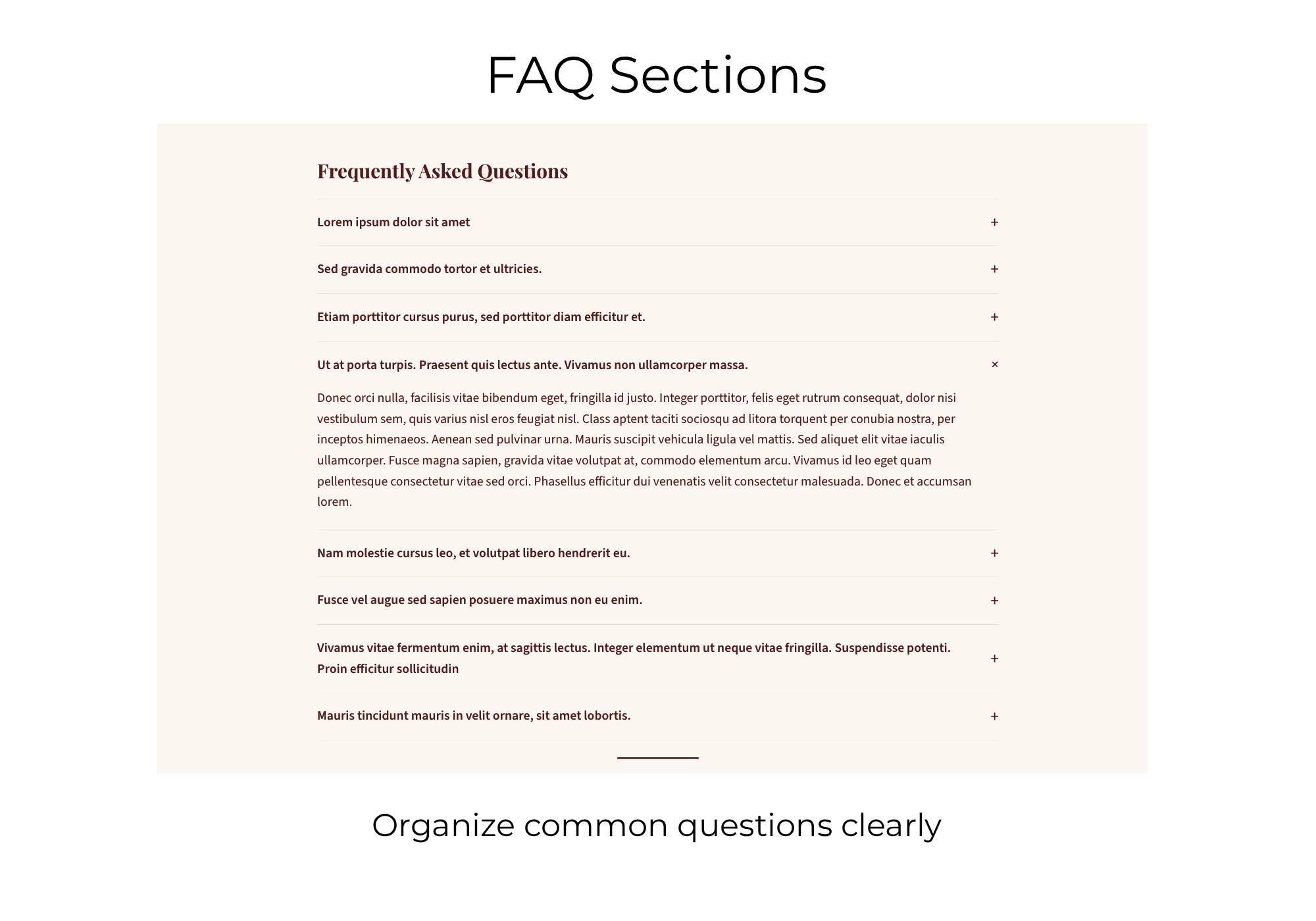
Accordion FAQ sections for organizing common questions in a clean, readable layout. 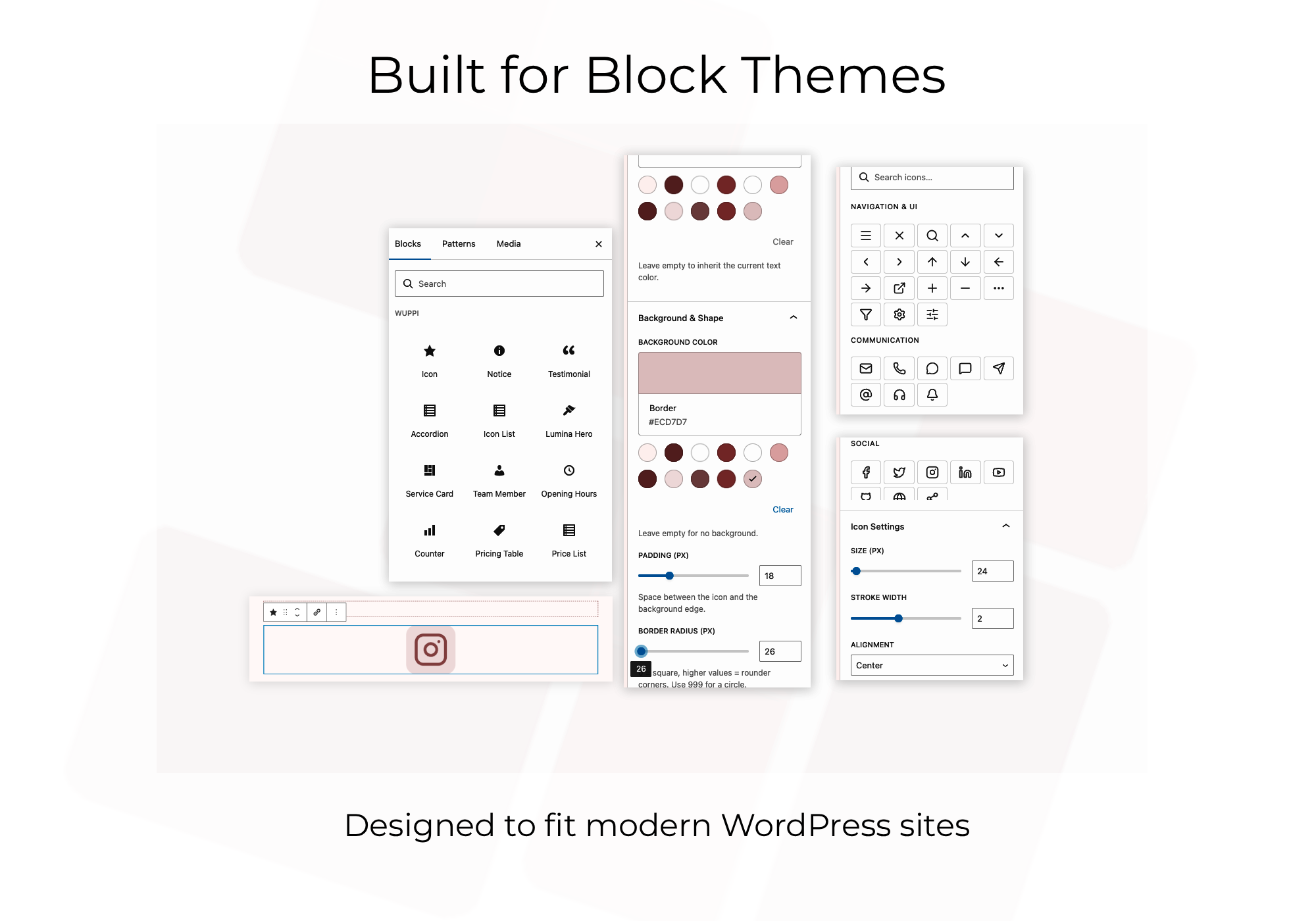
The editor experience, including the Wuppi block collection, icon picker, and block controls.
Орнотуу
- Upload the plugin folder to
/wp-content/plugins/or install the ZIP from Plugins > Add New. - Activate Wuppi Blocks in Plugins.
- Open the block inserter and search for Wuppi, or browse the bundled sections from the Patterns tab in the editor.
FAQ.KG
-
Where can I find the Wuppi theme?
-
The Wuppi theme is available for free at wordpress.org/themes/wuppi. Installing it alongside this plugin unlocks the two full-page starter patterns and the intended visual system.
-
Does this plugin require the Wuppi theme?
-
No. The custom blocks and the four section patterns (Service Card, Services Grid, Contact Cards, Contact Booking) work on modern WordPress themes in general. The Wuppi theme provides the intended visual system, and the two full-page starter patterns (Home Page Starter, Contact Page Starter) are only registered when Wuppi is active.
-
Where do I find the blocks and patterns?
-
Search for “Wuppi” in the block inserter to find the custom blocks. The bundled layouts are available from the Patterns tab in the editor or Site Editor. On non-Wuppi themes you will see the four section patterns; with the Wuppi theme active you will also see the two starter page patterns.
-
Which icons are included?
-
The plugin bundles a curated selection of Lucide SVG icons. Lucide is an open-source icon library released under the ISC license. See https://lucide.dev for the full set.
-
Does the plugin use external services or tracking?
-
No. The plugin does not connect to third-party services or load remote front-end assets. All block assets ship with the plugin.
-
Which WordPress version is required?
-
WordPress 6.5 or later and PHP 8.0 or later.
-
Where can I find support?
-
Support and documentation are available at https://www.ambronet.dk/wuppi/blocks.
Сын-пикирлер
There are no reviews for this plugin.
Contributors & Developers
“Wuppi Blocks” is open source software. The following people have contributed to this plugin.
Мүчөлөрү
Translate “Wuppi Blocks” into your language.
Interested in development?
Browse the code, check out the SVN repository, or subscribe to the development log by RSS.
Өзгөртүүлөр
1.0.2
- Add dismissible admin notice suggesting the Wuppi theme when it is not the active theme
- Add Wuppi theme cross-link to readme description and FAQ
1.0.1
- Fix card vertical alignment and equal-height layout in service and testimonial blocks
- Remove hard-coded font weights to let style variations control typography
- Fix Plugin Check compliance issues
1.0.0
- Initial release with 12 custom blocks, 4 cross-theme section patterns, and 2 Wuppi-only starter patterns