

Сүрөттөө
Changing a domain, moving off a staging URL, or switching to HTTPS means rewriting text all through your database. Most tools do it blind: you type into a box, press go, and hope. When the value is serialized (theme settings, Elementor layouts, WooCommerce data) a plain replace miscounts the length prefix and corrupts the row, and there is no way back.
Lucid Search & Replace is built the other way around. You preview representative matches before anything is written, can take a safety snapshot, and can undo the run afterwards in one click. Nothing about that is held behind an upgrade.
What makes it safe
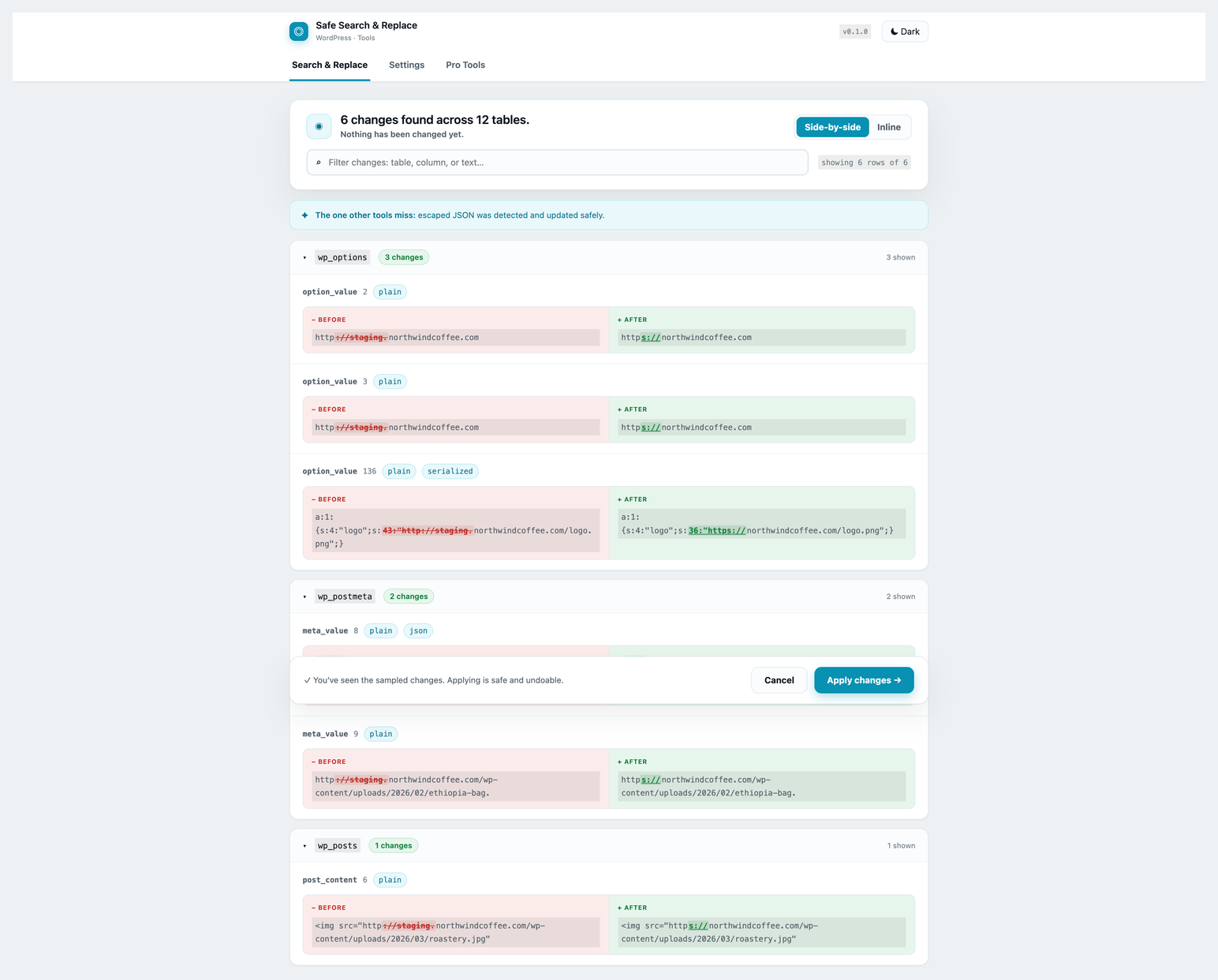
- Visual preview, always free. Up to 20 representative matches per table, grouped by table and column, with the exact characters that change highlighted. Review them, then decide.
- Serialized-data safe. The engine walks serialized arrays and objects, replaces inside them, and recalculates the
s:Nbyte-length prefixes so the value stays valid. - Handles the case other tools miss. Page builders store URLs as JSON inside serialized data, with escaped slashes (
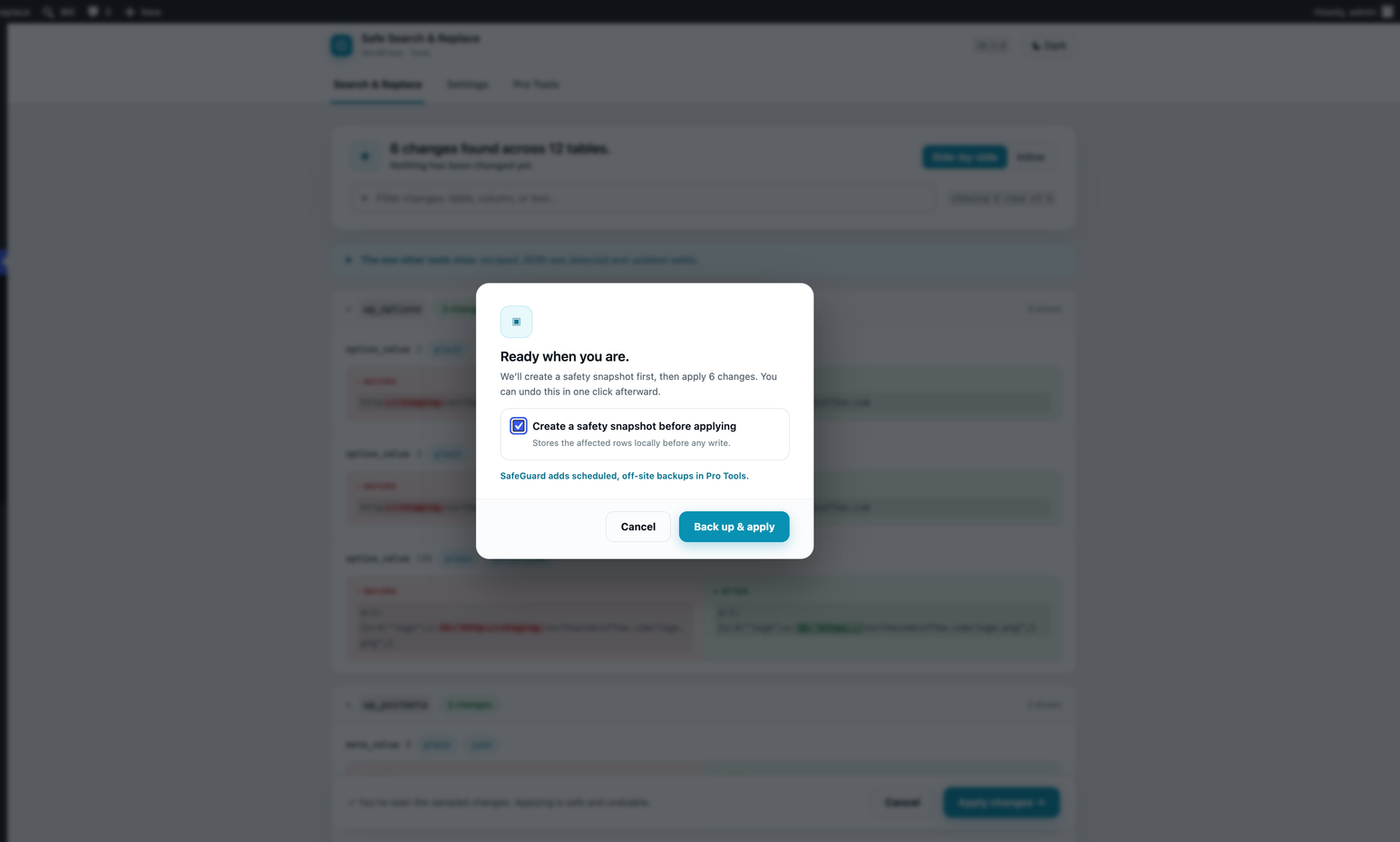
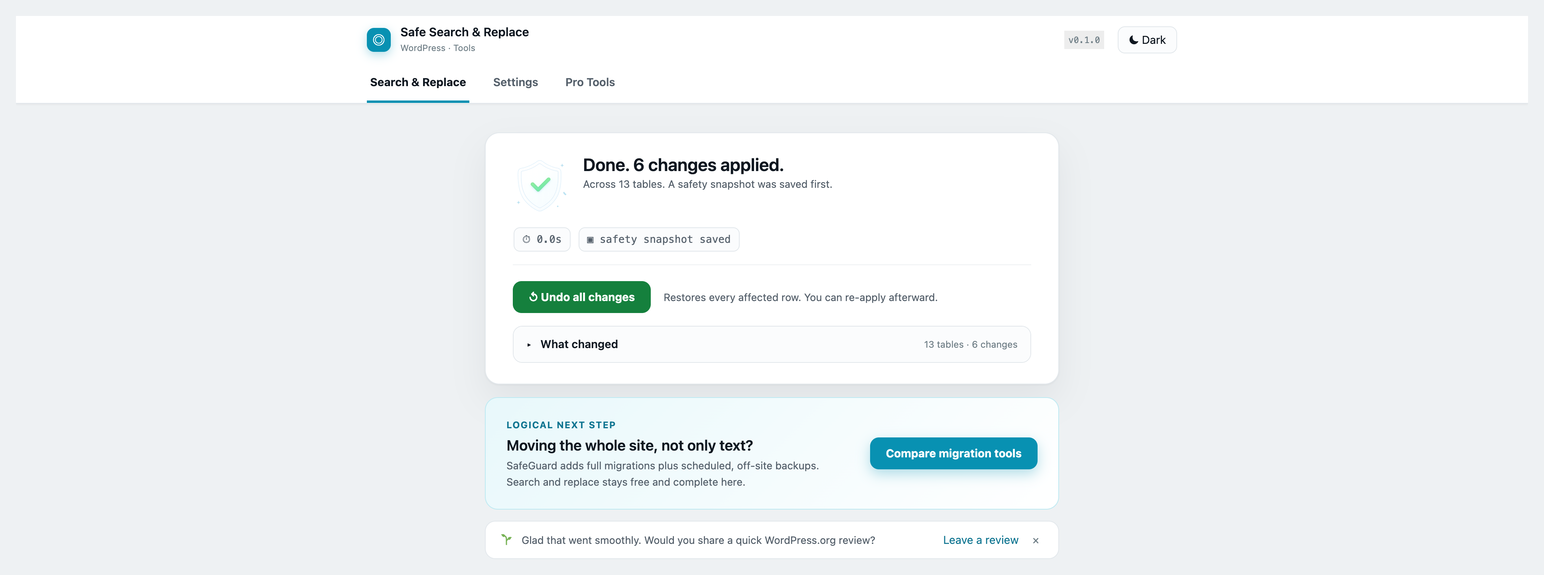
http:\/\/). A search forhttp://never matches that, so the old link silently survives. This engine decodes the JSON, replaces, and re-encodes in the original style. Base64-wrapped values are handled the same way. - Undo a search replace. When the snapshot is enabled at confirmation, affected cells are copied before each write, and the success screen offers a one-click undo. It restores cells that still contain the applied value and reports later edits as conflicts, so a bad replace stops being a disaster.
- Protected by default. Network-global, user, and login tables are excluded from site-level runs. Post GUIDs are left alone unless you ask, because changing them breaks feeds and comments.
Built for real sites
- Background batching for large databases. Work runs in bounded batches through Action Scheduler and resumes from durable progress after each completed batch.
- One URL move covers every stored form. When you replace one absolute URL with another, an optional switch also rewrites the https/http twin, protocol-relative
//links, and the JSON-escaped (http:\/\/) and percent-encoded (https%3A%2F%2F) forms page builders leave in content, so no old link survives on a technicality. - Regex, case sensitivity, and exclusions for precise control, all optional behind an Advanced panel so a first-time user is never overwhelmed.
- Target specific tables while safely discovering their text columns, or scan every eligible site table.
- Automatic cache purge after a run. Regenerates Elementor CSS and clears WP Rocket, LiteSpeed Cache, and W3 Total Cache so the site does not keep serving old URLs.
- Downloadable CSV of retained preview excerpts, streamed through an authorized admin route when change logs are enabled.
- WP-CLI for scripted and staged migrations.
- Multisite aware.
A note on the paid product
The search and replace here is complete and free. If you are moving an entire site rather than rewriting text, SafeGuard handles full migrations with scheduled off-site backups. It is mentioned in the plugin’s own Pro Tools tab and nowhere else. You never need it to use everything on this page.
Source code and build process
The full, uncompiled source lives at https://github.com/ibrahimhajjaj/lucid-search-replace
The admin screen is a TypeScript and React application under src/. The shipped build/index.js and build/style-index.css are generated from it with @wordpress/scripts (webpack). To reproduce them from a checkout:
composer install
npm install
npm run build

npm run package assembles the distributed zip. Translation templates are regenerated with `npm run make-pot`.
Bundled third-party library: Action Scheduler by Automattic (GPL-3.0-or-later), https://github.com/woocommerce/action-scheduler, installed under vendor/ via Composer and used for background batch processing.
Скриншоттор
Орнотуу
- Upload the plugin to
wp-content/plugins/lucid-search-replace, or install it from the Plugins screen. - Activate it.
- Open Tools then Lucid Search & Replace.
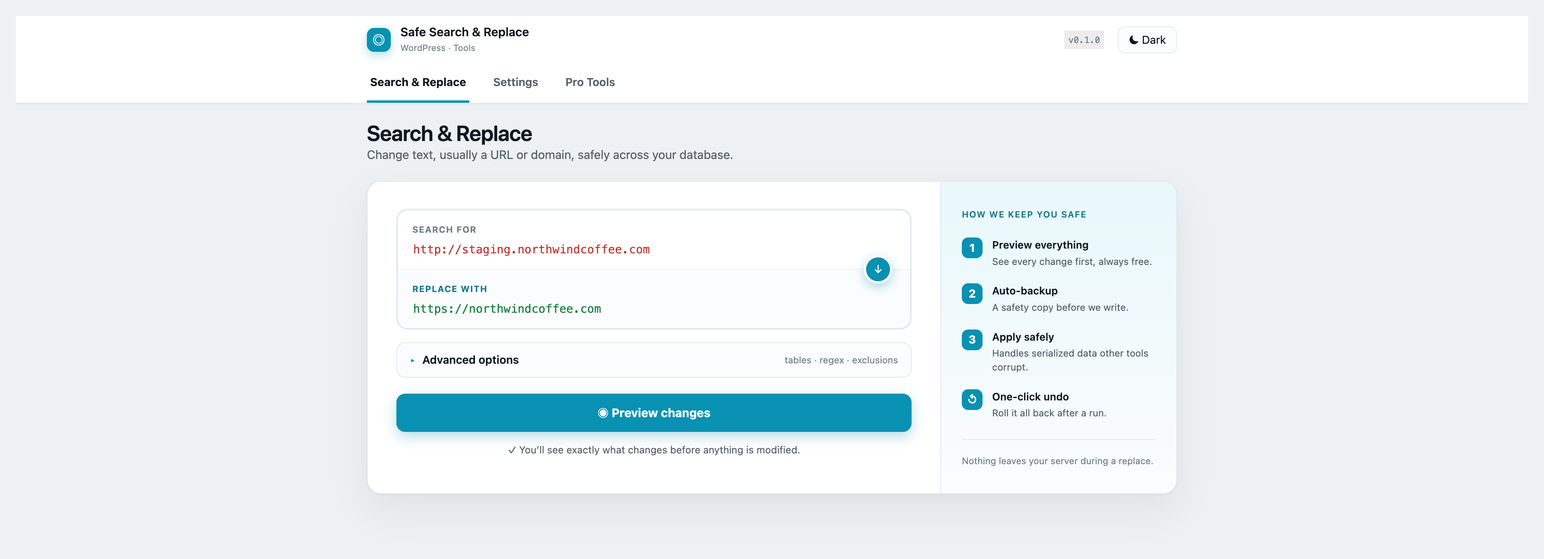
- Enter what to find and what to replace it with, press Preview changes, review the diff, then apply.
Always run a preview first. It never writes anything.
FAQ.KG
-
Will this corrupt my serialized data?
-
No. When a value is serialized the engine parses it, replaces inside the structure, and re-serializes so the byte-length prefixes are recalculated correctly. A value it cannot parse is skipped and reported rather than guessed at, so a broken row is never written.
-
Does it work with Elementor and other page builders?
-
Yes. Builders store URLs as JSON inside serialized data with escaped slashes. The engine detects that, decodes the JSON, replaces, and re-encodes in the original escaping style. The preview marks those rows so you can see it working.
-
Is the preview really free?
-
Yes. The visual diff is never restricted. It retains up to 20 representative matches per table, and apply is bound to the completed preview so new candidates are not silently added afterward.
-
Can I undo a search replace?
-
When you enable the safety snapshot at confirmation, the success screen offers Undo while the snapshot is retained. Undo restores a cell only if it still contains the value written by that run, so later edits are preserved and reported as conflicts. Snapshots are pruned after 30 days.
-
What is protected by default?
-
Network-global tables, including users and usermeta, are excluded from site-level runs so a site administrator cannot damage network data or logins. Post GUIDs are protected by default and can be included from the Advanced options.
-
How does it handle a large database?
-
Processing runs in bounded background batches and persists progress after each batch. This reduces request-timeout risk and lets work continue after you leave the page.
-
Can I use it from WP-CLI?
-
Yes.
wp safesr replace 'http://staging.example.com' 'https://example.com' --dry-run
wp safesr replace 'http://staging.example.com' 'https://example.com' --url-variants
wp safesr undo <job-id>

--dry-run reports what would change without writing. Every apply creates the same snapshot the admin does.
Сын-пикирлер
There are no reviews for this plugin.
Contributors & Developers
“Lucid Search & Replace – Safe Database Find and Replace with Preview and Undo” is open source software. The following people have contributed to this plugin.
Мүчөлөрү
Interested in development?
Browse the code, check out the SVN repository, or subscribe to the development log by RSS.
Өзгөртүүлөр
1.0.1
- One URL pair now optionally covers all of its stored forms: the https/http twin, protocol-relative links, and the JSON-escaped and percent-encoded occurrences that a literal search never matches. Appears as a checkbox when both fields are absolute URLs, and as
--url-variantsin WP-CLI. - Verified on PHP 8.4 across the unit, integration, and multisite suites.
- Chunk-lock option name is spelled out at its call site.
1.0.0
- Initial release: serialized and JSON-inside-serialized safe engine, free sampled visual diff preview, optional snapshot and guarded undo, background batched processing, regex and targeting options, cache purge integrations, WP-CLI, multisite support.