
Сүрөттөө
Belltime Events Calendar is an events calendar for sites where a wrong time has a
cost — venues, studios, course providers, conference organisers. It does three
things carefully and leaves the rest alone.
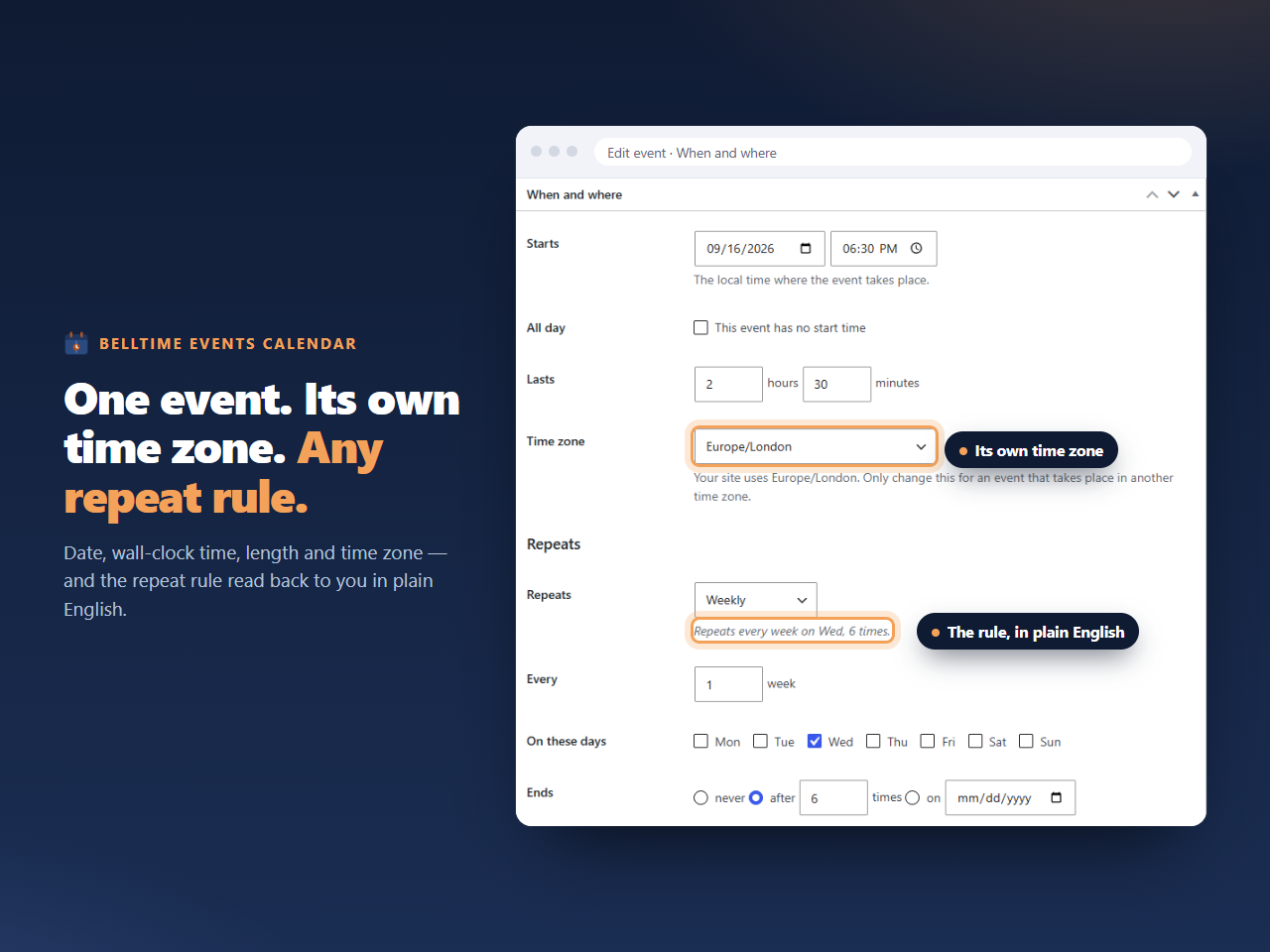
Recurring events, in full, in the free plugin. Not just “every week”: intervals,
occurrence counts, end dates, ordinal weekdays such as the second Tuesday or the
last Friday, days of the month counted from either end, months of the year,
set positions, explicit extra dates, and cancelled dates. If your quiz night is
every other Tuesday and your class is the first Saturday of the month, the plugin
expresses both and produces the right dates for them.
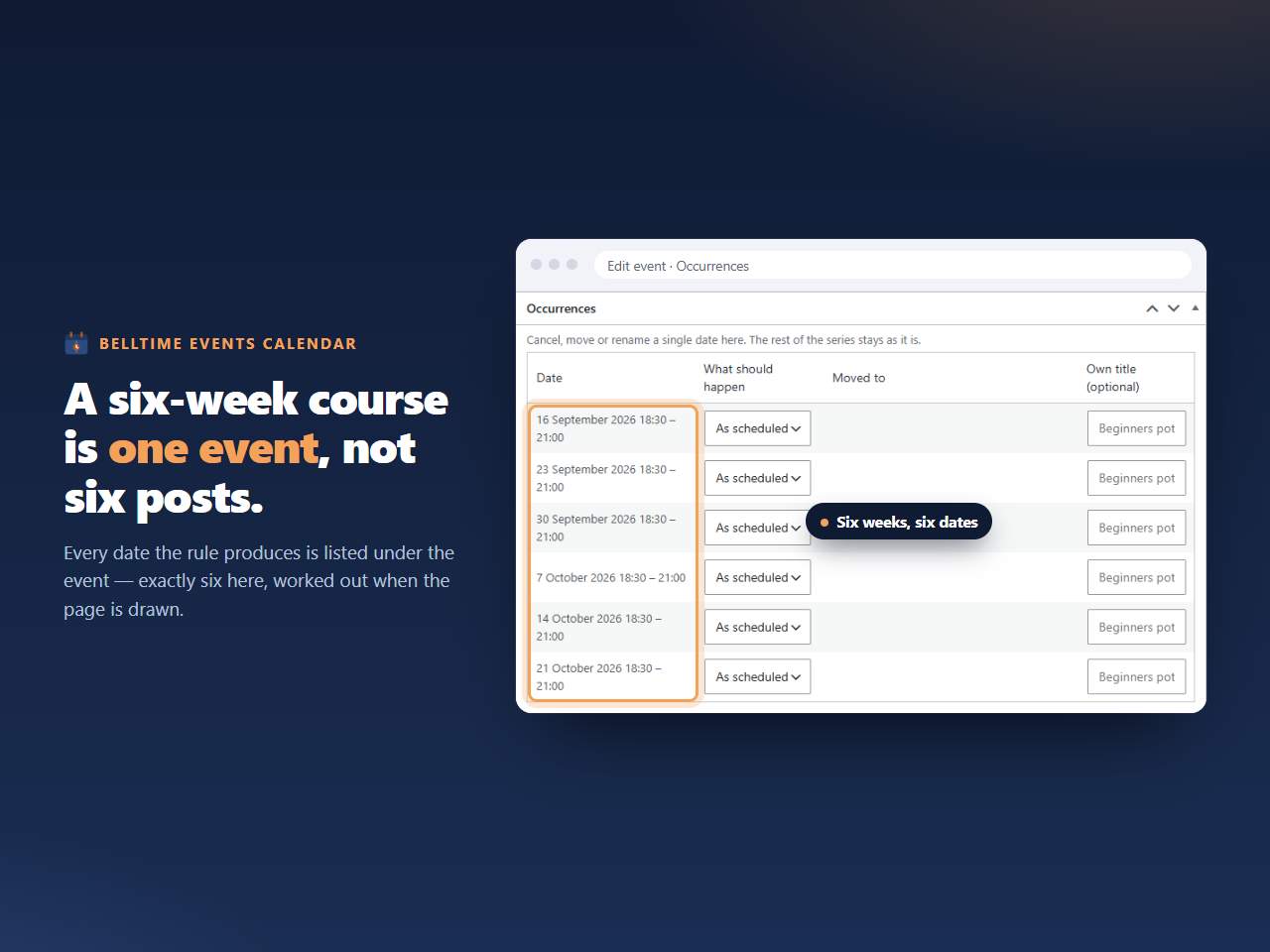
Occurrences are never database rows. A weekly class running for two years is one
event with one rule, not 104 posts in your database, your sitemap and every other
plugin’s queries. The dates are worked out when a page is drawn. No scheduled job
generates anything, and there is nothing to reconcile when you edit a series.
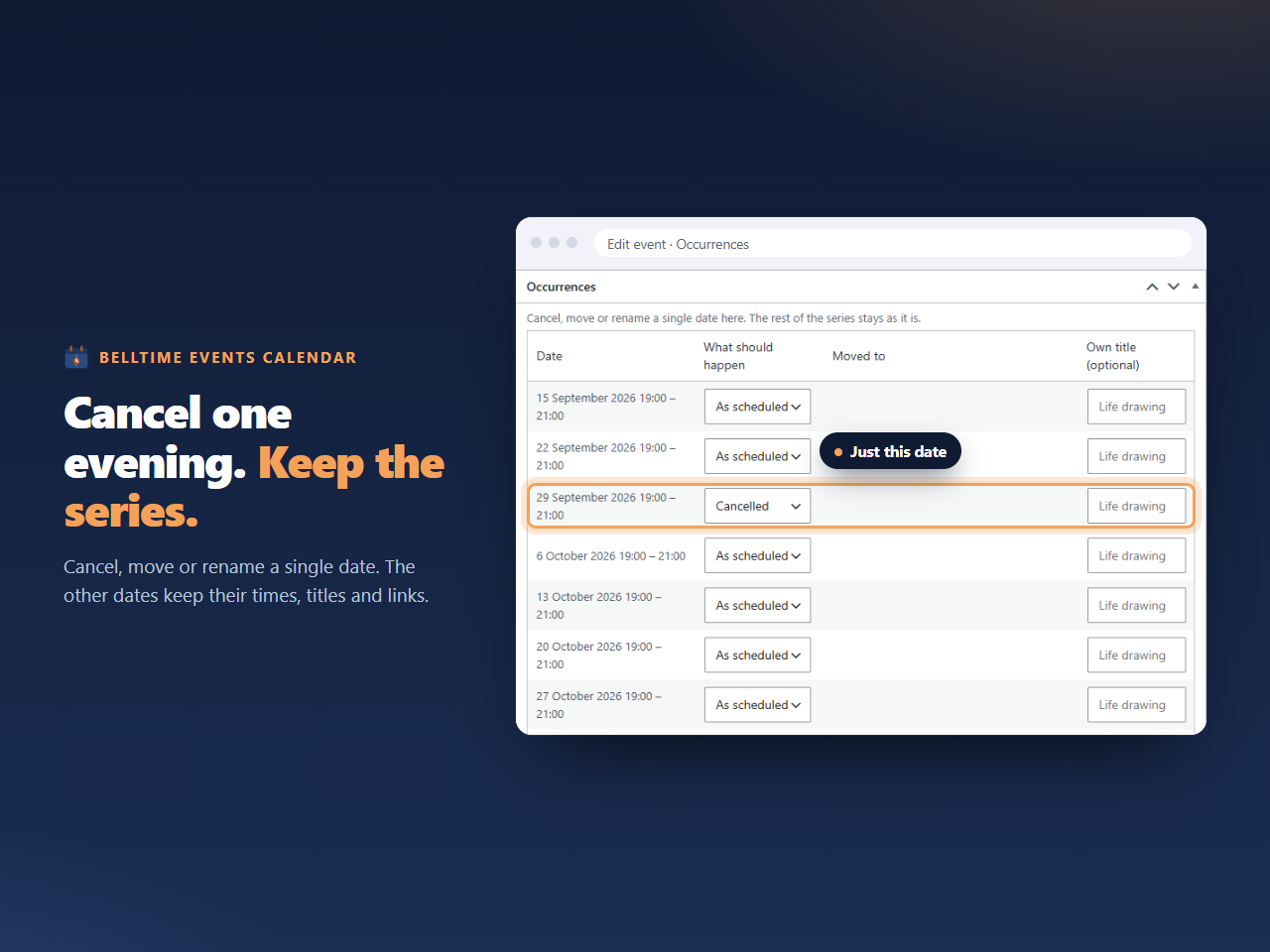
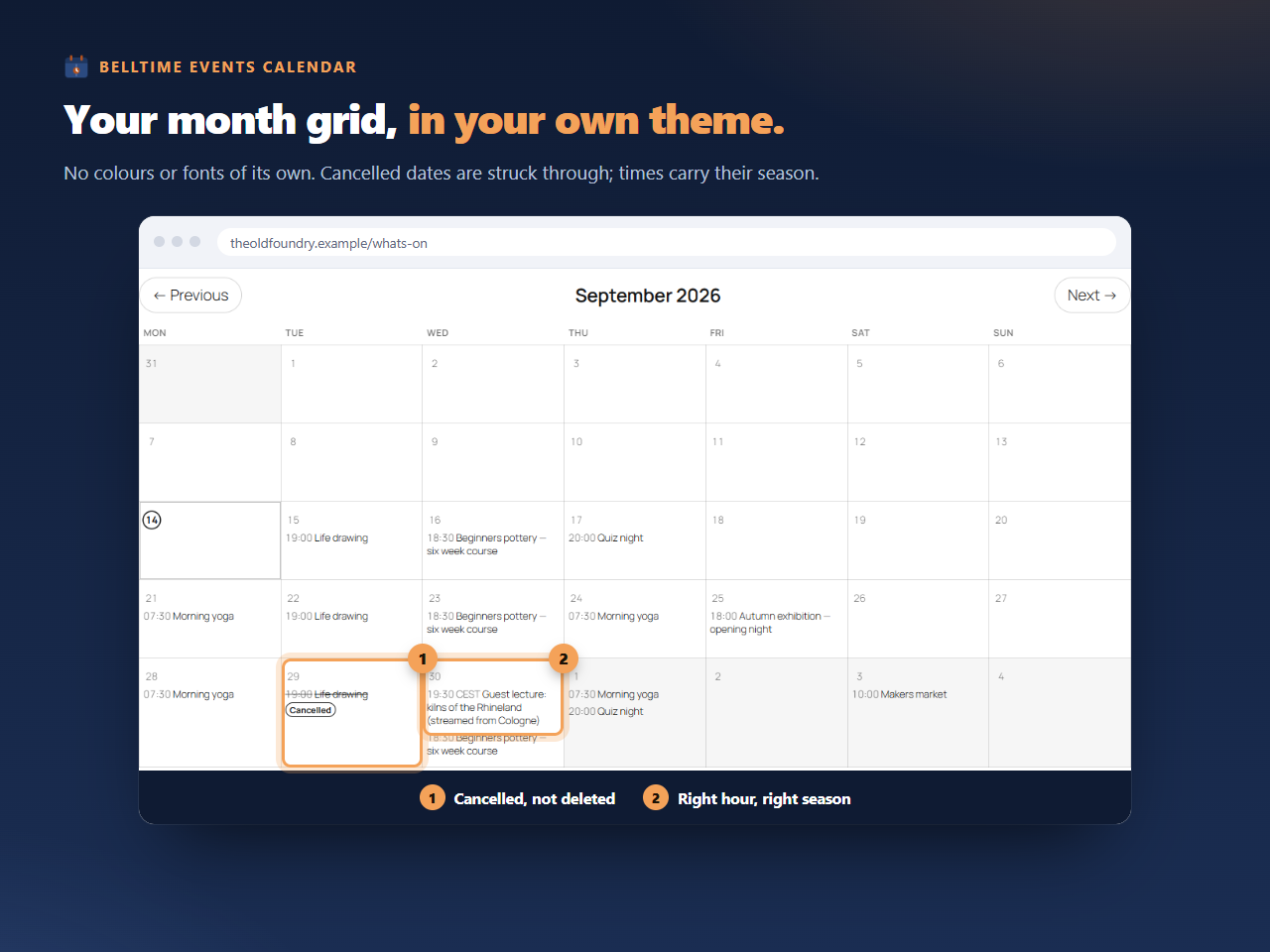
Cancelling or moving a single occurrence records only that exception — the rest of
the series keeps its dates and its links.
Times that stay right. Every event stores a wall-clock time, a length, and the
name of its timezone. That combination is what keeps a 19:00 event at 19:00 after
the clocks change, keeps a two-hour event two hours long across a daylight-saving
transition, and lets a touring show carry the local time of each city it plays. When
the timezone database is updated, the derived values are recalculated rather than
left to drift.
What it includes
- Events with title, description, featured image, location, organiser, link, categories and tags
- Per-event timezone, overriding the site default where needed
- All-day events
- Full recurrence, as described above, expanded when the page is drawn
- Move, rename or cancel a single occurrence without touching the series
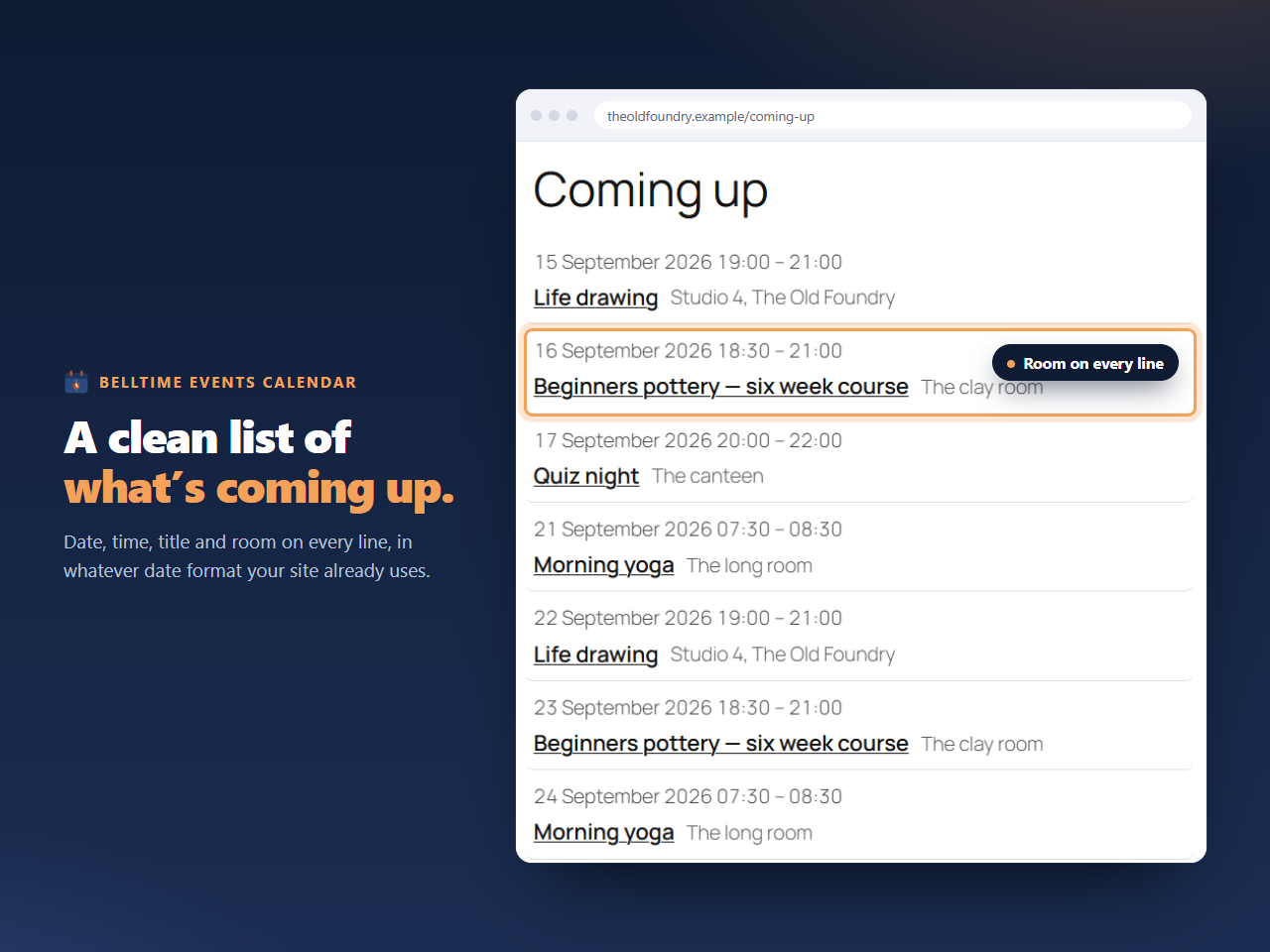
- Month grid and list views, as a block and as a shortcode
- Archive and single-event views from the post type
- An outgoing iCal feed visitors can subscribe to in their own calendar app
- Add-to-calendar links for Google, Outlook and .ics on each event
- Documented filters and actions so other plugins can extend it
What it deliberately does not do
- No ticketing, checkout, cart or bookings. This is a calendar. Link to whatever
system already holds your inventory. - No maps, geocoding or address lookup. Location is free text.
- No telemetry of any kind. See “External services” below.
- No work on pages the calendar is not on. Seven callbacks are registered, and each
returns on its first line wherever the calendar is not involved. The plugin autoloads
two small options and does nothing else until something asks it to draw a calendar. - No database tables. Events are posts, categories are terms, and nothing in the
WordPress schema is altered.
Pro
A separate paid add-on adds incoming synchronisation: subscribing to .ics feeds from
Google Calendar, Outlook and Microsoft 365, Apple iCloud, Nextcloud, Teamup and
anything else that speaks iCalendar, with several calendars at once and a panel
showing when each last synced and what failed. It is not required, and
nothing here is limited or disabled without it.
This plugin mentions the add-on only to administrators, and only on its own screens: a
“Sync from other calendars” tab and a dismissible line on its settings screen, a line
in the “Get started” box while the events list is empty and a button on the list once
it has events, a dismissible line when adding an event once one already exists, and a
link in its own row on the Plugins screen. Nothing appears in the block editor. None of
them is a site-wide notice or a dashboard widget, none opens by itself, none shows a
price, and all of them disappear once an add-on is active. Details are on the plugin’s
home page, which is the Plugin URI on this listing.
External services
This plugin does not use any external services. It makes no outbound network
requests of any kind: no licence check, no update check, no usage statistics, no
telemetry, no error reporting, and no request to any third party. Nothing about your
site, your events or your visitors is transmitted anywhere by this plugin.
The outgoing iCal feed this plugin publishes is served from your own site. When a
visitor subscribes to it, their calendar application requests it from your server
directly; no third party is involved and no request is made from your site to anyone.
The separate paid add-on does contact a licence and update service, and discloses that
in its own documentation. That add-on is not this plugin and is not distributed here.
Скриншоттор
Блоктор
This plugin provides 1 block.
- Belltime Events Calendar Belltime: a list or month view of your events, with recurrence expanded as the page is read.
Орнотуу
- In your WordPress admin, go to Plugins, then Add New, and search for “Belltime Events Calendar”.
- Press Install, then Activate.
- Go to Settings, then General, and make sure the site timezone is a named city such
as
Europe/Copenhagenrather than a fixed offset such asUTC+1. A fixed offset does not know when your country changes its clocks, and every event will be an hour out for half the year. This is the single most common cause of wrong event times on WordPress sites, and it is not specific to this plugin. - An Events menu appears. Create an event, set its date, its start time as it appears on a wall clock, and how long it runs.
Add the Belltime Events Calendar block to a page — it is under Widgets in the block inserter — or use the shortcode:
[belltime_events]
The shortcode takes optional attributes:
[belltime_events view=”month”] [belltime_events view=”list” limit=”5″ days=”90″ category=”concerts”]
Visitors can subscribe to your calendar at
/belltime-calendar.ics.
If your site’s PHP or WordPress version is older than this plugin requires, it will not load and will tell you so in an admin notice. It will not take your site down.
FAQ.KG
-
Does it create a post for every occurrence of a repeating event?
-
No. One event carries one recurrence rule and the dates are calculated when a page is
drawn. Only exceptions — a cancelled or moved occurrence — are stored, and there is
one record per exception rather than per occurrence. -
Which recurrence rules are supported?
-
FREQ (daily, weekly, monthly, yearly), INTERVAL, COUNT, UNTIL, WKST, BYDAY including
ordinals such as 2TU and -1FR, BYMONTHDAY including negative values, BYMONTH,
BYSETPOS, plus EXDATE and RDATE. If the plugin meets a rule it cannot expand, it shows
the base occurrence and says so in an admin notice rather than silently producing
wrong dates. -
Can each event have its own timezone?
-
Yes. The site timezone is the default and any event can override it. Useful for
touring productions, online courses and organisations operating in more than one
country. -
What happens to a two-hour event that crosses a daylight-saving change?
-
It stays two hours long. The plugin stores a duration rather than an end time, which
is what keeps the length correct across a clock change in either direction. -
Does it work with the block editor and with page builders?
-
Both. There is a block for the block editor and a shortcode for classic editors,
widget areas, page builders and theme templates. Both take the same options and
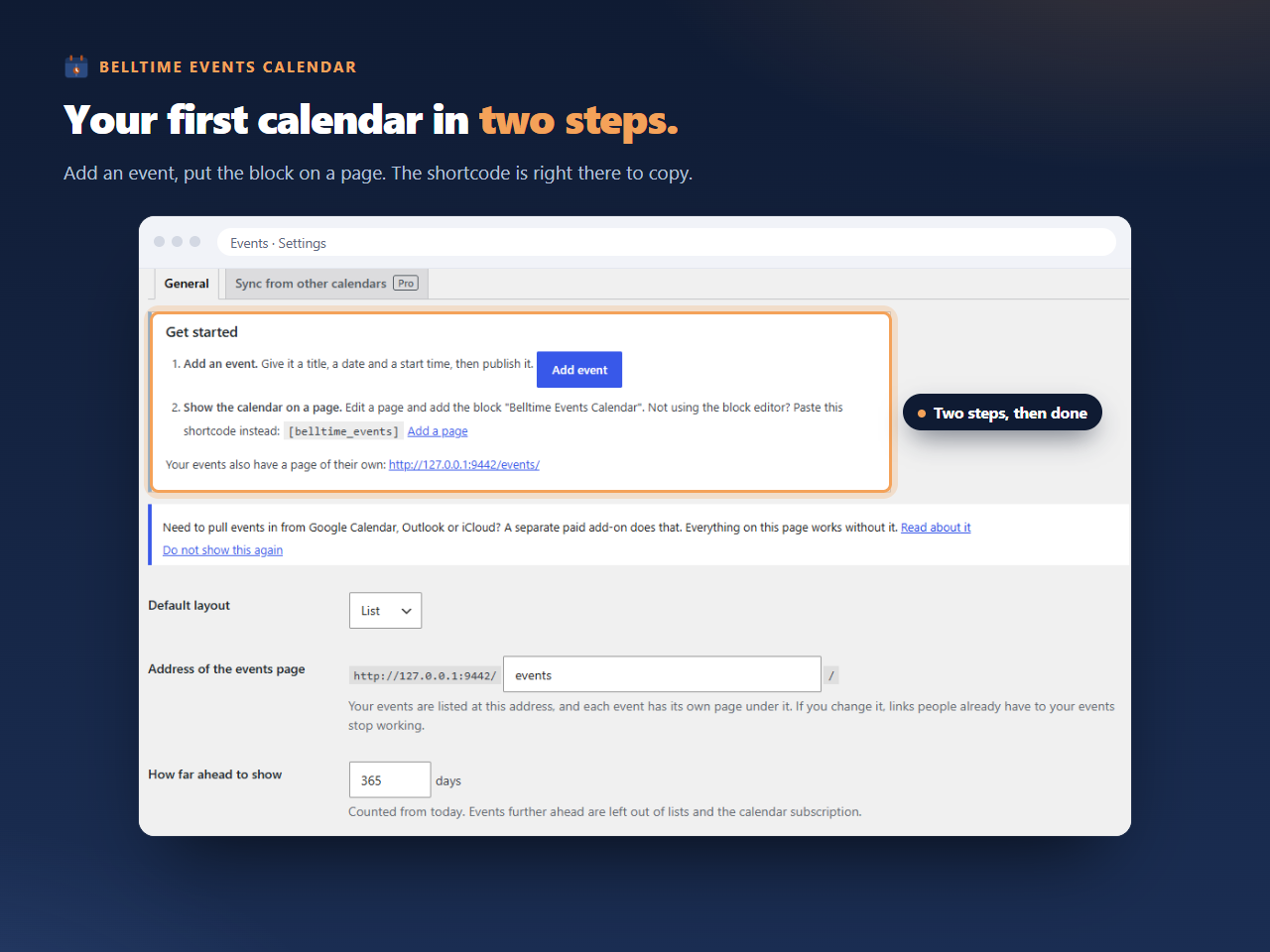
produce the same output. The plugin’s settings screen shows the shortcode in its
“Get started” box, so you can copy it without leaving the page. Its attributes are
view,limit,days,categoryandmonth, and they are documented here. -
Will it slow my site down?
-
It should cost nothing on pages that do not contain a calendar. Seven callbacks are
registered — two for the calendar feed (template_redirect, andredirect_canonicalso
the feed address is not redirected), one onpre_get_postsfor the events archive, two
on the content filters, and two on the date filters so an event shows its own date
rather than the day it was published — and every one of them returns on its first line
when the request is not about events. No scheduled task is
registered, no database table is created, and exactly two small options are autoloaded.
This is worth verifying yourself with Query Monitor rather than taking on trust. -
What happens to my events if I delete the plugin?
-
They stay. Deleting the plugin removes its options and its cached values, and leaves
your events in the database. Removing them as well is a checkbox you have to tick
deliberately before deleting, because a deletion that cannot be undone should never
be the default. -
Does it import from Google Calendar or Outlook?
-
Not in this plugin. Incoming synchronisation is in the separate paid add-on described
in the Description section. This plugin publishes an outgoing feed but does not read
anyone else’s. -
I use a page cache, and the month grid highlights the wrong day
-
That is the cache, and it is worth knowing about rather than working around. The month
view marks today while the page is built on your server. A full-page cache then serves
that same HTML to everyone until it expires, so if the page was built yesterday, the
highlight is on yesterday.Nothing else in the calendar is affected: dates, times and the order of events are all
properties of the events themselves, and they stay right. Only the “today” highlight
depends on when the page was rendered.We have deliberately not fixed this with JavaScript. The frontend of this plugin ships
none at all, which is what lets it work inside caches, AMP-style output and strict
content security policies without special cases, and a highlight is not worth giving
that up. If it matters on your site, exclude the page from your cache, or set the cache
lifetime to expire nightly.
Сын-пикирлер
There are no reviews for this plugin.
Contributors & Developers
“Belltime Events Calendar” is open source software. The following people have contributed to this plugin.
Мүчөлөрү
Translate “Belltime Events Calendar” into your language.
Interested in development?
Browse the code, check out the SVN repository, or subscribe to the development log by RSS.
Өзгөртүүлөр
0.1.0
- First release.