

Сүрөттөө
CartPinger connects your WooCommerce store to the official Meta WhatsApp Cloud API so you can reach customers where they actually read messages.
Abandoned cart recovery — CartPinger automatically detects when a customer leaves without completing checkout and sends them a WhatsApp reminder with a direct link back to their cart. No email. No spam folder.
Order notifications — Send automatic WhatsApp messages when an order is placed, paid, shipped, or completed. Customers stay informed without you lifting a finger.
WhatsApp chat widget — Add a click-to-chat button to your storefront so customers can reach you instantly on WhatsApp.
Bring your own account — CartPinger uses the official Meta WhatsApp Cloud API. You connect your own WhatsApp Business number. No middleman, no per-message fees beyond Meta’s standard rates.
Block and classic checkout — Works with both the WooCommerce block checkout (WooCommerce 8.6+) and the classic shortcode checkout.
Features
- Abandoned cart recovery via WhatsApp — unlimited
- Optional 24h and 48h follow-up messages (configurable in settings)
- Optional automatic discount coupons in follow-ups (configurable)
- Order notifications on Processing, Completed, and Cancelled
- WhatsApp click-to-chat widget for the storefront
- CSV export of all abandonment and recovery data
- Works with both classic and block checkout
How it works
- A customer adds items to their cart and starts checkout
- They enter their phone number and check the WhatsApp consent checkbox
- If they leave without completing the order, CartPinger waits 1 hour and sends a recovery message via WhatsApp
- The message includes their name and a direct link back to their cart
- If they complete the order, the recovery is marked as successful
Privacy and data
CartPinger does not collect or transmit any data to servers operated by the plugin author. Customer phone numbers and message content are sent directly from your server to Meta (WhatsApp Cloud API) using your own access token. All data is stored in your own WordPress database.
This plugin connects to the Meta WhatsApp Cloud API (a third-party service). See the “External Services” section below for full details.
Open source
Source code available on GitHub under GPL-2.0-or-later.
External Services
CartPinger sends data to the Meta WhatsApp Cloud API to deliver messages.
What data is sent
- Customer WhatsApp phone number (collected at checkout with explicit opt-in)
- Message template name and parameters (customer first name, recovery link)
- Your Meta Access Token and Phone Number ID (stored locally, never sent to CartPinger servers)
When data is sent
- When a recovery or order notification message is dispatched (outbound POST to graph.facebook.com)
- When Meta delivers a status update for a sent message (inbound webhook from Meta)
External service
Meta Platforms, Inc. — WhatsApp Cloud API
- Service URL: https://graph.facebook.com/
- Terms of Service: https://developers.facebook.com/terms/
- WhatsApp Business Terms: https://www.whatsapp.com/legal/business-terms/
- Privacy Policy: https://www.facebook.com/privacy/policy/
No data is ever sent to CartPinger’s servers. This plugin has no backend — all data stays in your WordPress database, except what is transmitted directly between your server and Meta’s API.
Lemon Squeezy (only used if you enter a Supporter license key)
CartPinger is fully free. If you choose to support the project by buying an optional Supporter license at cartpinger.com, the plugin verifies that key against the Lemon Squeezy licensing API once you click “Activate” in CartPinger Settings Supporter, and again once per day to confirm it is still valid. No other data is sent. If you never enter a license key, this service is never contacted.
- Service URL: https://api.lemonsqueezy.com/
- Terms of Service: https://www.lemonsqueezy.com/terms
- Privacy Policy: https://www.lemonsqueezy.com/privacy
YouTube (only loaded inside the Setup wizard)
Setup wizard step 1 embeds a third-party YouTube video that walks merchants through the Meta side of the WhatsApp Cloud API setup. The video iframe is loaded by your browser directly from youtube.com only while you view that wizard step in the WordPress admin. No data is sent from the plugin itself to YouTube; standard YouTube embed cookies and analytics apply per Google’s policies.
- Service URL: https://www.youtube.com/
- Terms of Service: https://www.youtube.com/t/terms
- Privacy Policy: https://policies.google.com/privacy
Скриншоттор
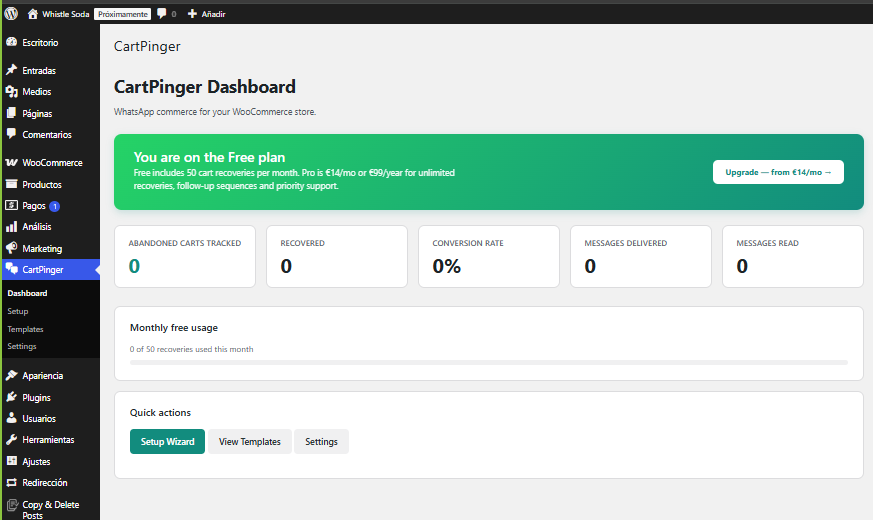
CartPinger dashboard — abandoned cart tracking, recovery rate, messages delivered and read. 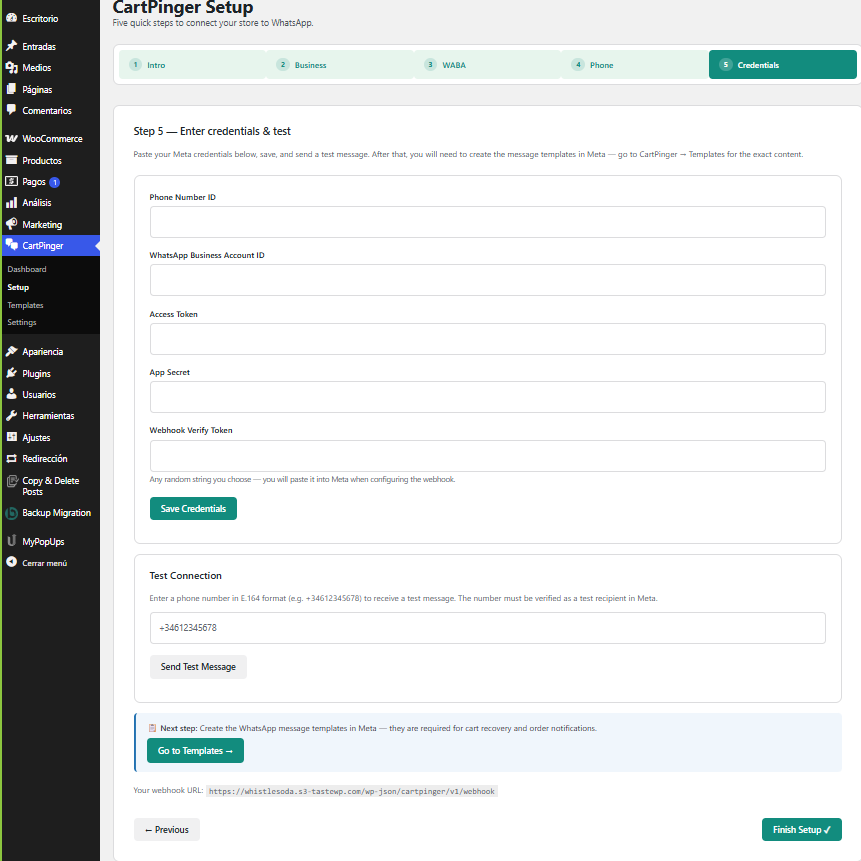
Setup wizard — paste your Meta Cloud API credentials and send a test message right from the wizard. 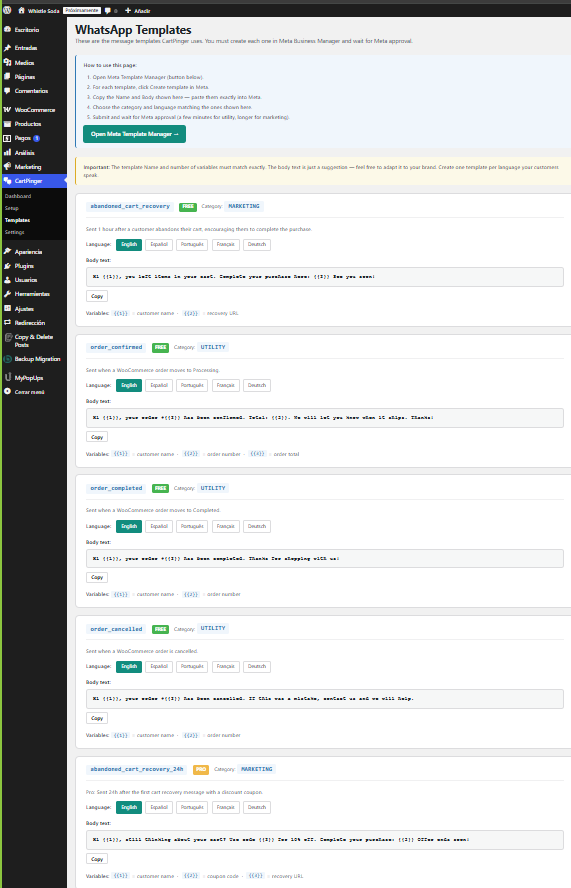
Templates page — copy ready-to-paste WhatsApp template content in English, Spanish, Portuguese, French, and German for every template CartPinger can send. 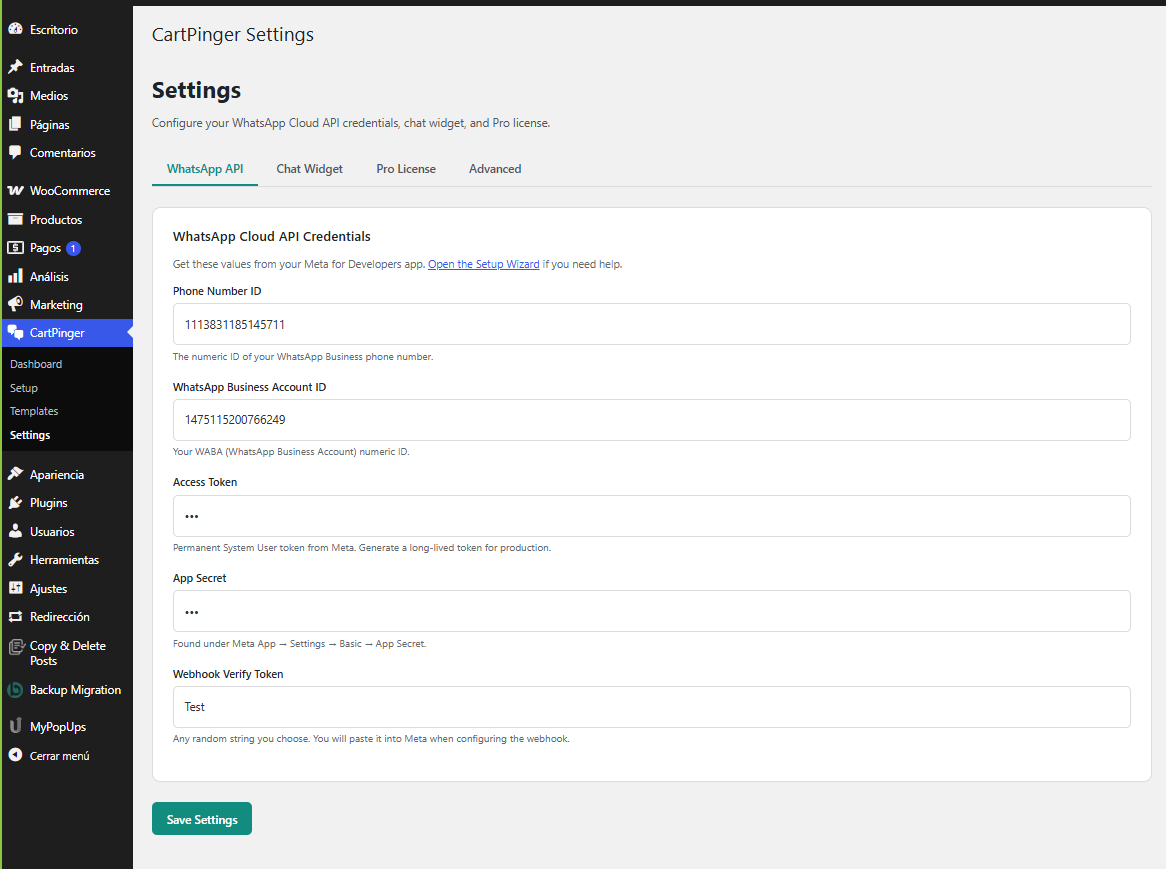
Settings — WhatsApp API tab where Phone Number ID, WABA ID, Access Token, App Secret, and webhook token live. 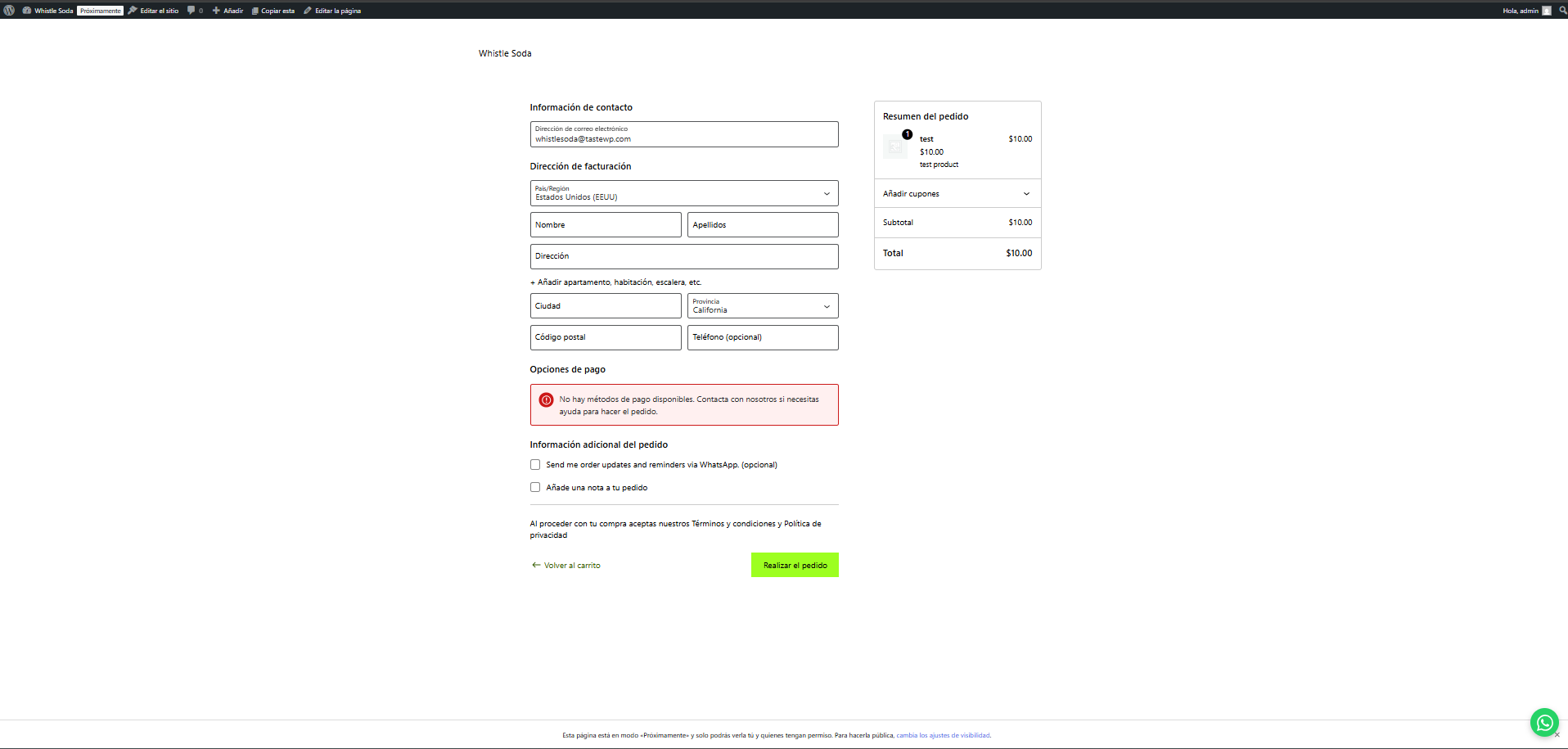
Storefront — WhatsApp consent checkbox in WooCommerce checkout (both classic and block) and the floating chat widget. 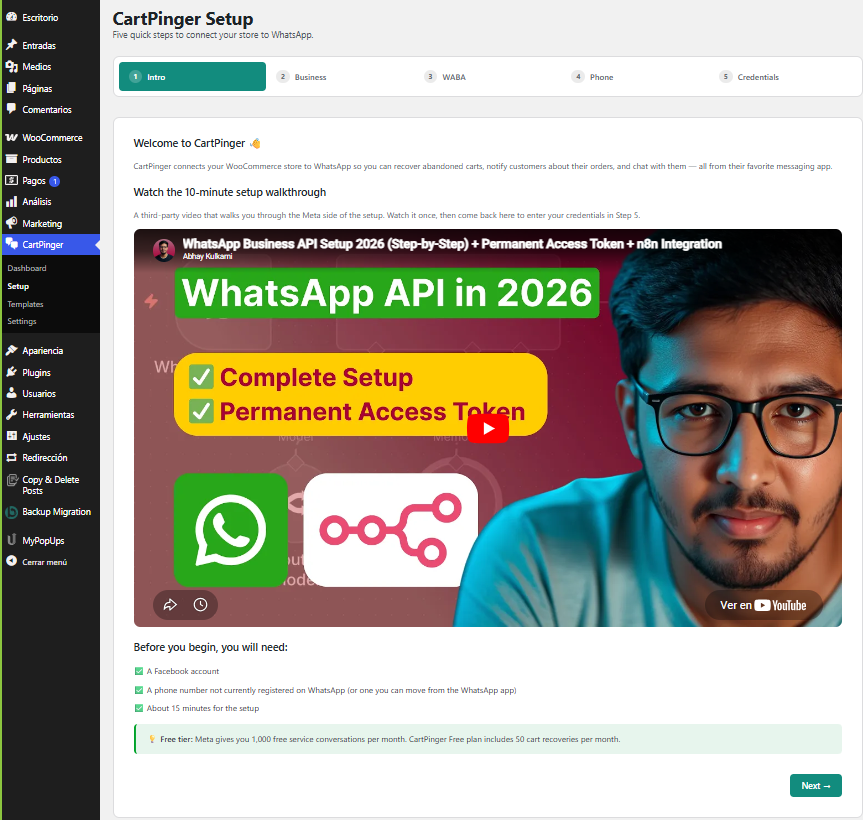
Setup wizard Step 1 — embedded video walkthrough of the full Meta + WhatsApp Cloud API setup.
Орнотуу
- Upload the plugin files to
/wp-content/plugins/cartpinger/, or install via the WordPress admin Plugins screen. - Activate through the Plugins menu.
- Navigate to CartPinger > Setup and complete the onboarding wizard.
- Connect your WhatsApp Business Account via the Meta setup flow.
- Once configured, abandoned cart recovery and order notifications start working automatically.
FAQ.KG
-
Do I need WooCommerce?
-
Yes. WooCommerce 8.6 or higher is required.
-
Do I need a paid WhatsApp plan?
-
You pay Meta directly for messages sent outside the free tier (Meta offers 1,000 free conversations per month). CartPinger itself is free and open source under GPL-2.0-or-later.
-
Is my WhatsApp Business Account safe?
-
CartPinger uses the official Meta Cloud API. Your access tokens are stored encrypted in your own WordPress database using AES-256-GCM encryption. We never see or store your credentials on any external server.
-
Does this work with the WooCommerce block checkout?
-
Yes. CartPinger supports both the WooCommerce block checkout (WooCommerce 8.6+) and the classic shortcode checkout. The WhatsApp consent checkbox appears automatically in both.
-
Does this work with WooCommerce HPOS?
-
Yes. CartPinger declares full compatibility with WooCommerce High-Performance Order Storage (custom order tables).
-
Which WhatsApp account type is required?
-
You need a WhatsApp Business Account (WABA) created inside Meta Business Manager, with a registered phone number. Personal WhatsApp accounts are not supported.
-
Where is customer data stored?
-
All customer data (phone numbers, cart contents, recovery tokens) is stored in your own WordPress database in the
wp_cartpinger_recoveriestable. Nothing is stored on CartPinger’s servers.
Сын-пикирлер
There are no reviews for this plugin.
Contributors & Developers
“CartPinger” is open source software. The following people have contributed to this plugin.
Мүчөлөрү
Translate “CartPinger” into your language.
Interested in development?
Browse the code, check out the SVN repository, or subscribe to the development log by RSS.
Өзгөртүүлөр
0.2.1
- Plugin is now fully functional and free — removed the previous Pro license gating and the 50-recoveries-per-month cap to comply with WordPress.org guidelines 5 and 6.
- Cart Recovery settings tab: toggles for follow-up messages (+24h, +48h) and the optional automatic discount coupon.
- ChatWidget CSS now enqueued via wp_register_style + wp_add_inline_style.
- /track-cart REST endpoint requires the wp_rest nonce.
- Extension hooks: cartpinger_before_send_recovery, cartpinger_recovery_components, cartpinger_after_send_recovery.
0.2.0
- Abandoned cart recovery — automatic WhatsApp message sent 1 hour after cart abandonment.
- Optional 24h and 48h follow-up messages (toggle in settings).
- Optional automatic WooCommerce discount coupons in 24h follow-ups (toggle in settings).
- Order notifications on processing, completed, and cancelled.
- WhatsApp click-to-chat widget with custom support number and pre-filled message.
- CSV export of all abandonment and recovery data.
- Block checkout: WhatsApp consent field registered via WooCommerce additional fields API (WC 8.6+).
- Block checkout: real-time cart tracking via nonce-protected REST endpoint before Place Order.
- GDPR: consent stored per cart, consent revocation supported.
0.1.0
- Initial release.
- AES-256-GCM encrypted credential storage.
- REST API: settings, webhook, test-message, templates, stats endpoints.
- Order notifications: processing, completed, cancelled.
- Async message queue via WP-Cron.
- Onboarding wizard with live credentials form and webhook URL display.
- WhatsApp chat widget for storefront.
- WooCommerce HPOS compatibility.
- Uninstall: optional data deletion on uninstall.