

Сүрөттөө
choPOS is a point of sale for WordPress. It turns your WooCommerce store into a till that runs inside the WordPress dashboard. Cashiers sell your WooCommerce products in person; every sale is saved as a normal WooCommerce order, so stock, customers and reports stay in one place.
Selling
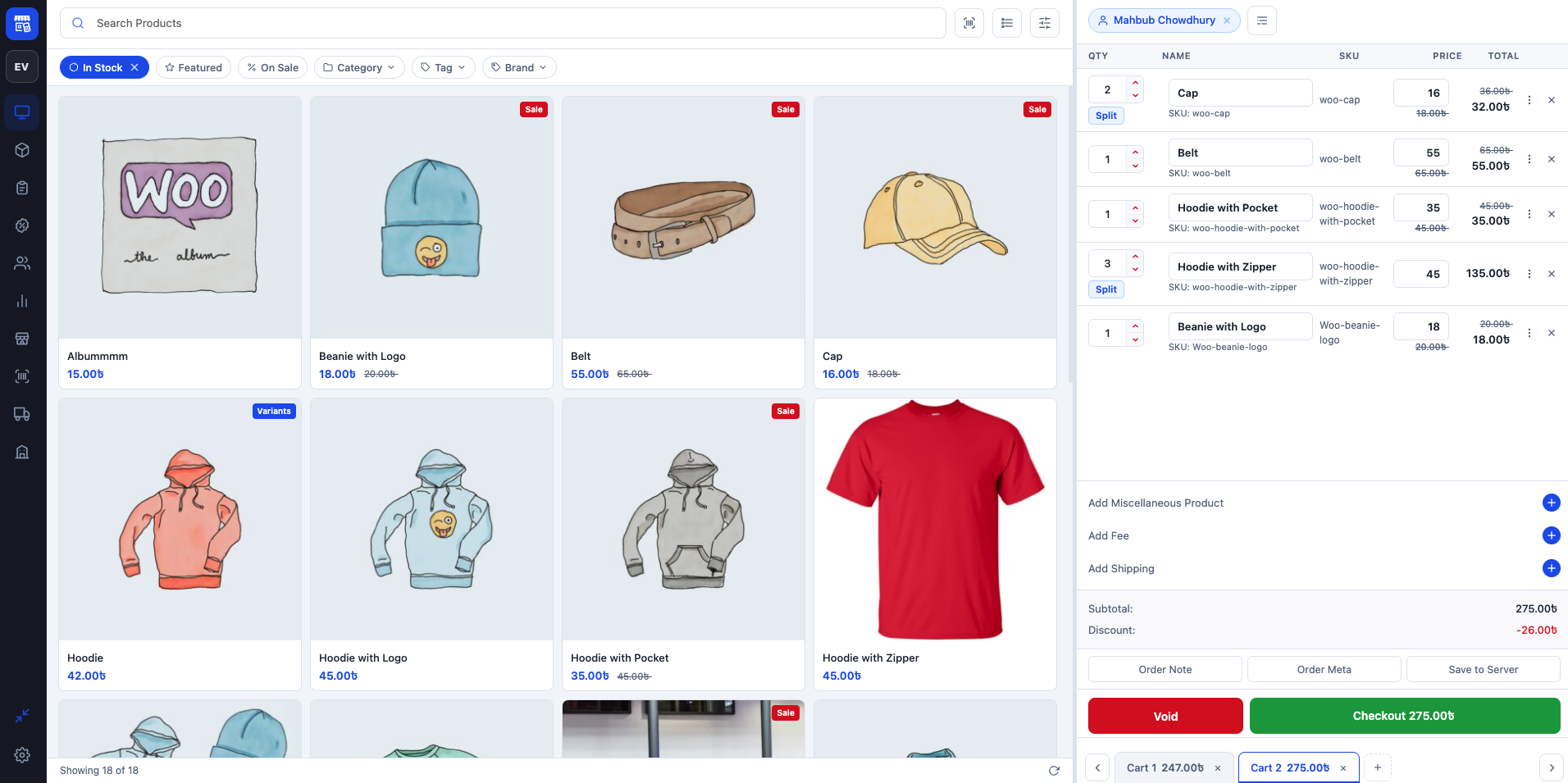
- Product grid or list with search, and filters for stock, featured, on sale, category, tag and brand.
- Variable products: pick a variation from the tile or a variations list.
- Several carts open at once. Unpaid carts are kept as “POS – Open” orders, so a sale can be parked and finished later.
- Edit quantities, split lines, rename items and change prices in the cart.
- Add miscellaneous items, fees (fixed or percentage), shipping, coupons, order notes and custom order meta.
- Pick a customer, or create one at the till. A default customer can be pre-selected for every new cart.
Payments and receipts
- Cash with amount tendered and change, part payments with a balance due, and any enabled WooCommerce payment gateway.
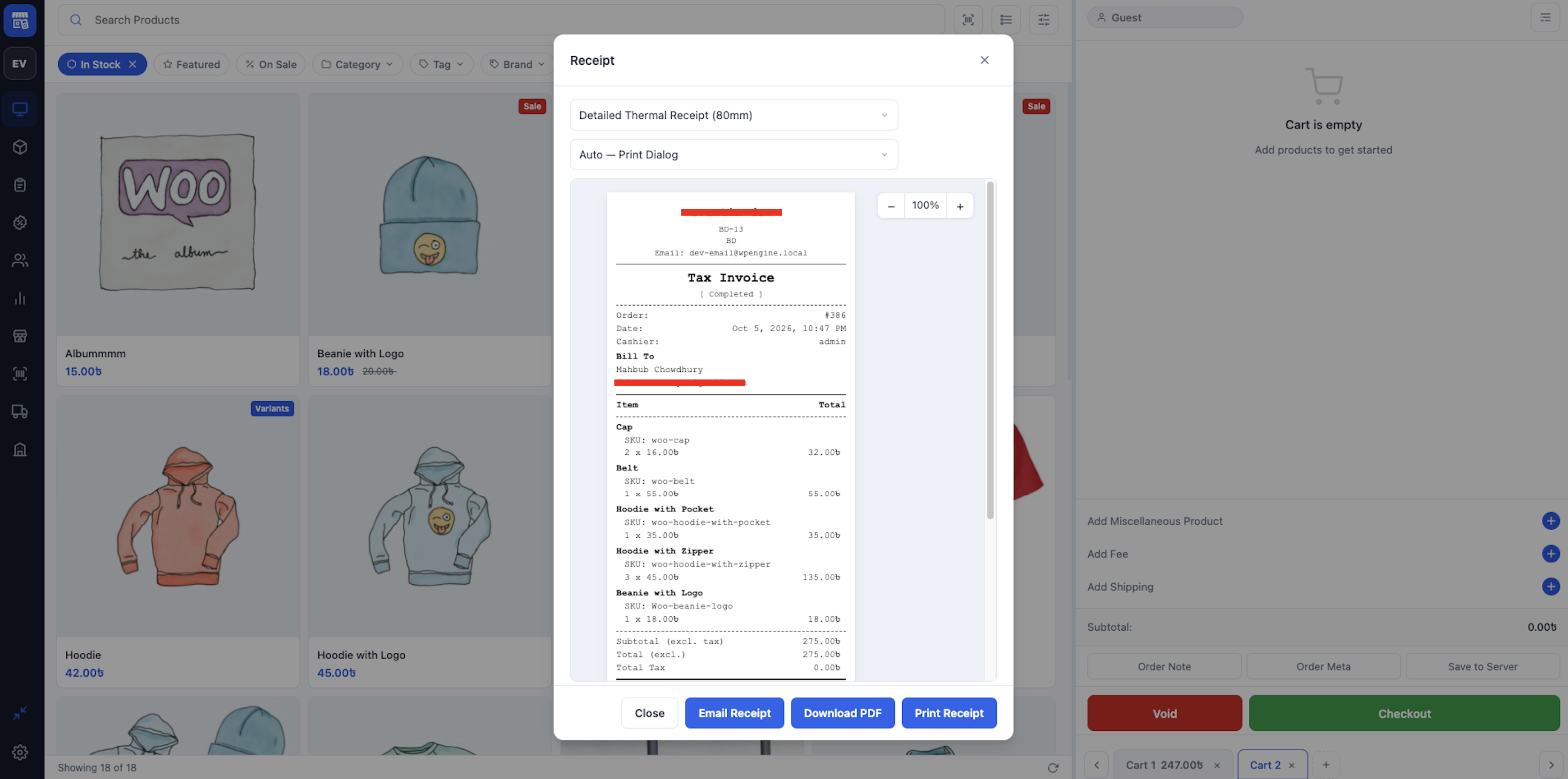
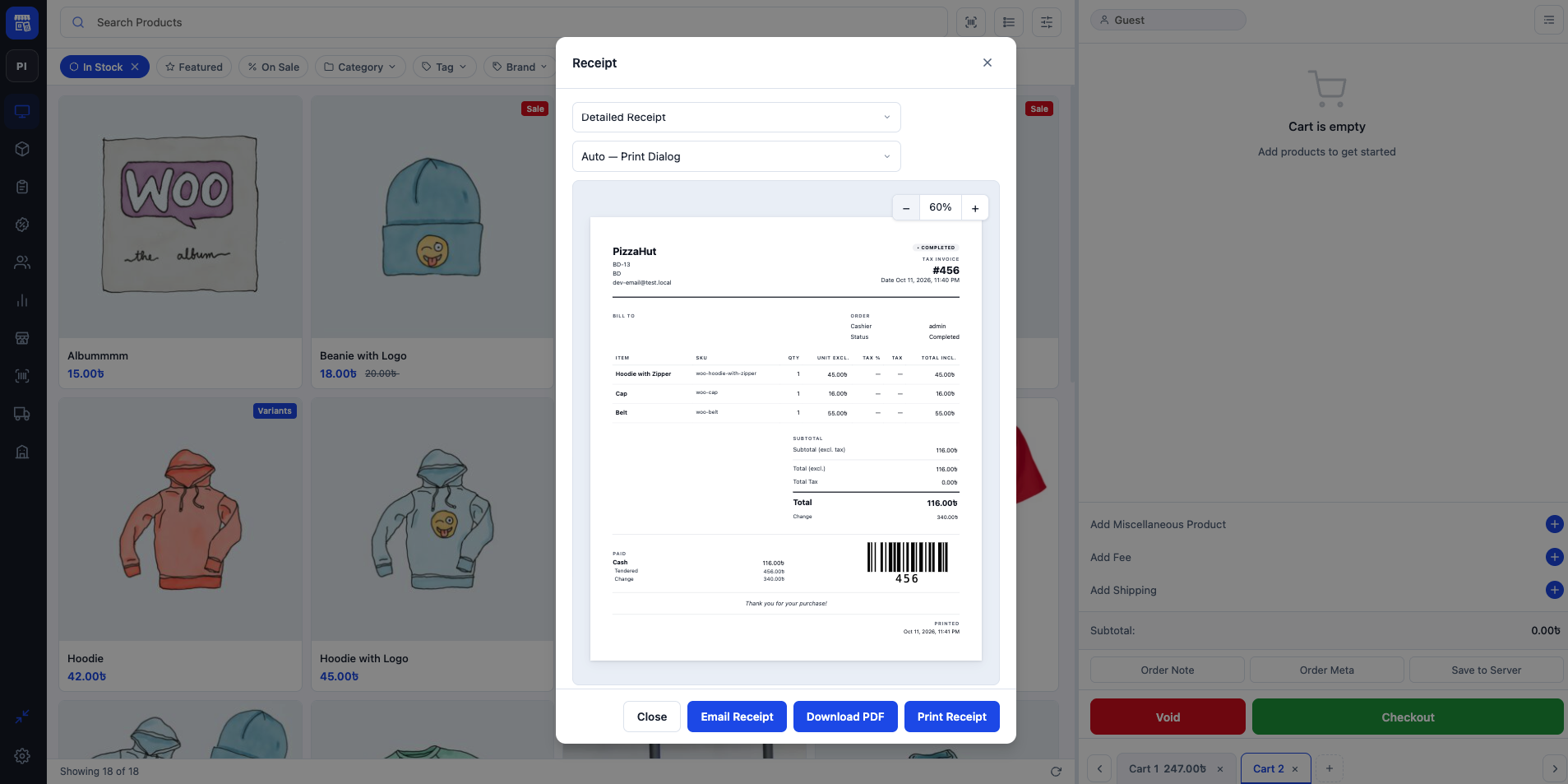
- Receipt templates for 80 mm and 58 mm thermal printers and A4: detailed receipt, gift receipt, packing slip and kitchen ticket.
- Print through the browser, download a PDF or email the receipt. Receipts can be shown or printed automatically after checkout.
Taxes
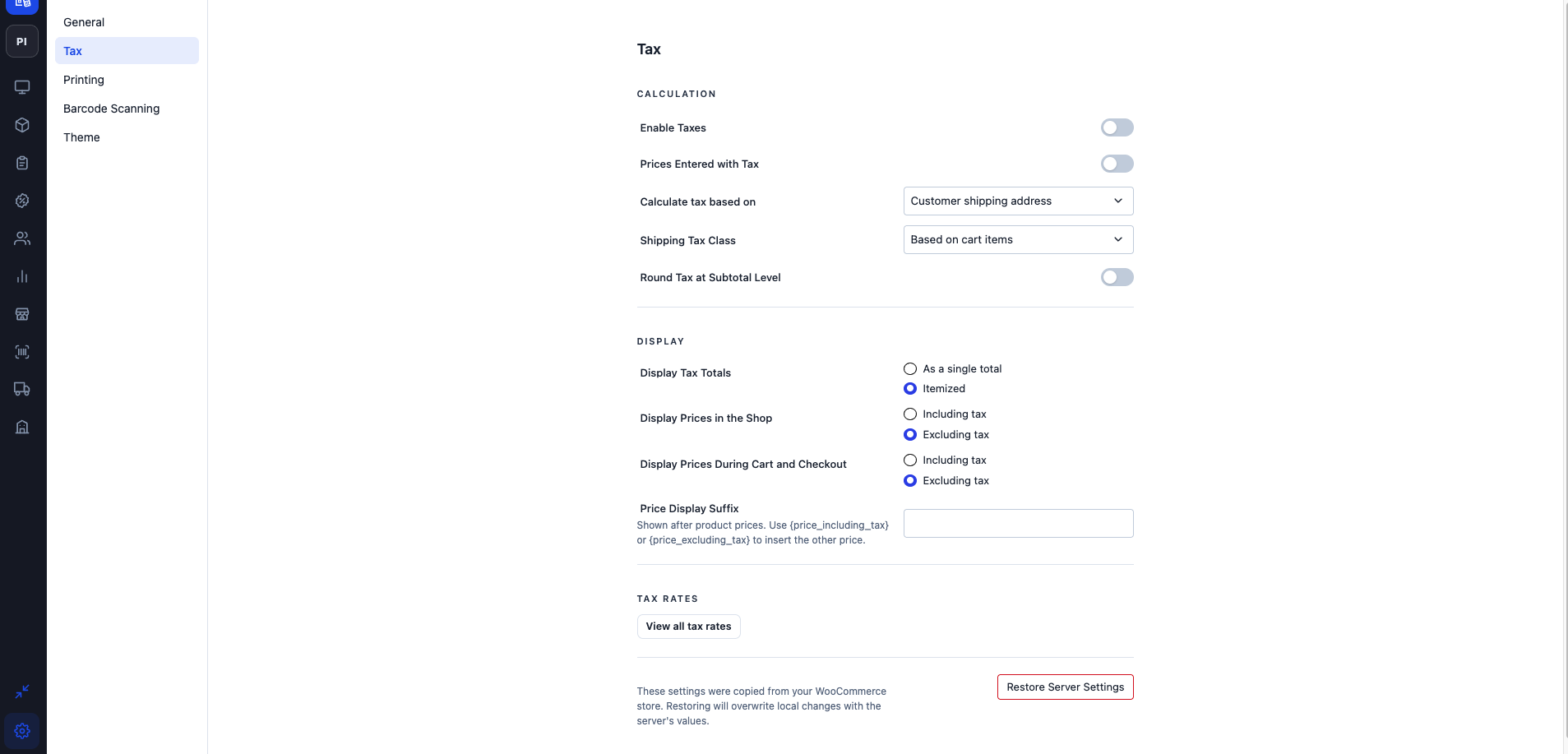
- Uses your WooCommerce tax rates and classes, including compound rates, postcode and city rules and shipping tax.
- Tax the sale at the shop address or the customer’s billing or shipping address.
- Show prices including or excluding tax, with itemized or single tax totals and an optional price suffix.
Barcode scanning
- USB and Bluetooth barcode scanners work straight away on the terminal screen.
- Scan with the device camera in browsers that support it.
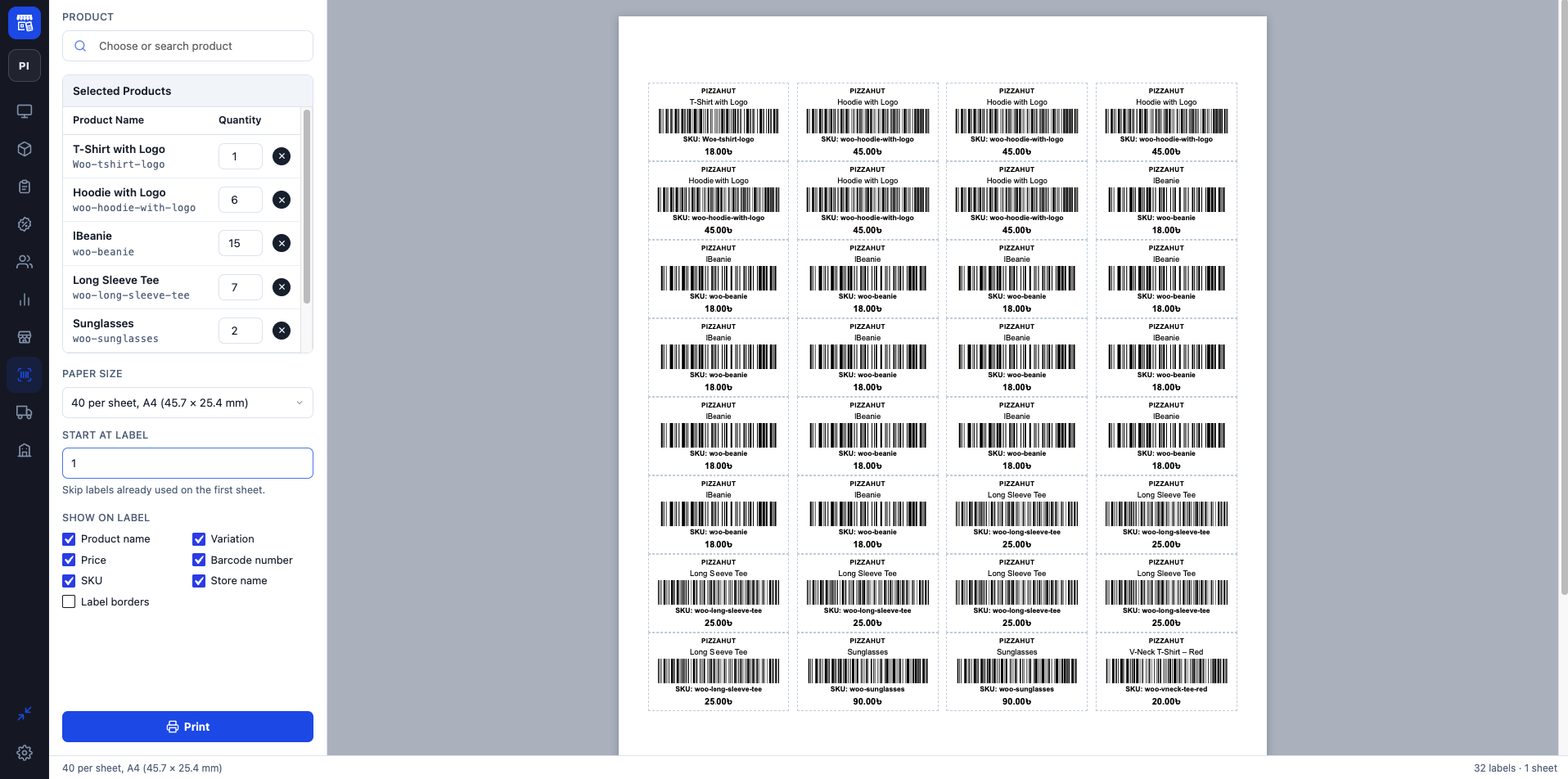
- Barcodes are matched against SKUs and a dedicated barcode field on products and variations.
Managing the store
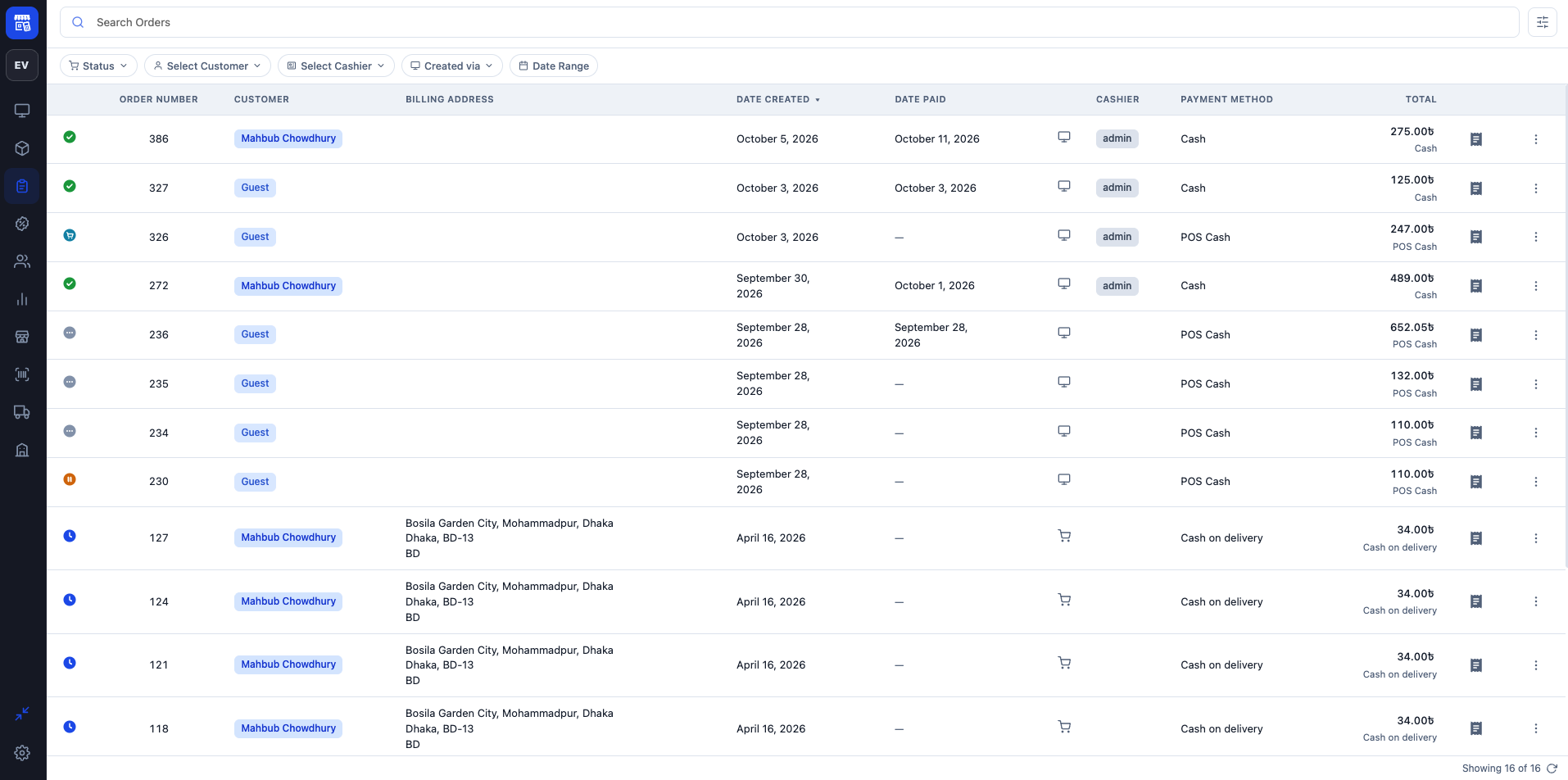
- Orders: search, filter, view, edit, refund, void and reopen orders in the terminal.
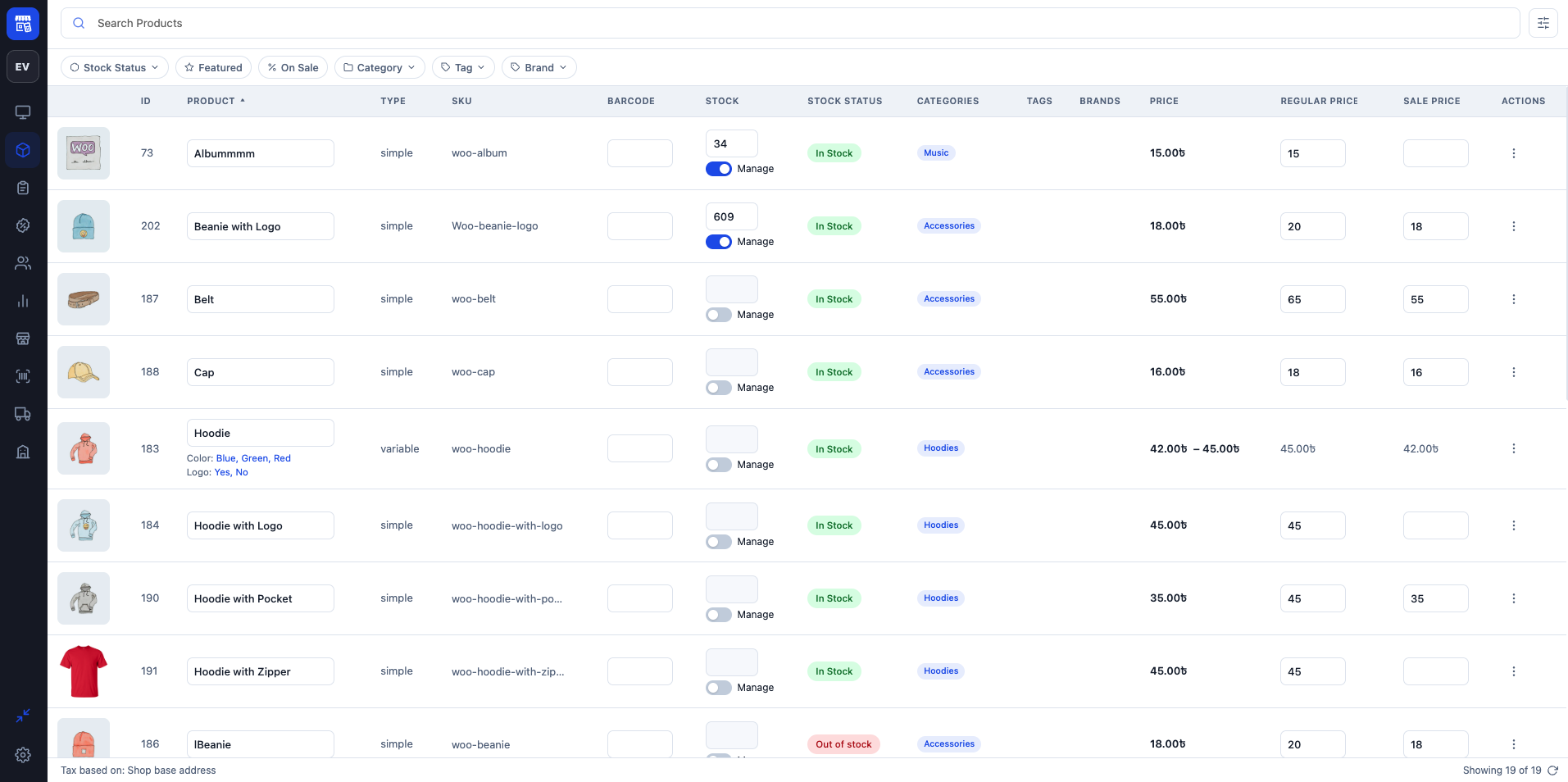
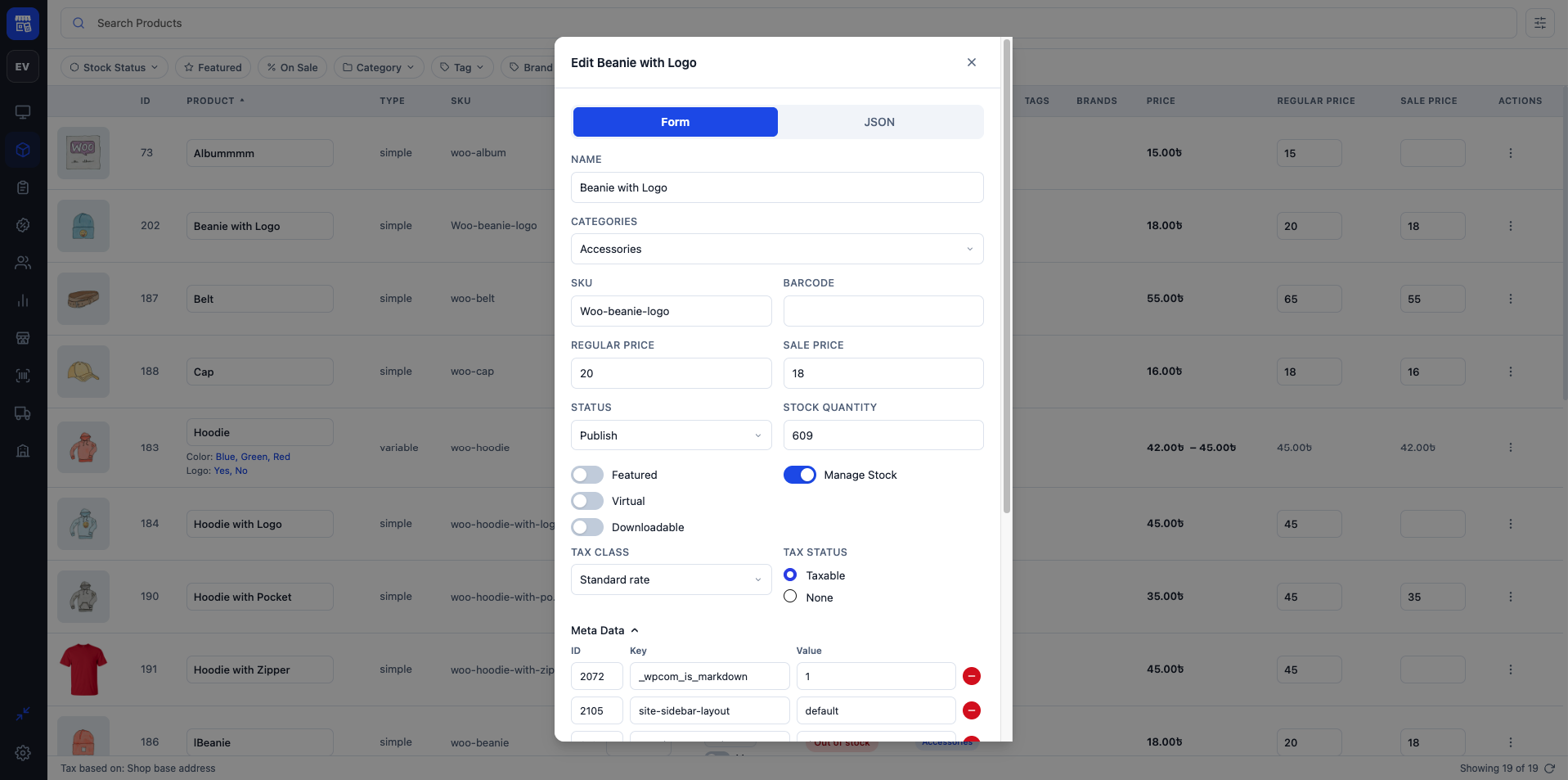
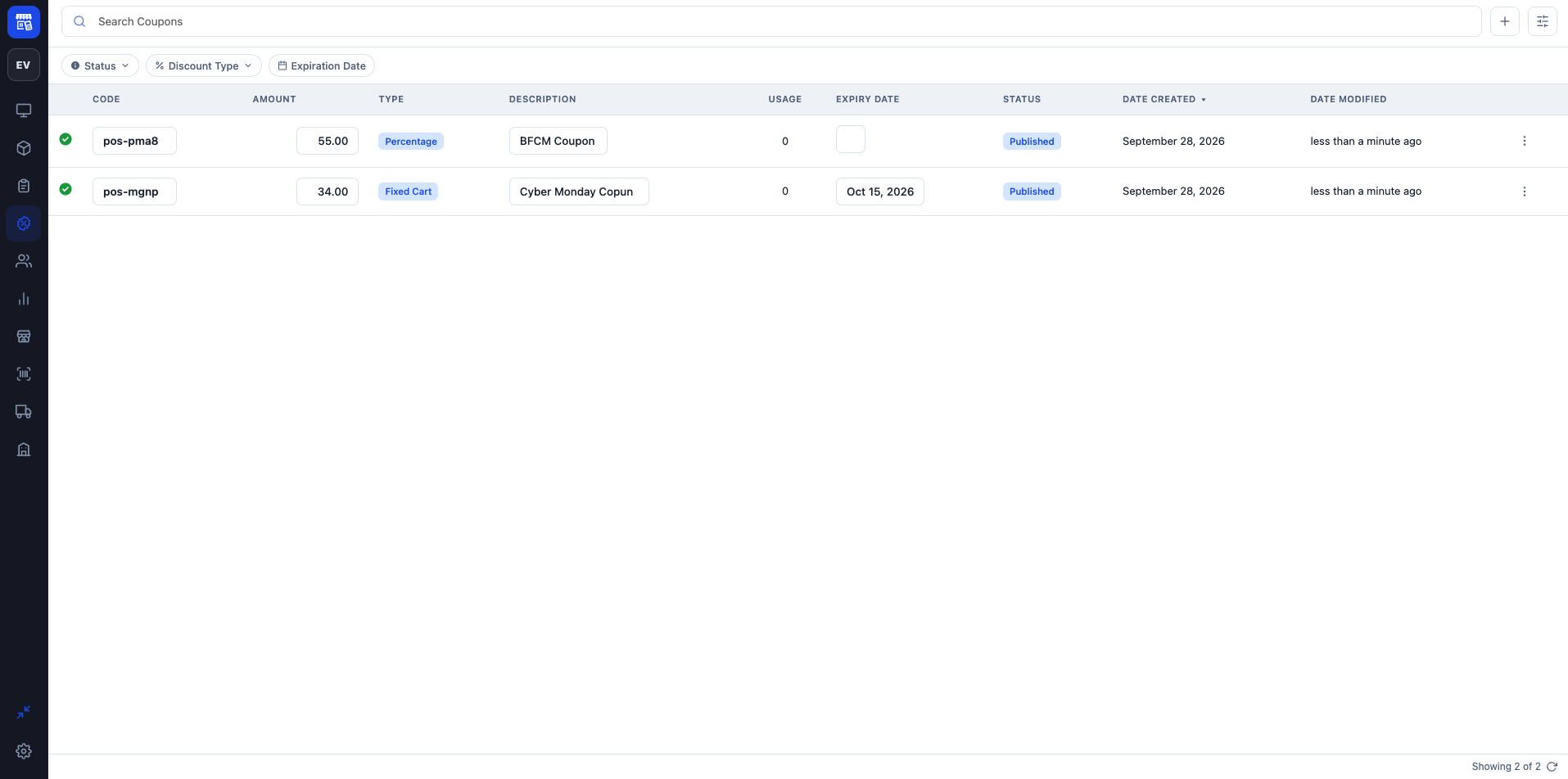
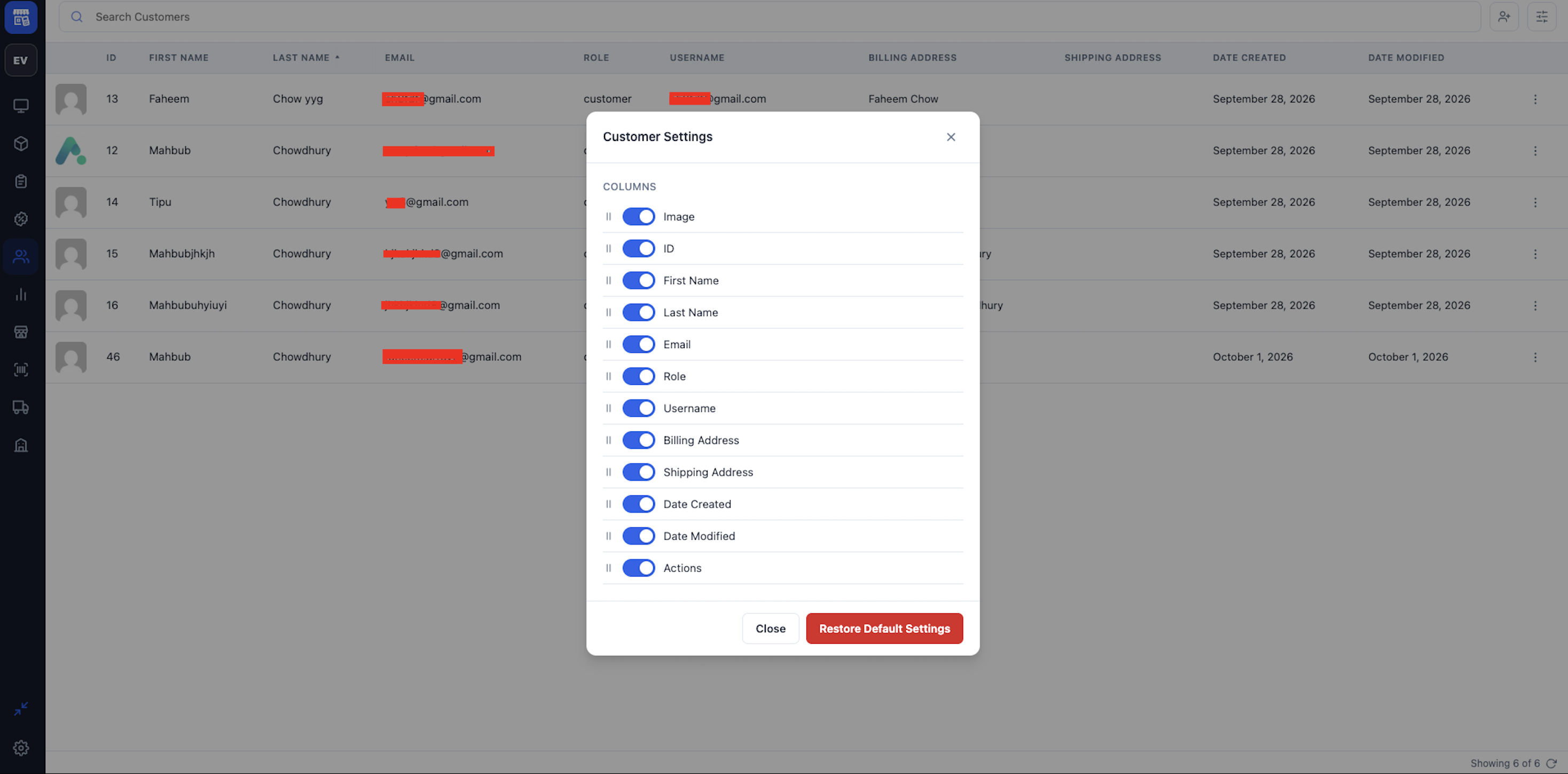
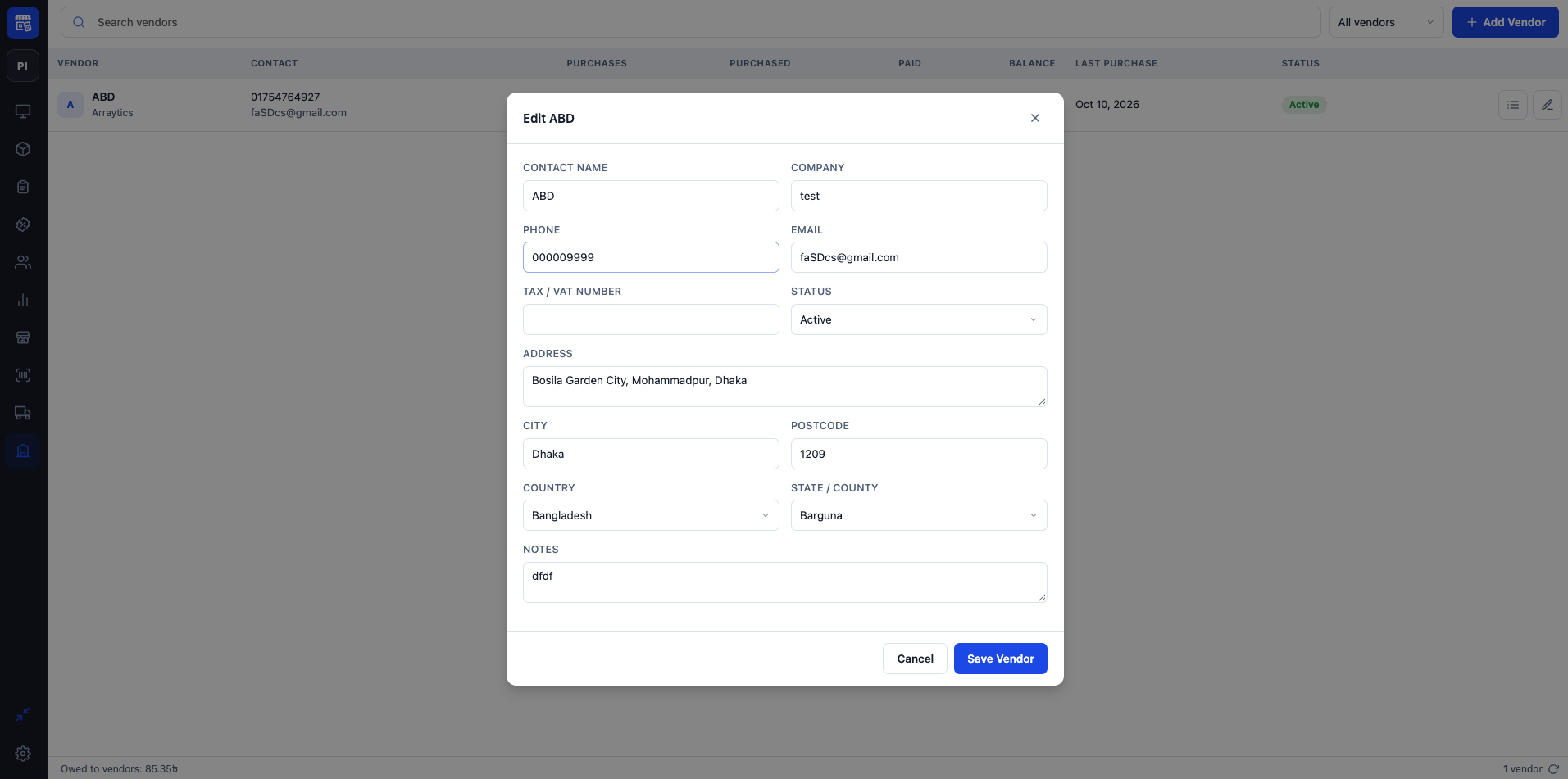
- Products, coupons and customers: browse and edit them without leaving the POS.
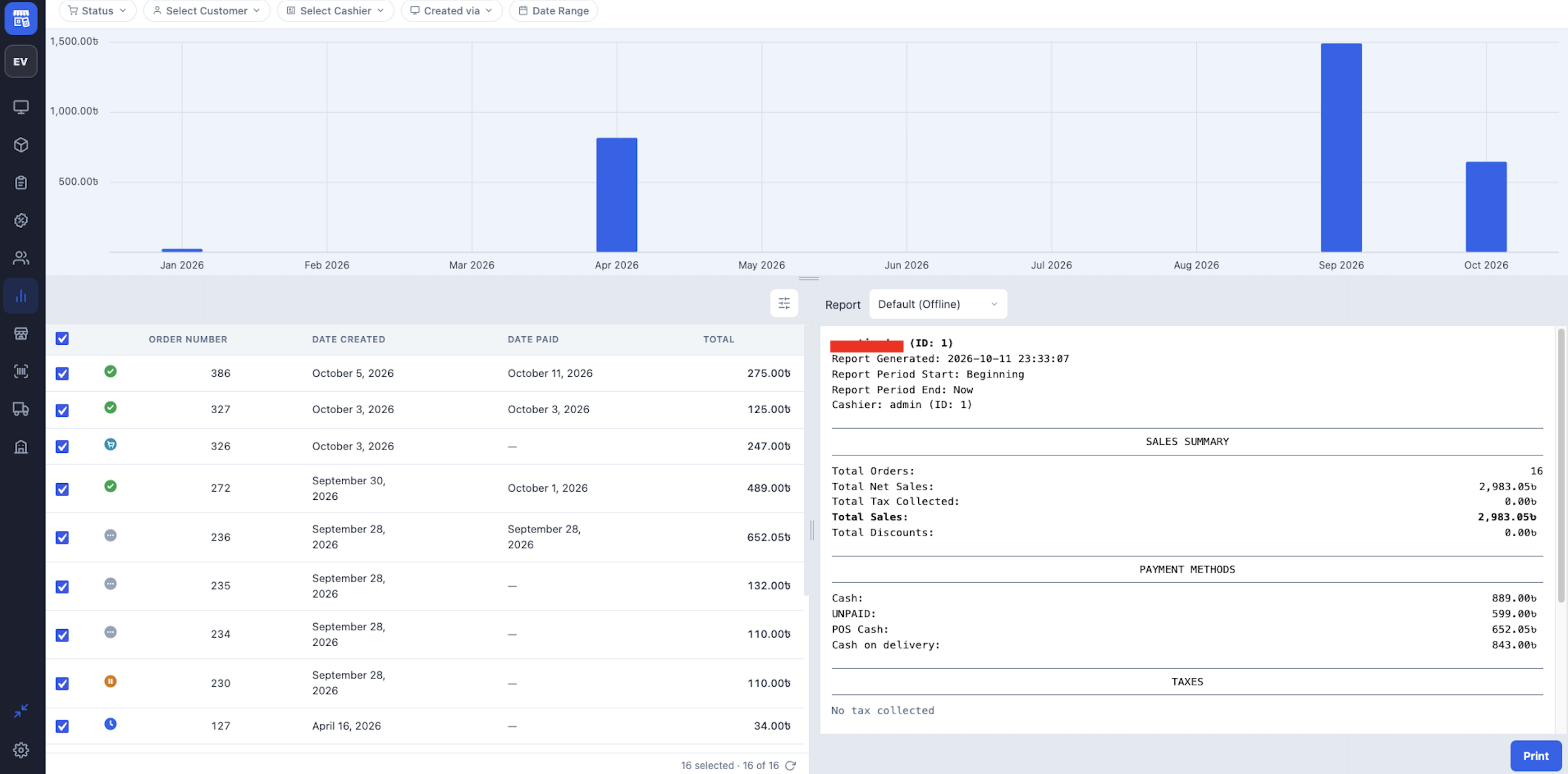
- Reports: sales totals, payment methods, taxes and a sales chart for any date range.
- Settings per device: store address, currency and number format, taxes, printing, barcode scanning and accent colour.
- Full-screen mode that hides the WordPress admin while selling.
Staff roles
choPOS adds four capabilities: chopos_cashier (use the terminal), chopos_manager (settings, coupons and management screens), chopos_view_reports and chopos_manage_stores. Administrators and Shop Managers receive them on activation; give them to other roles with any role editor plugin.
Cashiers work with the POS orders, held carts and cash-register sessions they created themselves. Store managers (chopos_manager or WooCommerce’s manage_woocommerce) can work with every order. Editing or deleting customers, products and coupons also requires the matching WordPress capability for that item.
Coming soon
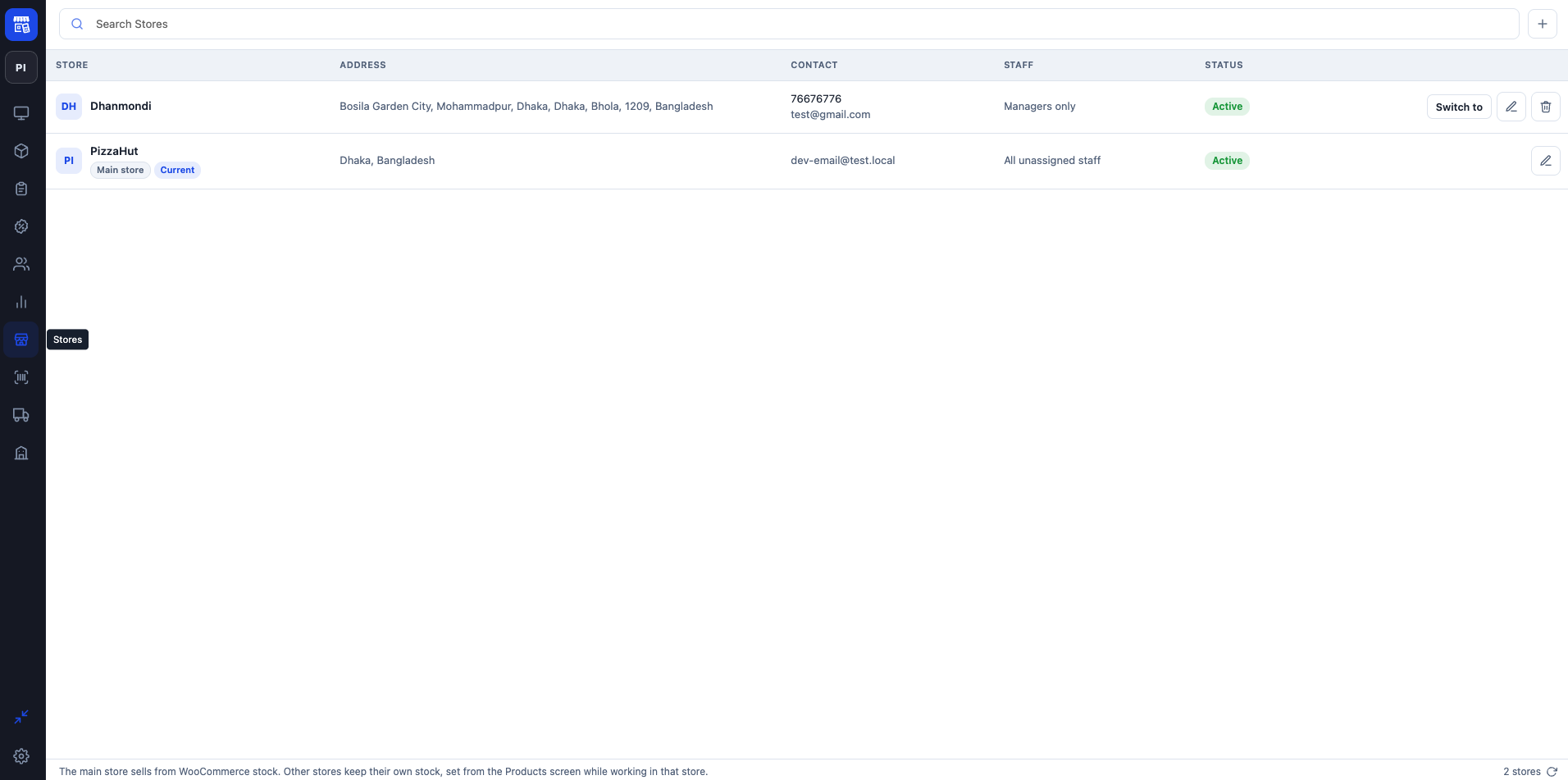
Support for several stores (branches), each with its own address, currency and tax settings, is being worked on. Today choPOS runs as a single store using your WooCommerce store settings.
Source code
The JavaScript in the build folder is compiled from the readable source in the src folder, which ships with the plugin together with package.json, package-lock.json, webpack.config.js and the build helpers in tools. To rebuild it:
- Install Node.js 18.12 or later.
- In the plugin folder run
npm cito install the exact dependency versions used for this release. - Run
npm run build.
Third-party libraries
The compiled JavaScript bundles these open-source libraries, all under GPL-compatible licenses: TanStack Query, Zustand and dnd-kit (MIT) for the interface, and jsPDF, html2canvas and their dependencies (MIT; DOMPurify under MPL-2.0) for PDF receipts. React and the WordPress packages are not bundled; they are loaded from WordPress. Every bundled package, with its version, copyright and full license text, is listed in THIRD-PARTY-LICENSES.txt.
Скриншоттор
Орнотуу
- Install and activate WooCommerce.
- In Plugins > Add New, search for “choPOS”, then install and activate it. Or upload the plugin zip from Plugins > Add New > Upload Plugin.
- Open choPOS in the admin menu to start selling.
- Optional: open Settings in the terminal (the gear at the bottom of the sidebar) to check the store address, currency and tax settings copied from WooCommerce.
FAQ.KG
-
Does it require WooCommerce?
-
Yes. Products, customers, coupons and orders are all standard WooCommerce data.
-
Can several cashiers sell at the same time?
-
Yes. Each cashier signs in with their own WordPress account, and any number of devices can use the terminal at once.
-
Does it work offline?
-
No. The terminal needs a connection to your WordPress site to load products and save orders.
-
Which barcode scanners work?
-
Any USB or Bluetooth scanner that types the code like a keyboard, which is how nearly all of them work. You can tune the timing, minimum length and prefix or suffix under Settings > Barcode Scanning in the terminal.
-
How are taxes calculated?
-
With your WooCommerce tax rates. The terminal shows the taxes in the cart, and the order is taxed by WooCommerce with the same settings when it is saved.
-
Where are the terminal settings stored?
-
Terminal settings, open carts and screen preferences are kept in the browser on each device (local storage). “Restore Server Settings” copies your WooCommerce settings back over the device’s copy. Orders and customers are always saved on your site.
-
Does choPOS connect to any external service?
-
choPOS itself does not send data to any external service, and it loads no scripts, styles or fonts from other servers.
The Customers and Orders screens show user avatars through WordPress’s own avatar system, only when Settings > Discussion > Show Avatars is turned on. By default WordPress serves avatars from Gravatar, so the browser loads them from gravatar.com, as it does elsewhere in the WordPress admin (see the Automattic privacy policy). Turn off “Show Avatars” to stop this.
-
Will it work with my theme?
-
Yes. The terminal runs in the WordPress admin and does not use your theme.
-
Is it compatible with WooCommerce High-Performance Order Storage (HPOS)?
-
Yes.
Сын-пикирлер
There are no reviews for this plugin.
Contributors & Developers
“choPOS” is open source software. The following people have contributed to this plugin.
Мүчөлөрү
Translate “choPOS” into your language.
Interested in development?
Browse the code, check out the SVN repository, or subscribe to the development log by RSS.
Өзгөртүүлөр
1.0.0
- Initial release.