

Сүрөттөө
Consentify puts a GDPR-compliant cookie banner on your WordPress site and makes sure analytics and marketing tags only run after a visitor says yes. You set everything up in the Consentify dashboard, paste one token into this plugin, and you are done. No page builder blocks, no shortcodes, no settings maze inside wp-admin.
How Consentify handles trackers
Most cookie plugins try to catch tracking scripts after your theme has already printed them. Consentify works the other way round. You remove the Google Analytics, Meta Pixel or Hotjar snippet from your theme and enter the ID in Consentify instead. Consentify then loads the tag for you, and only once the visitor has accepted that category. A tag that is never on the page cannot set cookies before consent.
The plugin prints the Consentify script as the very first script in your page head, ahead of other plugins, so consent defaults are in place before anything else runs.
Features
- Cookie banner in several layouts, with your own colors, text and position
- Four categories: necessary, functional, analytics and marketing, with per-category choices for the visitor
- Google Consent Mode v2, basic and advanced, for GA4, Google Ads and Google Tag Manager
- Built-in integrations for Google Analytics, Google Tag Manager, Meta Pixel, Hotjar, LinkedIn, TikTok and more
- Embed placeholders for YouTube, Vimeo, Calendly and similar, so they do not load until the visitor allows them
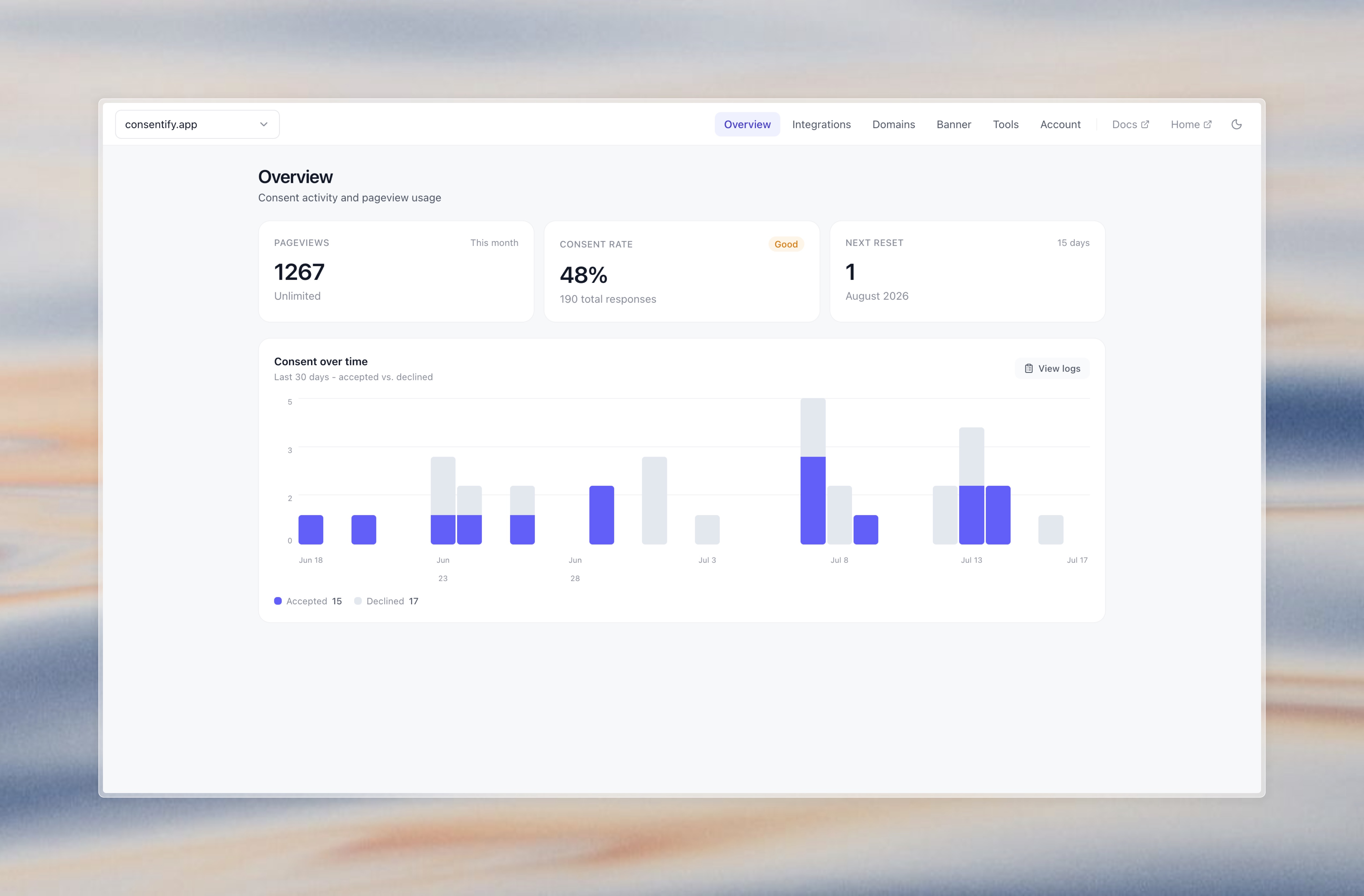
- Consent log with timestamp and policy version for every decision, IP addresses are hashed before they are stored
- Cookie declaration you can place on your privacy policy page, kept in sync with what the scanner finds
- 40 banner languages, with automatic language switching per visitor on paid plans
- Free site scan that shows which trackers and cookies run before consent
- Works with page caching, because all consent logic runs in the browser
Built for agencies
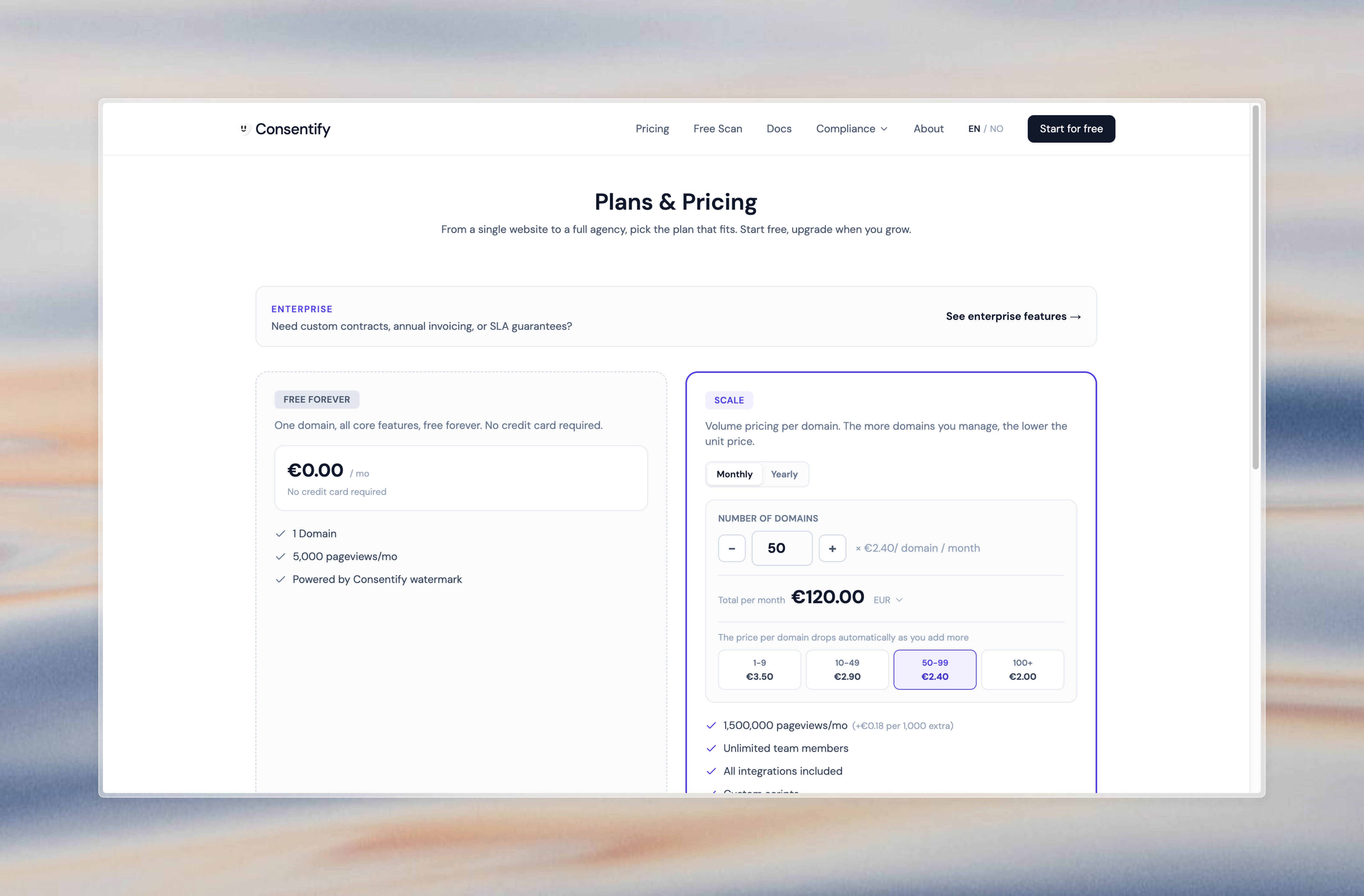
If you build and maintain WordPress sites for clients, Consentify lets you run every client’s cookie banner from one dashboard. Pricing is per domain and drops as you add more, team seats grow with the number of sites, and you bill your clients whatever fits your maintenance agreements. No hand-built banners to keep up to date on every site.
Free plan
- 1 domain
- 5,000 pageviews per month
- Banner customization and consent log
- Small “Powered by Consentify” link in the banner
Paid plans remove the link and add more domains, higher traffic, all integrations, custom CSS, route rules and multi-language banners. See pricing.
Getting started
- Create a free account at consentify.app
- Add your domain and design your banner in the dashboard
- Copy your public token into Settings Consentify in WordPress
- Remove your old tracking snippets and add their IDs under Integrations in Consentify
External Services
This plugin connects to Consentify (https://www.consentify.app) to load and run the cookie consent banner.
What is sent and when:
On every page load, the visitor’s browser requests the Consentify script from:
https://www.consentify.app/api/gateway?token=YOUR_TOKEN
The public token identifies your domain. The plugin itself sends no personal data. The Consentify script records the visitor’s consent decision (timestamp, policy version and a hashed IP address) as described in Consentify’s privacy policy.
Legal documents:
- Terms of Service: https://www.consentify.app/tos
- Privacy Policy: https://www.consentify.app/privacy
- Data Processing Agreement (DPA): https://www.consentify.app/dpa
Скриншоттор

Орнотуу
- Install the plugin from Plugins Add New by searching for “Consentify”, or upload it to
/wp-content/plugins/. - Activate the plugin.
- Go to Settings Consentify and paste your public token.
- Save, then open your site in a private window to check that the banner appears.
You find your public token in the Consentify dashboard after you add your domain.
FAQ.KG
-
Do I need a Consentify account?
-
Yes. The banner is configured in the Consentify dashboard, and the plugin only connects your site to it. The account is free for one domain.
-
Is Consentify free?
-
Yes, for one domain with up to 5,000 pageviews a month. Paid plans are priced per domain and get cheaper per domain the more you add.
-
Do I need to remove my existing Google Analytics or Meta Pixel code?
-
Yes. Remove the snippet from your theme or from the plugin that adds it, and enter the ID under Integrations in Consentify. Consentify then loads the tag only after consent. If the old snippet stays, it will keep running before consent and the scanner will warn you about it.
-
Does it support Google Consent Mode v2?
-
Yes, both basic and advanced mode. Consent signals are sent to GA4, Google Ads and Google Tag Manager. If you use Google Tag Manager, add the container ID in Consentify rather than keeping your own GTM snippet.
-
Does it work with caching plugins?
-
Page caching works without changes. The script is loaded externally and all consent logic runs in the browser, so W3 Total Cache, WP Super Cache, LiteSpeed Cache and similar are fine.
Script optimization is different. If your optimization plugin has a “Delay JavaScript execution” option (WP Rocket, LiteSpeed Cache, Perfmatters, NitroPack and others have one), it holds every script back until the visitor first interacts with the page. The banner then does not appear until someone clicks, and YouTube or Vimeo embeds may load before consent was asked for. Add
consentify.appto that feature’s exclusion list. The same goes for “Combine JavaScript” options. -
Can visitors change their choice later?
-
Yes. Add a link or button anywhere on your site with the ID
revoke-consent-btn, and Consentify attaches the “change cookie settings” behavior to it. -
Can I use it on many sites?
-
Yes. Each site gets its own public token, and all of them are managed from one dashboard. This is what most agencies use Consentify for.
-
Where is the consent log stored?
-
In Consentify’s database. Each decision is stored with a timestamp, the policy version and a hashed IP address, and records are deleted automatically after 13 months.
Сын-пикирлер

Contributors & Developers
“Consentify: Cookie Banner & GDPR Cookie Consent” is open source software. The following people have contributed to this plugin.
Мүчөлөрү
Translate “Consentify: Cookie Banner & GDPR Cookie Consent” into your language.
Interested in development?
Browse the code, check out the SVN repository, or subscribe to the development log by RSS.
Өзгөртүүлөр
1.4
The plugin is now called Consentify, both in the directory and under Settings. New icon, banner and a rewritten description. No change to how the script loads.
1.3
The consent script is now printed as the first script in the page head, ahead of analytics, tag manager and pixel plugins. Previously it was enqueued, which left it further down the head on many sites, so trackers could load and set cookies before the banner had a chance to hold them back. The script tag now also matches the one the Consentify dashboard hands out for other platforms. Corrected the free plan limits and the supported language count in this readme, and documented how to exclude the script from “Delay JavaScript execution” features.
1.2
The settings page now links to your Consentify dashboard with the platform pre-selected, so onboarding is quicker.
1.1
Loads the consent banner from the Consentify gateway endpoint. Updated plugin branding and assets.
1.0
Initial release.