

Сүрөттөө
Operate WordPress like modern infrastructure — turn any WordPress do_action into a first-class automation trigger your CRMs, n8n flows, AI agents, and internal services can consume.
📖 Full documentation at wpwebhooks.org/docs/
Core features (free)
- Persistent delivery queue with smart retry and exponential backoff — powered by WP-Cron, auto-upgrades to Action Scheduler or System Cron when available, (Pro) External Cron for guaranteed reliability
- Per-event UUID and ISO 8601 timestamp — enable downstream deduplication
- Delivery logs with full attempt history, request/response inspection, replay, and bulk retry
- Synchronous execution mode — fire inline without queue delay
- Payload mapping — rename, restructure, exclude, and type-cast fields with dot-notation paths
- Conditional dispatch — filter events by payload field values before dispatch
- HTTP method, custom headers, and URL query parameters per webhook
- Dynamic endpoint URLs —
{{ field.path }}placeholders resolved at dispatch time (free viafswa_webhook_urlfilter) - Webhook Chains — wire 2xx completions to downstream webhooks with full observability
- Activity History — persistent audit log of every admin and API-token action
- Built-in CF7 and IvyForms integrations — structured payloads, no extra plugins
- Action Scheduler auto-detection — more reliable delivery on high-traffic sites
- Full REST API with scoped API token authentication (
read/operational/full) - Developer extensibility — 16 filters and 7 action hooks (reference)
Pro features
- Code Glue — attach PHP snippets to any webhook+trigger (pre-dispatch payload enrichment, post-dispatch side effects)
- External Cron — replace WP-Cron with Uptime Kuma-based heartbeat monitoring
- Unlimited conditions per trigger with AND/OR groups
- Per-webhook retry limit and backoff strategy overrides
- Dynamic URL templates —
{{ }}syntax with no custom PHP required
Examples
- Send Contact Form 7 submissions to a webhook (n8n demo)
- Send Gravity Forms Submissions to n8n
- Send IvyForms submissions to a webhook (n8n demo)
- WooCommerce orders to n8n on completion — wired up with a Claude Code agent
- WooCommerce to HubSpot integration — sync orders, contacts, and deals with no custom code
Скриншоттор

Webhooks list view 
Webhook configuration screen 
Selecting WordPress action triggers 
Payload mapping configuration 
Webhook delivery logs with replay and retry controls 
Queue status overview 
Settings configuration screen 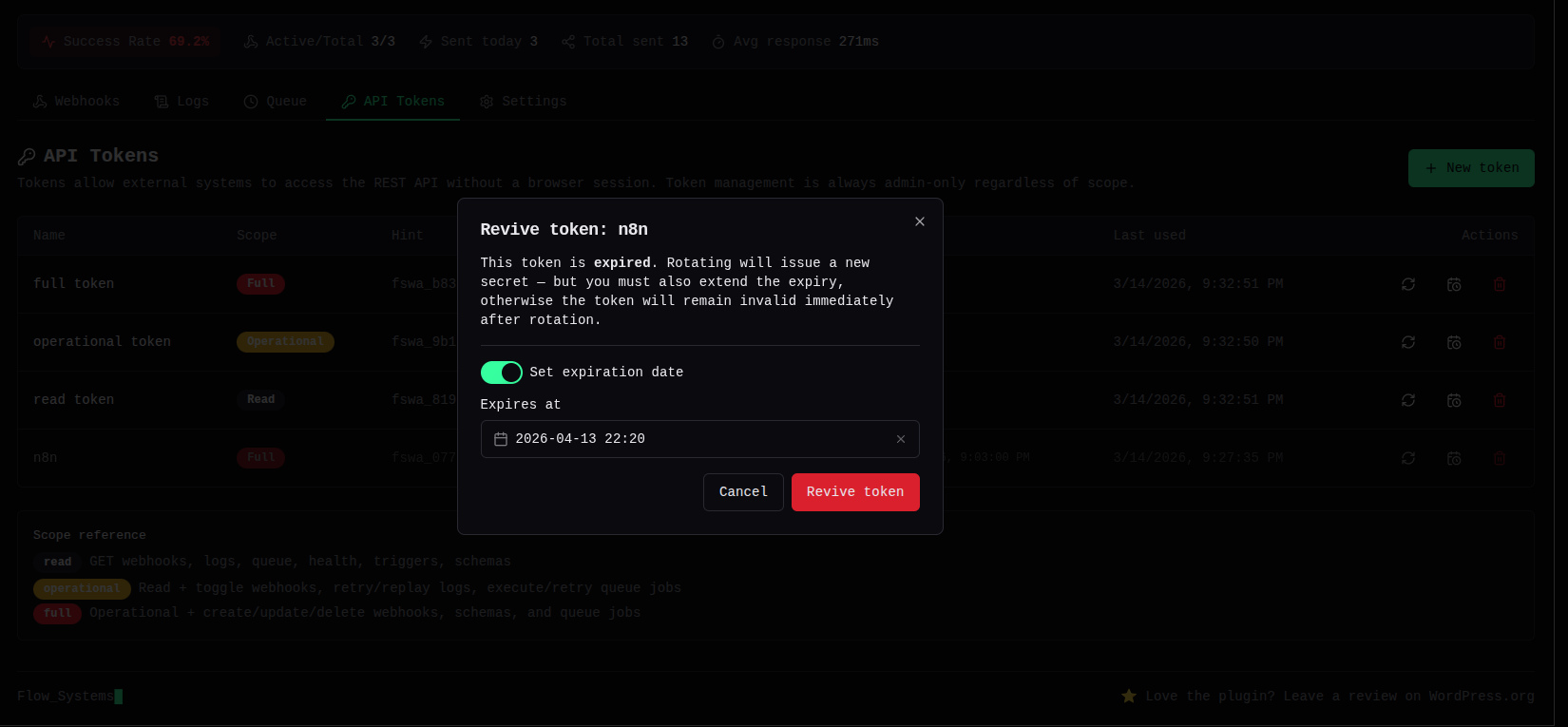
REST API Tokens configuration screen 
Conditional webhook dispatch — conditions editor 
Test webhook drawer — send a test delivery and inspect request details inline 
Webhook Chains — pick an existing chain or create a new one, then select which upstream webhooks should fire this one on their 2xx response
Орнотуу
- Upload the plugin files to the
/wp-content/plugins/flowsystems-webhook-actionsdirectory, or install the plugin through the WordPress plugins screen. - Activate the plugin through the ‘Plugins’ screen in WordPress.
- Navigate to Webhook Actions in the admin menu.
- Add your webhook endpoint URL and select the desired WordPress action triggers.
FAQ.KG
-
Is this plugin free?
-
Yes. The core plugin is completely free and licensed under GPL. Webhook Actions Pro is an optional paid upgrade that adds unlimited conditions, per-webhook retry and backoff settings, Code Glue snippets, External Cron (activated automatically on license activation), and more. Learn more
-
Does it work with WooCommerce, n8n, Make, Zapier, and AI agents?
-
Yes. Any WordPress or WooCommerce action can be a trigger. The plugin delivers to any HTTP endpoint — n8n, Make, Zapier webhook nodes, internal services, or AI agent APIs. Scoped API tokens let Claude Code, Cursor, or any automation tool read logs, retry deliveries, and toggle webhooks without WordPress credentials.
-
Do I need extra plugins for Contact Form 7 or IvyForms?
-
No. Both integrations are built in. When CF7 or IvyForms is active, submissions are automatically normalized into clean JSON payloads — no additional plugins or custom code required.
-
How does retry work?
-
5xx and 429 responses retry automatically with exponential backoff (delays of ~30s, 60s, 120s, 240s, 480s, capped at 1 hour). 4xx and 3xx responses are marked
permanently_failedimmediately — bad payloads are not worth retrying. Default maximum is 5 attempts; override with thefswa_max_attemptsfilter or (Pro) per-webhook settings. -
Can I access the REST API without a WordPress login?
-
Yes. Create a token from the API Tokens screen and pass it as
X-FSWA-Token: <token>(orAuthorization: Bearer). Three scopes available —read,operational,full— so you can grant exactly the access each integration needs. Full API reference at wpwebhooks.org/webhook-wordpress-plugin-api/
Сын-пикирлер


Contributors & Developers
“Webhook Actions by Flow Systems” is open source software. The following people have contributed to this plugin.
Мүчөлөрү
Translate “Webhook Actions by Flow Systems” into your language.
Interested in development?
Browse the code, check out the SVN repository, or subscribe to the development log by RSS.
Өзгөртүүлөр
For the full release history see wpwebhooks.org/changelog/
1.14.0 — 2026-06-03
- New: Activity History — persistent audit log of every admin and API-token action across webhooks, tokens, settings, logs, queue, schemas, chains, and cron. Each entry records the actor (session user or API token with a name hint), the action type, a structured context diff (old new values for updates), and a timestamp. Designed to trace automated and AI-assisted changes end-to-end
- New: AI prompt and reasoning capture — REST requests carrying
X-FSWA-PromptorX-FSWA-Reasonheaders have those values stored in the activity log context and surfaced in the Activity view as a highlighted card above the change diff; intended for AI agents that perform admin actions via API tokens - New: External Cron page (Pro) — dedicated admin page for managing the external cron trigger: enable/disable toggle, mode selector, configurable interval and batch-size sliders, a live heartbeat chart (line + bar combo), monitor status bar, and an alert banner when the last ping failed or is stale
- New:
fswa_cron_token_regeneratedaction hook — fires after the cron secret is regenerated, allowing integrations (e.g. Pro Uptime Kuma sync) to update their stored monitor URL - Fixed: created and deleted activity log entries for webhooks and tokens now include the full entity data (name, URL, scope, etc.) in context instead of an empty object
- Fixed: webhook toggle events now correctly capture old and new
is_enabledstate; webhook, settings, and schema update events capture a full old/new diff - Fixed: chain and chain-link CRUD actions (create, update, delete, link add/remove) are now covered by Activity History
- Improved: Snippets (Pro) added to the Activity History filter list; Activity tab repositioned after External Cron in the navigation
- DB migration to 1.14.0 — adds
fswa_activity_logstable; idempotent, safe to run on existing installs