

Сүрөттөө
AI shopping agents (ChatGPT, Gemini, Perplexity, Claude and others) increasingly research and recommend products for shoppers. To be considered, a store’s products need machine-readable, structured, complete data. WooCommerce does not provide this out of the box.
AI Product Schema makes your WooCommerce catalog first-class for AI shopping agents:
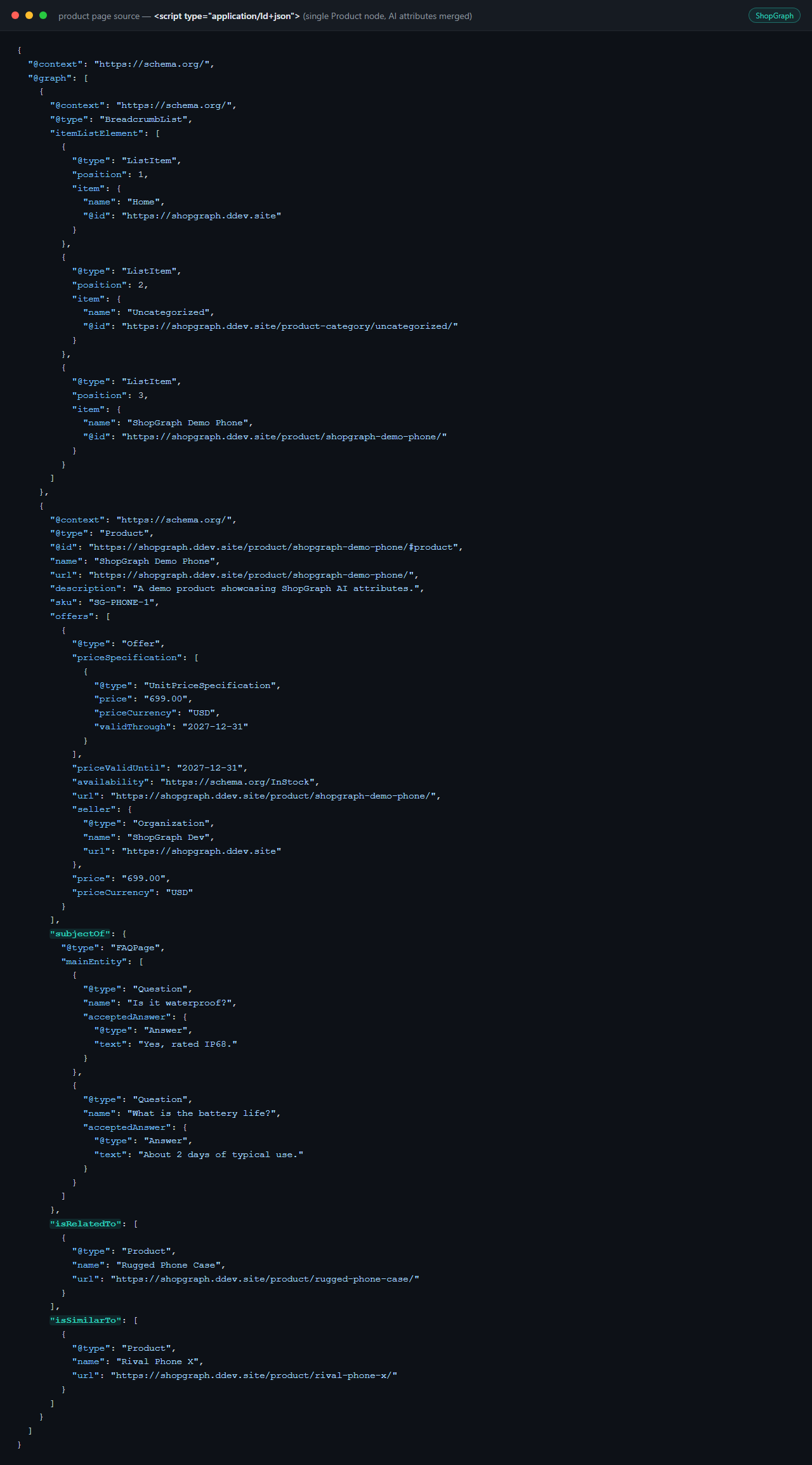
- Complete Product JSON-LD on every product page (schema.org
Productwith offers, availability, ratings, brand and images), built from your live WooCommerce data. - No duplicate schema. AI Product Schema detects Yoast SEO and Rank Math and merges its data into their existing Product node instead of printing a second one. With no SEO plugin, it prints a standalone node.
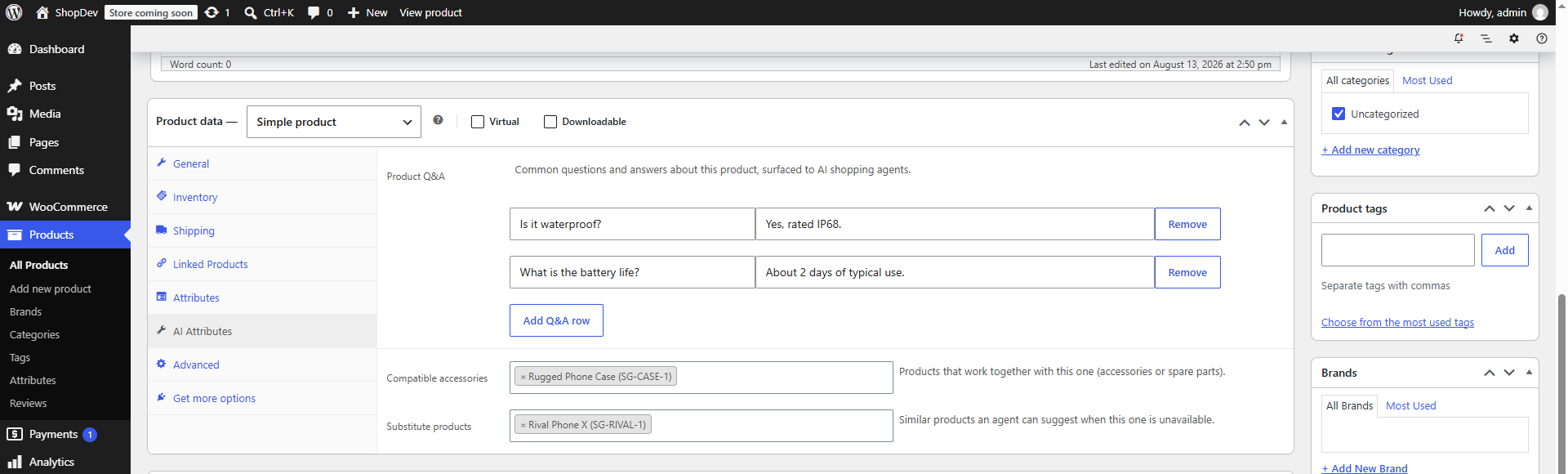
- AI product attributes you can fill in the classic product editor: a Q&A list, compatible accessories, and substitute products. These map to verified schema.org properties (
subjectOf/FAQ,isRelatedTo,isSimilarTo). /llms.txt— a Markdown index of your published products following the llms.txt convention, so agents can find your catalog quickly.- AI-crawler
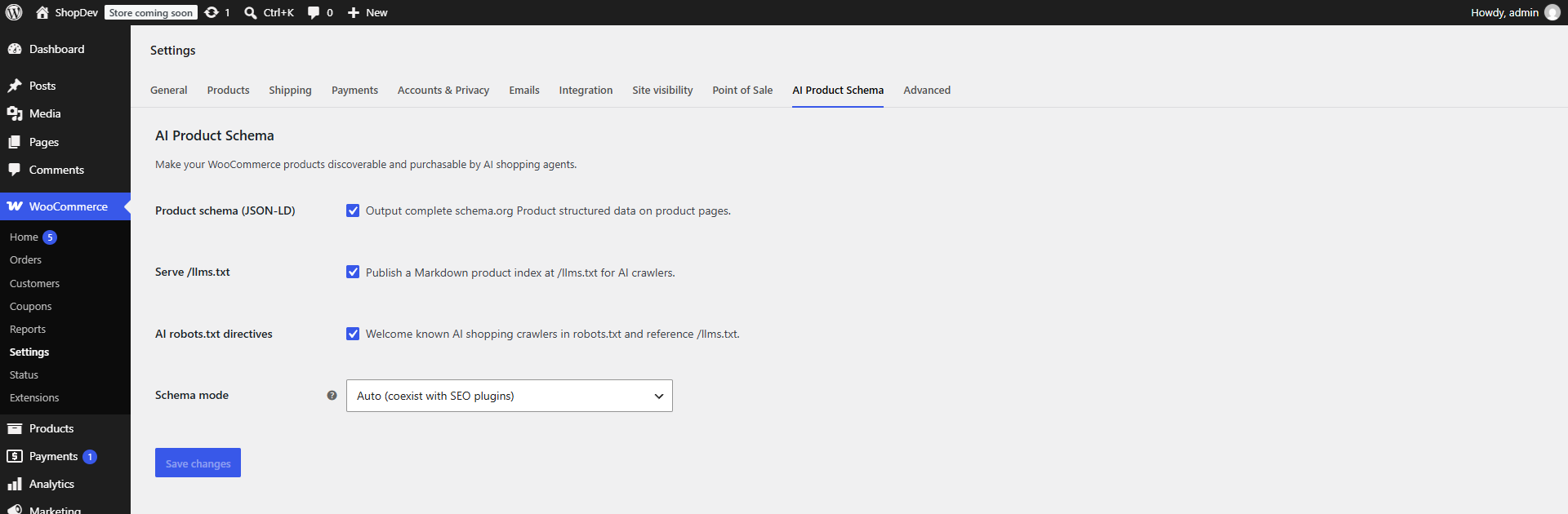
robots.txtdirectives that welcome known shopping/agent crawlers (GPTBot, Google-Extended, ClaudeBot, PerplexityBot and more) and point them at your/llms.txt. - Feature toggles under WooCommerce Settings AI Product Schema.
How is this different from llms.txt generator plugins? This is not an llms.txt generator with extras. The core of the plugin is WooCommerce-specific structured data: it enriches the Product JSON-LD node that WooCommerce, Yoast SEO or Rank Math already emit, merging AI-oriented attributes (product Q&A, compatible accessories, substitutes) into the existing node without ever duplicating schema, something generic llms.txt or schema plugins do not handle. The /llms.txt endpoint is a small complementary feature, not the product.
AI Product Schema reads product data exclusively through the WooCommerce CRUD API and declares High-Performance Order Storage (HPOS) compatibility.
Скриншоттор
Орнотуу
- Upload the plugin to
/wp-content/plugins/internick-ai-product-schema, or install it from the Plugins screen. - Activate it. WooCommerce must be installed and active.
- Go to WooCommerce Settings AI Product Schema to toggle features.
- Edit any product and open the AI Attributes tab to add Q&A, accessories, and substitutes.
FAQ.KG
-
Does this create duplicate structured data with Yoast or Rank Math?
-
No. AI Product Schema detects those plugins and merges its AI attributes into their existing Product schema node. It only prints a standalone node when no supported SEO plugin is active (or when you force “Standalone” mode).
-
Does it call any external AI service?
-
No. This version generates structured data and files from your own product data. Nothing is sent to third parties.
-
Where is the product data stored?
-
AI attributes are stored on the product via the WooCommerce CRUD API (product meta), never through direct database writes.
-
Is this another llms.txt plugin?
-
No. The main feature is merging AI product attributes into the Product JSON-LD that WooCommerce and SEO plugins already output, with strict no-duplicate-node handling. The
/llms.txtindex is optional and can be turned off entirely. -
What is llms.txt?
-
A simple Markdown convention (https://llmstxt.org/) that gives AI agents a concise, curated index of a site. AI Product Schema serves one at
yourstore.com/llms.txtlisting your published products.
Сын-пикирлер
There are no reviews for this plugin.
Contributors & Developers
“Internick – AI Product Schema” is open source software. The following people have contributed to this plugin.
Мүчөлөрү
Translate “Internick – AI Product Schema” into your language.
Interested in development?
Browse the code, check out the SVN repository, or subscribe to the development log by RSS.
Өзгөртүүлөр
0.1.0
- Initial release: Product JSON-LD with Yoast/Rank Math coexistence, AI product attributes (Q&A, accessories, substitutes),
/llms.txt, AI-crawlerrobots.txtdirectives, and a settings tab.