
Сүрөттөө
DEMO: https://pdf.add-ons.org/wpforms/
Download Pro Version: https://add-ons.org/plugin/pdf-for-wp-forms-pro/
Documents: https://pdf.add-ons.org/document/
Create custom PDF documents from WPForms submissions using a powerful drag-and-drop PDF builder.
Generate certificates, quotes, contracts, reports, invoices, tickets, and other PDF documents without coding.
Automatically attach generated PDFs to WPForms email notifications, allow users to download PDFs after submission, and fully customize your PDF layouts using dynamic form data.
Why Choose PDF Builder for WPForms?
- Drag-and-drop PDF builder
- No coding required
- Dynamic WPForms field data
- Attach PDFs to email notifications
- Download PDFs after form submission
- Conditional logic support
- QR codes and barcodes
- Multiple PDF templates per form
- Multilingual and RTL ready
Key Features
Drag and Drop PDF Builder
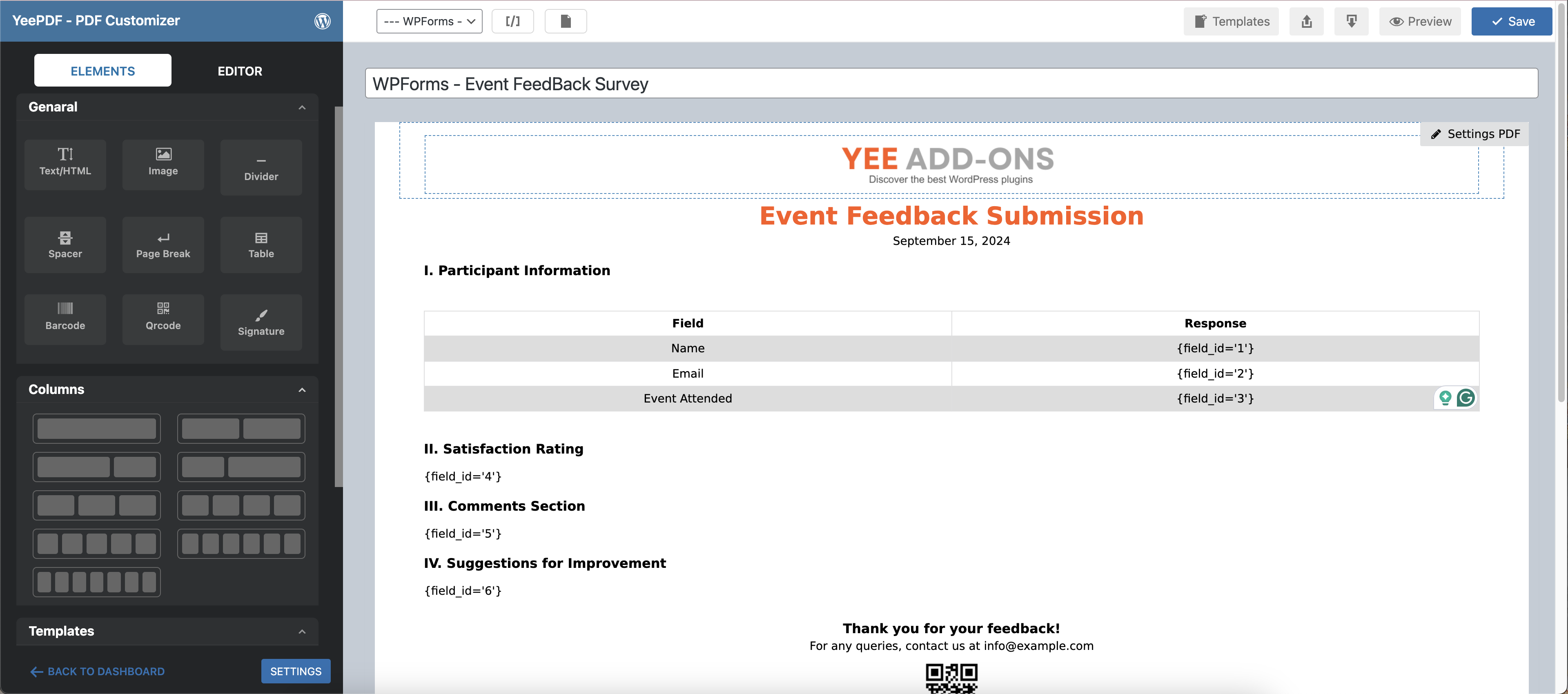
Design custom PDF templates using an intuitive drag-and-drop editor.
Dynamic Form Data
Insert WPForms field values dynamically into your PDF documents.
Conditional Logic
Show or hide PDF content and control when PDF documents are generated.
Multiple PDFs Per Form
Generate multiple PDF documents from a single form submission.
Download PDF Files
View, download, and manage generated PDFs directly from the WPForms Entries page.
QR Codes & Barcodes
Generate dynamic QR codes and barcodes using form submission data for certificates, tickets, reports, and other PDF documents.
Email PDF Attachments
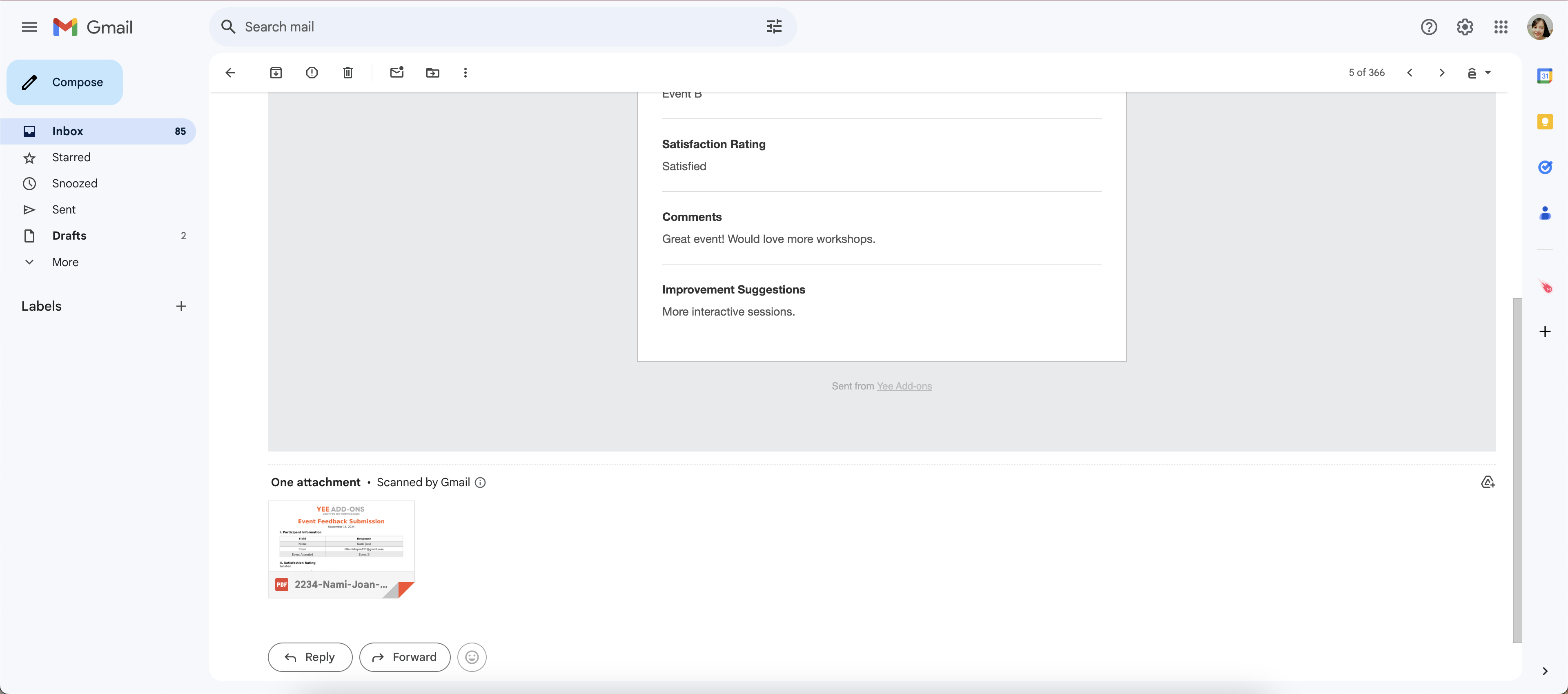
Automatically attach generated PDF documents to WPForms email notifications and send them to users or administrators.
Repeater Field Support
Generate PDF documents using data collected from WPForms Repeater fields.
Shortcodes and Merge Tags
Generate PDF download links using shortcodes and merge tags.
Smart Real-Time Preview
Preview your PDF templates instantly while editing.
Page Break Support
Insert page breaks and organize content across multiple PDF pages.
Custom PDF Paper Sizes
Create PDF templates using custom paper sizes.
Additional Fonts
Upload and use custom fonts to match your brand identity.
Multilingual Support
Generate PDFs in multiple languages, including RTL languages.
Privacy and Security
PDF documents are generated directly on your server without third-party services.
Unlimited Use, No Restrictions
Create and generate as many PDF documents as needed without usage limits.
Popular Use Cases
Certificates
Automatically generate personalized certificates after form submission.
Quotes & Estimates
Create professional PDF quotations and send them directly to customers.
Contracts & Agreements
Generate contracts using submitted form data and attach them to email notifications.
Event Tickets
Create downloadable tickets with QR codes and attendee information.
Reports & Summaries
Convert form submissions into structured PDF reports.
Application Forms
Generate printable PDF copies of submitted applications and registrations.
Upgrade to Pro version
Unlock advanced PDF customization and automation features:
* Table Customization
* QRcode Supports
* Barcode Supports
* Watermarks Supports
* Header Supports
* Footer Supports
* Conditional logics Supports
* 30-day money-back guarantee
* 1-year support
External services
This plugin connects to the Dropbox API to store PDF files. Data is only sent to Dropbox when the user has configured and enabled the integration in the plugin settings.
This service is provided by Dropbox, Inc.
Terms of Use https://www.dropbox.com/terms, Privacy Policy https://www.dropbox.com/privacy
Скриншоттор


Орнотуу
Normal installation
- Download the pdf-for-wpforms.zip file to your computer.
- Unzip the file.
- Upload the
pdf-for-wpforms.zipdirectory to your/wp-content/plugins/directory. - Activate the plugin through the ‘Plugins’ menu in WordPress. Document include in plugin
FAQ.KG
-
Why is the pdf file not attached to the email?
-
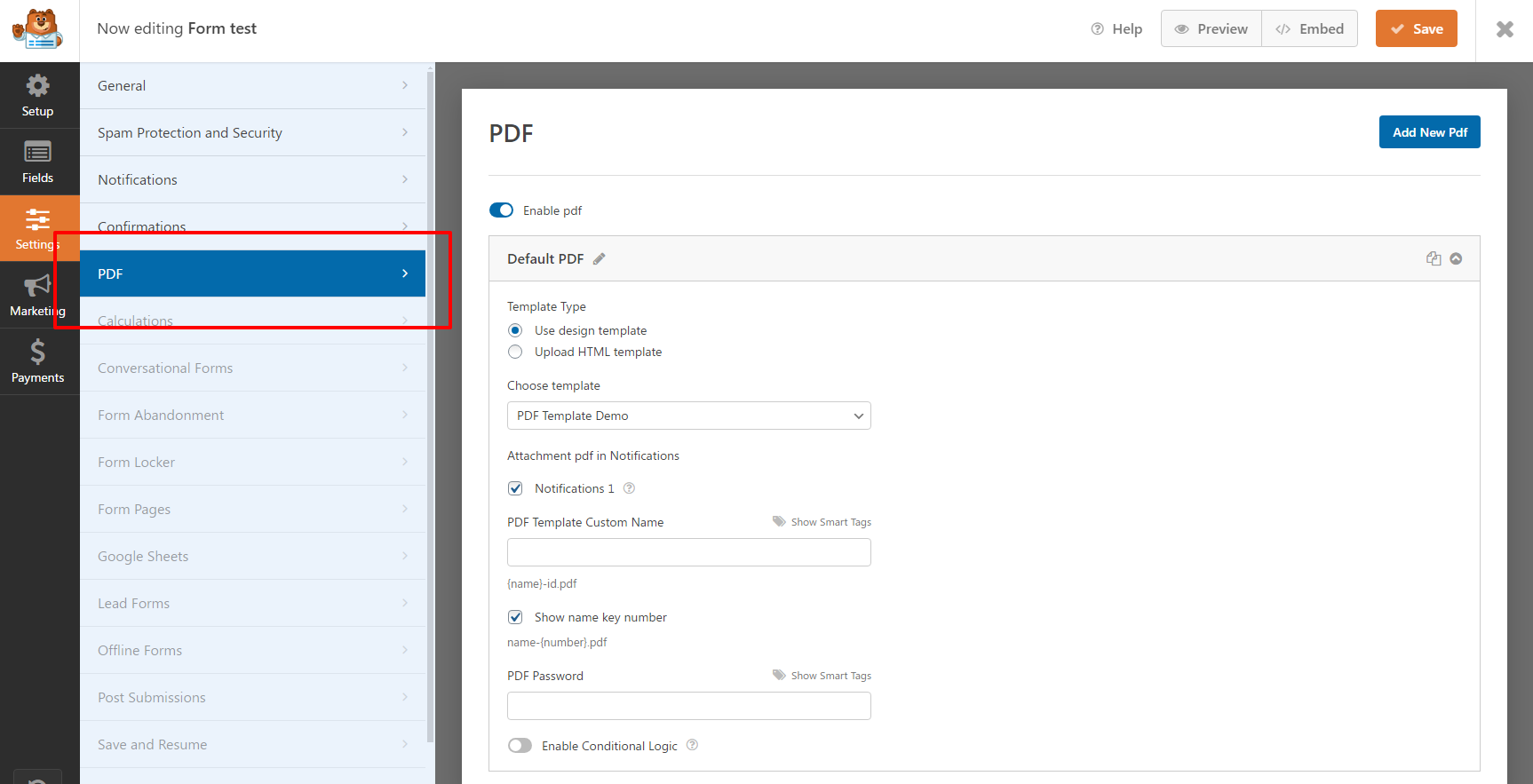
You choose which PDF files are attached to which notifications in the PDF settings
-
My fields are not getting filled, what is wrong?
-
Make sure the mapping exists in the list of mappings and the field names match.
If you attached an updated PDF file and your mappings were associated with the old attachment ID then those mappings will be deleted and you will need to recreate them.
-
Can I generate multiple PDF documents from a single form submission?
-
Yes. You can generate multiple PDF documents from a single WPForms submission using different templates and configurations. The number of PDFs that can be generated depends on your server resources.
Сын-пикирлер


Contributors & Developers
“PDF for WPForms + Drag and Drop Template Builder” is open source software. The following people have contributed to this plugin.
Мүчөлөрү
Translate “PDF for WPForms + Drag and Drop Template Builder” into your language.
Interested in development?
Browse the code, check out the SVN repository, or subscribe to the development log by RSS.
Өзгөртүүлөр
6.5.2
- Added: Support field Repeater
6.5.1
- Fixed: PHP Object Injection
6.3.0
- Fixed: Security update
6.2.1
- Added: Compatible with WPForms 1.9
- Fixed: Save settings with WPForms 1.9
6.2.0
- Added: Installation wizard template
6.0.0
- Added: Font awesome ( [yeepdf_fontawesome unicode=’f2b4′] use Unicode ) https://fontawesome.com/search?o=r&ic=free&s=regular&ip=classi
5.9.1
- Fixed: Edit table
5.9.0
- Fixed: Format current_time
5.3.6
- Fixed: Show shortcode []
5.3.1
- Fixed: Broken Access Control
5.3.0
- Added: Rotate text
5.2.0
- Added: Save PDF to Dropbox
- Fixed: Background transparent
- Fixed: Custom size
5.1.0
- Added: Preview entry in editor
4.9.1
- Added: Hook yeepdf_format_br
4.9.0
- Fixed: Check class_exists(‘QRcode’)
4.8.1
- Added: Use [yeepdf_download_wpforms] in email
4.6.0
- Fixed: Font-size
4.5.0
- Add: Add hook save PDF
4.4.1
- Fixed: Shorcode [pdf_download]
4.4.0
- Fixed: Do not save PDFs on the server
- Added: Secure the folder for downloading PDFs
4.3.0
- Added: Random number shortcode
4.2.0
- Fixed: Default Font
- Added: Do not save PDFs on the server
4.1.0
- Fixed: Save Barcode, QRCode
4.0.0
- Fixed: Save settings show name key number
- Fixed: Conditional logic
3.9.1
- Added: Button Re-generate PDF in entry
3.9.0
- Added: Width Height 100% or Auto or px
3.8.0
- Fixed: Conditional logic
- Fixed: Option Header Footer
3.7.0
- Added: Active Form
3.6.8
- Fixed: Style {order_summary}
- Added: hook
3.6.7
- Fixed: Current date languages
3.6.6
- Change: Style Break page
3.6.5
- Fixed: Signature field
3.5.2
- Fixed: UI
- Fixed: MacOS
3.5.0
- Added: Update performance
- Added: Element table
3.2.0
- Fixed: Compatible with WPForms Free Version
= 3.1.0=
– Fixed: Small error
= 3.0.0=
– Important: Big update do not update old the plugin to this version!
2.3.5
- Added: Resend PDF and create new pdf when resend Notifications
2.3.3
- Fixed: Compatible with WPForms Free Version
2.3.2
- Fixed: Do not send attachments
2.3.1
- Fixed: RTL
2.3.0
- Fixed: Shortcode in Header and Footer
2.2.9
- Added: 7 columns
- Added: Not contains Conditional logic
2.2.8
- Added: Check the PDF library requirements
2.2.7.2
- Fixed: Not send notifications
2.2.7.1
- Fixed: Not submitted successfully
2.2.7
- Added: Show mask conditional logic in backend
- Fixed: conditional logic preview
2.2.6
- Added: 5 + 6 columns
- Fixed: Backend Icon
2.2.2
- Big Update