

Сүрөттөө
Retailers Management for WooCommerce helps you manage a network of retailers or dealers and associate them with WooCommerce products.
With this plugin, you can:
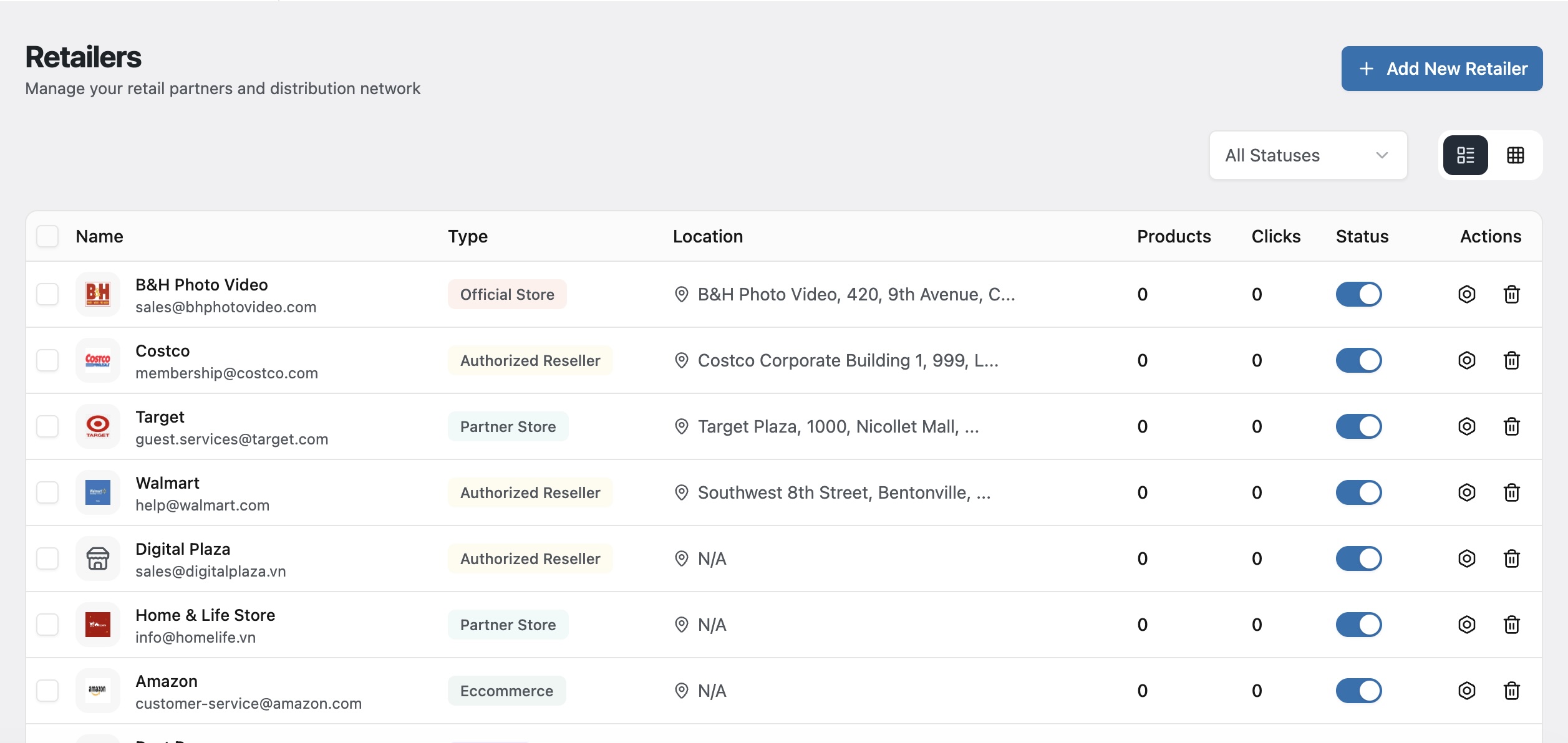
- Create and manage retailers as a custom post type
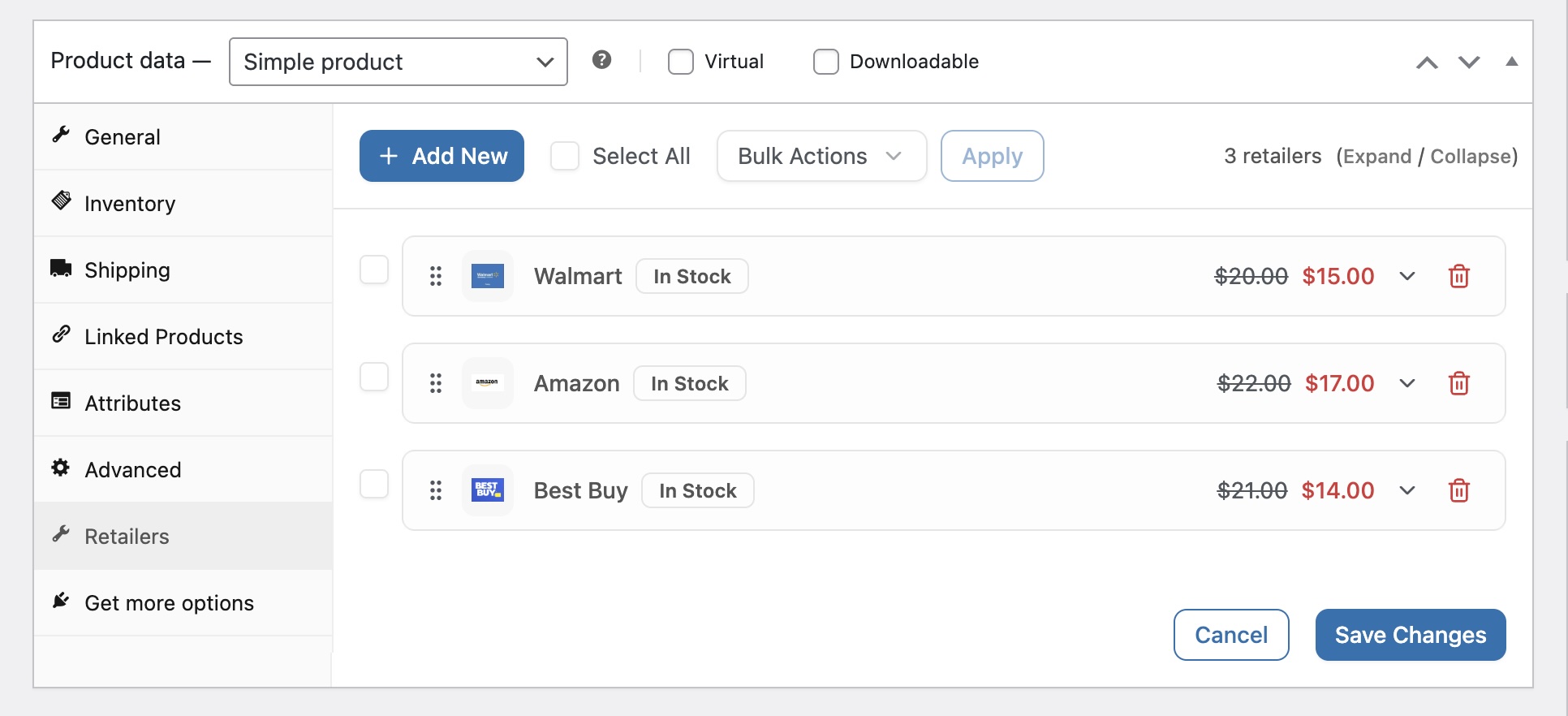
- Assign retailers to WooCommerce products
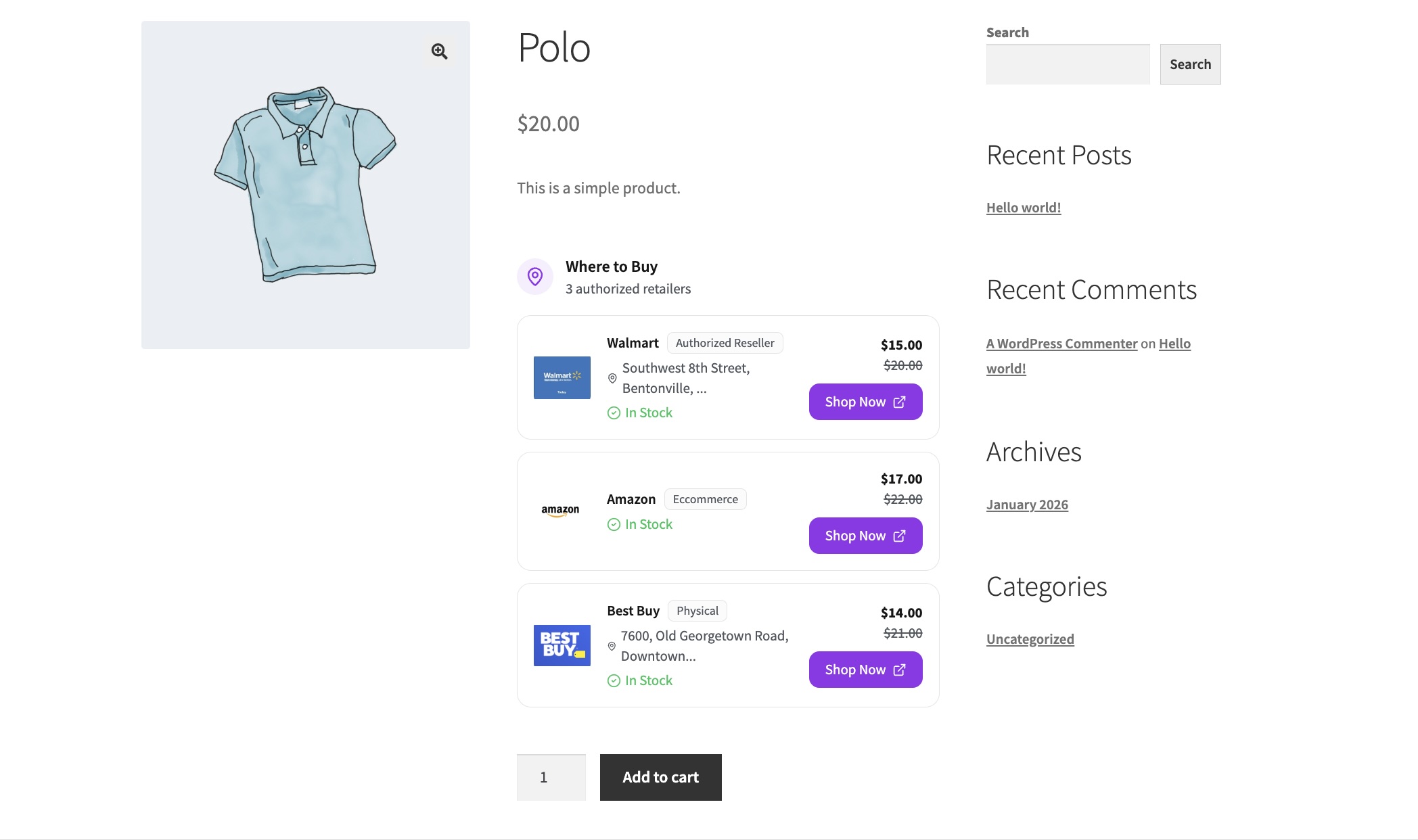
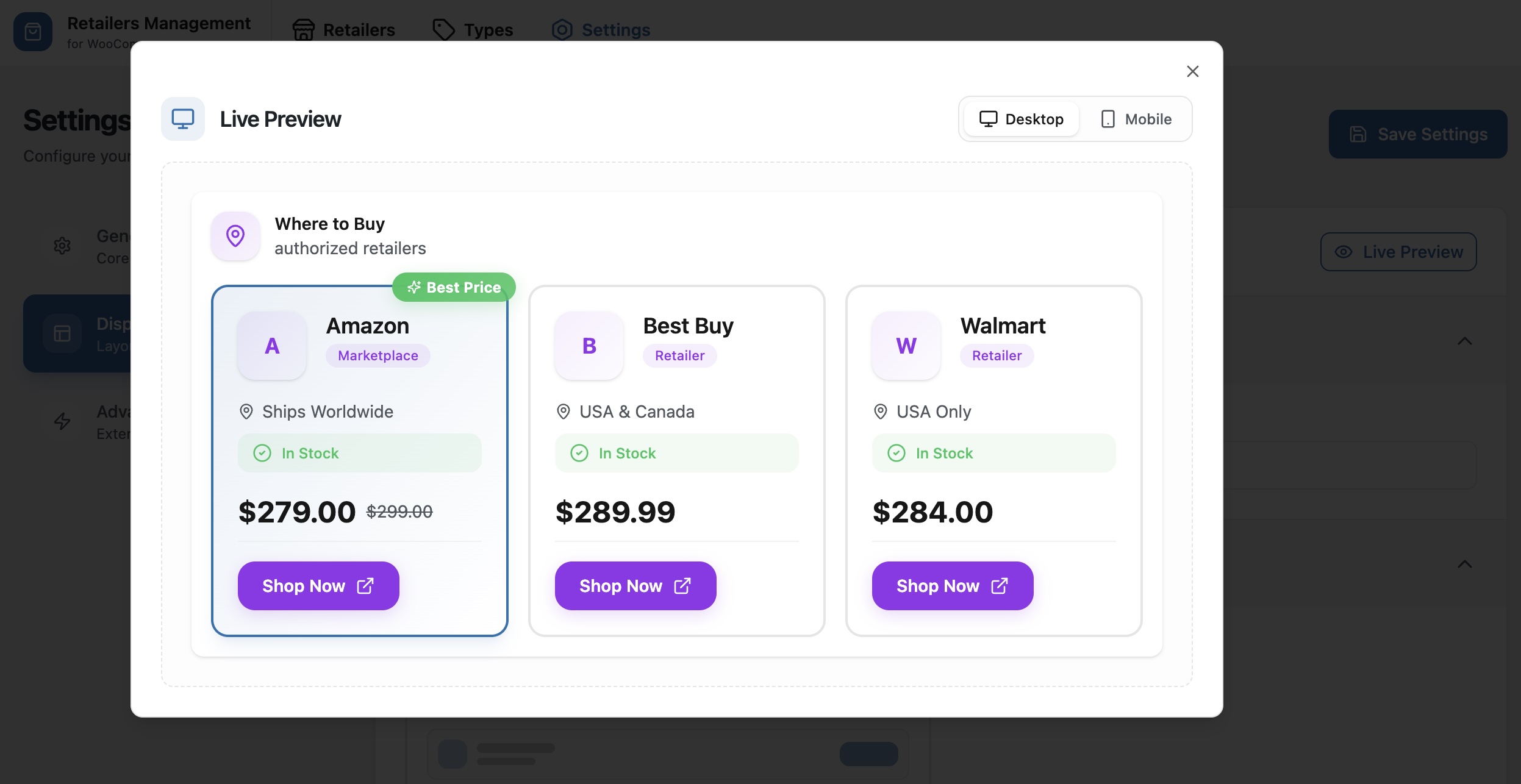
- Display retailer information on product pages
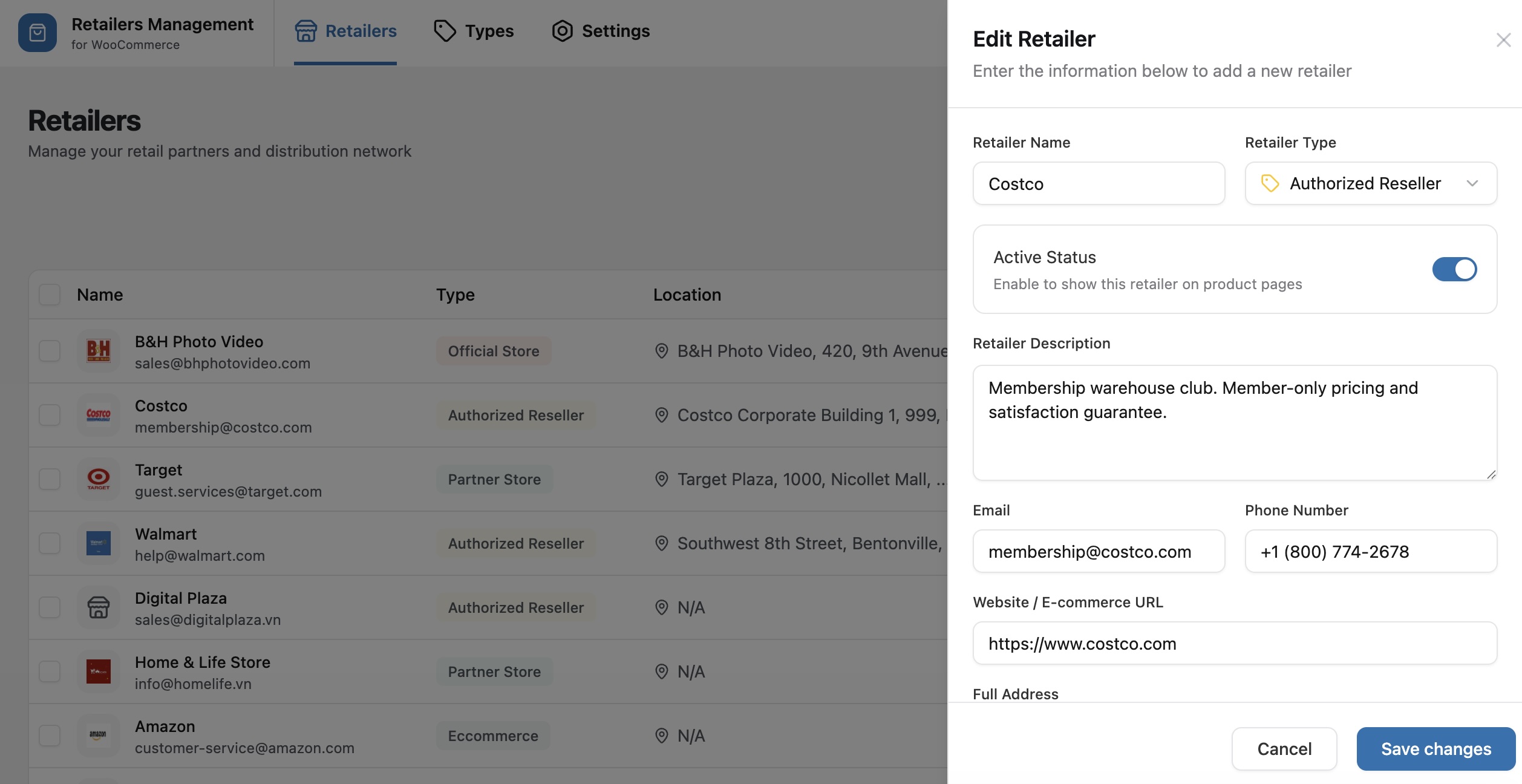
- Store detailed retailer data such as logo, phone, email, and address
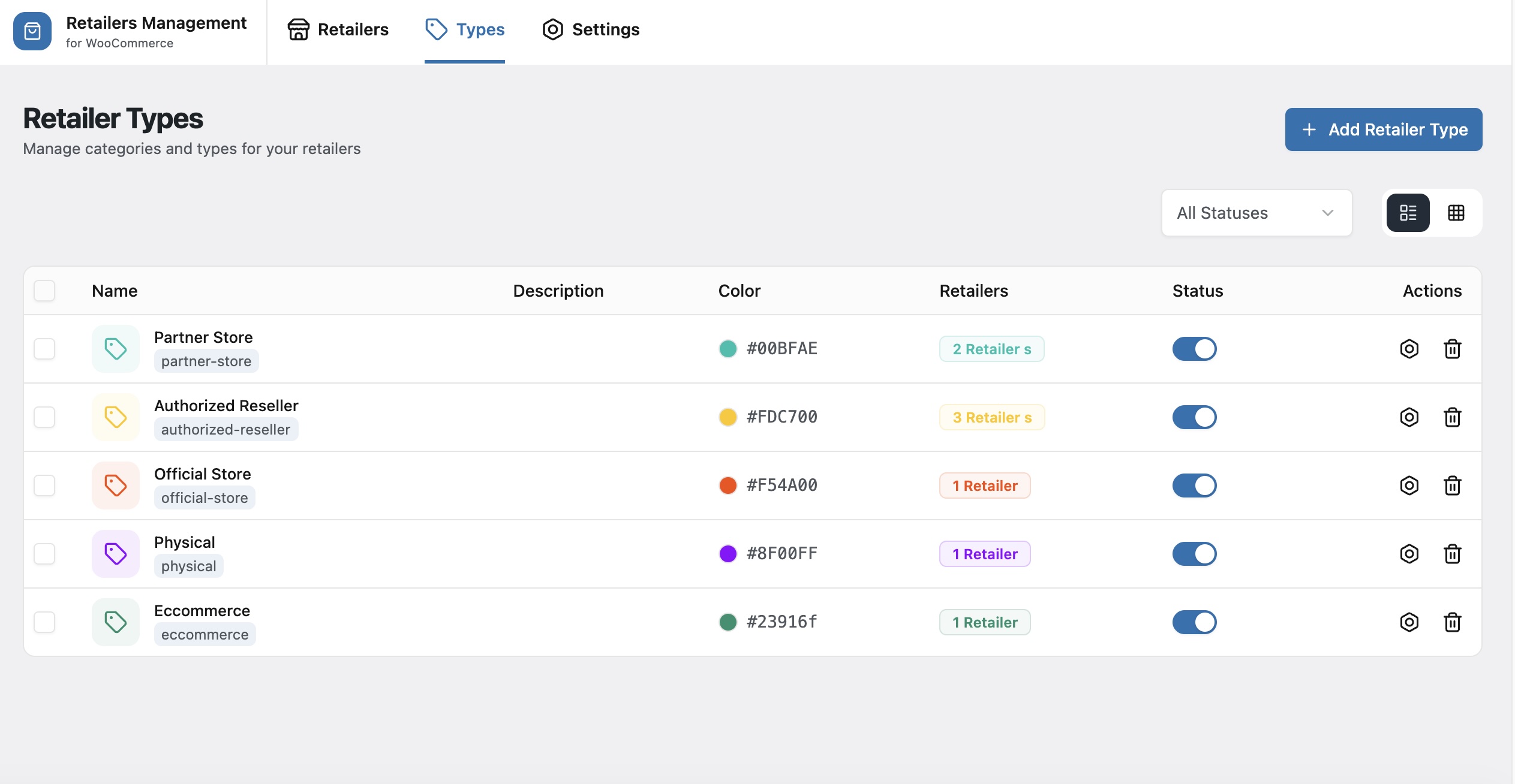
- Filter retailers by status and type
- Manage retailers directly from the WordPress admin
This plugin is designed to be lightweight, secure, and fully compatible with WooCommerce.
This plugin uses modern JavaScript tooling to build its admin and frontend assets.
The complete, human-readable source code for all JavaScript and CSS files included in this plugin is publicly available and maintained at:
https://github.com/flexatech/retailers-management-for-woocommerce
External services
This plugin does not connect to, send data to, or load assets from any external/third-party service. Everything runs on your own site:
- All admin and frontend requests go only to your site’s own WordPress REST API (via
rest_url()), authenticated with a WordPress nonce. No data ever leaves your server. - No third-party fonts, maps, tile servers, CDNs, analytics, or tracking scripts are used. All JavaScript and CSS are bundled and served locally from this plugin.
- The plugin bundles several open-source JavaScript libraries into its compiled assets. These run entirely in the browser on your site and make no outbound network calls. The complete, human-readable source is available at https://github.com/flexatech/retailers-management-for-woocommerce
Скриншоттор
Орнотуу
- Upload the plugin files to the
/wp-content/plugins/retailers-management-for-woocommercedirectory, or install the plugin through the WordPress Plugins screen. - Activate the plugin through the Plugins screen in WordPress.
- Make sure WooCommerce is installed and activated.
FAQ.KG
-
Does this plugin require WooCommerce?
-
Yes. WooCommerce must be installed and activated for this plugin to work.
-
Will my data be deleted if I deactivate the plugin?
-
No. Deactivating the plugin will not remove any data.
-
Is this plugin compatible with PHP 8?
-
Yes. The plugin is compatible with PHP 8.0 and newer versions.
-
Does this plugin use any third-party services?
-
No. This plugin does not send data to, or load assets from, any external service. All requests stay on your own site’s REST API and all scripts/styles are bundled locally. See the “External services” section above for details.
Сын-пикирлер
There are no reviews for this plugin.
Contributors & Developers
“Retailers Management for WooCommerce” is open source software. The following people have contributed to this plugin.
Мүчөлөрү
Translate “Retailers Management for WooCommerce” into your language.
Interested in development?
Browse the code, check out the SVN repository, or subscribe to the development log by RSS.
Өзгөртүүлөр
1.0.9
- Fixed: Administrators were blocked from the Retailers admin page and other manage_options screens with “Sorry, you are not allowed to access this page.” The retailer post type no longer remaps the edit_post/delete_post meta capabilities to manage_options, which had inadvertently turned manage_options into a meta capability site-wide. Admin-only access to retailer data is unchanged.
- Security: Prefixed the retailer type term-meta keys (status, color, icon) to avoid collisions with other plugins; a one-time migration copies existing data to the new keys automatically on update
1.0.8
- Security: Retailer contact details (email, phone) and precise coordinates are no longer exposed in the storefront page source; only the fields shown on the product page are output, and only for retailers assigned to that product
- Security: Retailer records and retailer types can now be managed only by administrators and are no longer editable through the core REST API or classic post UI
- Security: Prefixed all retailer post-meta keys to avoid collisions with other plugins; a one-time migration copies existing data to the new keys automatically on update
1.0.7
- Changed: Raised minimum required WordPress version to 5.0
- Removed: Support tab from the admin Settings screen
1.0.6
- Tested up to WordPress 7.0
- Security: Added direct-access (ABSPATH) guard to all plugin PHP files
- Fixed: Development-only assets no longer included in the production build
- Improved: Moved the admin menu below Settings instead of competing with core menu items
1.0.5
- Fix: Do not display the number of products per retailer in the admin panel.
1.0.4
- Removed: OpenStreetMap address autocomplete and map position display in admin; address is now a plain text field
1.0.3
- Clean up: Removed Dashboard menu and page from admin
- Clean up: Removed Modal Popup, Store Locator, and Card Grid display modes (admin and frontend); only Classic List is supported
- Clean up: Default display mode is list when none is set; settings merged with defaults for consistent behavior
- Clean up: Excluded hidden files from plugin zip (WordPress.org compatibility)
- Clean up: Added translators comment for placeholder in admin notice (I18n compliance)
1.0.2
- Fixed: Correct Contributors
- Fixed: Missing permission_callback in REST API Route
1.0.1
- Security: Added comprehensive input sanitization for all REST API endpoints
- Security: Fixed settings and product retailers data sanitization
- Security: Improved output escaping throughout the plugin
- Removed: All Pro version code and upgrade prompts
- Removed: Click tracking functionality
- Added: Requires Plugins header for WooCommerce dependency
- Added: Comprehensive OpenStreetMap API documentation
- Fixed: Domain Path header now points to existing languages directory
- Fixed: Development mode constant removed from production code
- Improved: Code compliance with WordPress Plugin Guidelines
1.0.0
- Initial release