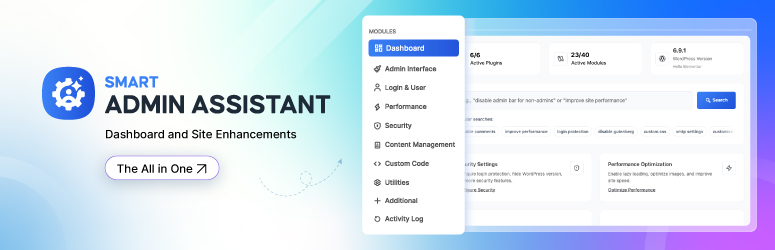

Сүрөттөө
Smart Admin Assistant is a free, modular WordPress admin toolkit. It brings the small fixes most sites install one plugin at a time into one lightweight plugin: change the login URL, limit login attempts, duplicate posts and pages, hide the admin bar, hide admin notices, disable comments, switch to the Classic Editor, allow SVG uploads safely, add security headers, cache pages and put the site in coming soon mode.
Every module is off until you switch it on, and a module that is switched off loads no code. Nothing in this plugin is locked, limited or trial-only.
Replace a stack of single-purpose plugins with one admin assistant.
Try Live Demo | Read Documentation
What does Smart Admin Assistant do?
In one plugin, Smart Admin Assistant can:
- Hide the WordPress login page behind a custom login URL, and send visits to
wp-login.phpto a 404 page, the homepage or a URL you choose - Limit login attempts and lock out IP addresses that keep failing, with optional progressive lockouts
- Duplicate posts, pages and custom post types in one click, including meta and taxonomy terms
- Hide the admin bar on the front end or in the dashboard, for everyone or only for chosen roles
- Hide admin notices from plugins, themes and WordPress core
- Disable comments sitewide or per post type, and close comments on old posts automatically
- Switch to the Classic Editor for the whole site or for selected post types
- Allow SVG and AVIF uploads, with SVG files sanitized on upload
- Add HTTP security headers and harden WordPress (hide the version, disable XML-RPC, disable the file editor)
- Speed up your site with a page cache, lazy-loaded images, revision limits and Heartbeat API control
- Show a coming soon / maintenance mode page with a countdown timer and a progress bar
- Publish missed scheduled posts automatically
- Scan your site’s health and get a score with one-click fixes
Why choose Smart Admin Assistant?
- One plugin instead of many. Fewer plugins to update, audit and keep compatible.
- Modular. Turn on only the features you need. Disabled modules do not run.
- Fully free. Every feature described on this page works without a licence or an account.
- Private. No telemetry, no remote fonts, no calls to outside servers.
- Modern admin. A fast React dashboard with a module search, a command palette (Ctrl/Cmd + K) and per-module overview pages.
- Multisite ready. Network activation sets up every site, including sites created later.
Features
Admin Interface: clean up the WordPress dashboard
- Hide admin notices – remove notices from plugins, themes and WordPress, including multisite and script-injected banners
- Hide the admin bar in the backend, on the front end, or only for selected user roles
- Admin bar cleanup – remove the WordPress logo menu, site name, comments, “New”, updates, Customize, search or My Account items, with a live preview
- Remove admin bar items added by other plugins
- Custom admin footer text (shortcodes supported) and hide the WordPress version in the footer
- Body classes – add the user role to the front-end
bodyclass, and the role, username and user ID to the adminbodyclass for role-based CSS
Login & User Management: secure and customize the login page
- Custom login URL – replace
wp-login.phpwith your own slug (for example/my-login) - Redirect the default login URL to a 404 page, the homepage or any custom URL
- WooCommerce compatible – keeps WooCommerce account pages working with a custom login URL
- Login with username only or email only
- Login page templates – Split Screen, Modern Center and Underline Split layouts, also applied to the lost-password, reset-password and registration screens
Security: protect WordPress from brute force and common attacks
- Limit login attempts – 3 to 10 failed attempts before the IP is locked out for 1 to 1440 minutes
- Progressive lockout – repeat offenders are locked out for longer each time
- IP management – see blocked IPs and time remaining, block an IP manually, unblock or clear all
- HTTP security headers – X-Content-Type-Options, X-Frame-Options, X-XSS-Protection, Referrer-Policy, Strict-Transport-Security (HSTS) and Content-Security-Policy
- WordPress hardening – hide the WordPress version (generator tag and
ver=query strings), remove RSD, WLW manifest and shortlink tags, disable the theme and plugin file editor, disable XML-RPC and pingbacks - Email address obfuscation – protect email addresses in posts, excerpts, widgets and comments from spam bots, with four methods (HTML entities, JavaScript, CSS reversal, ROT13) and an exclusion list
- Security scan – checks the login URL, debug mode, HTTPS, file editor, XML-RPC, version disclosure and recent failed logins
- Security Status widget on the WordPress dashboard
Performance: make WordPress faster
- Page cache – caches pages for logged-out visitors, ignores tracking parameters such as
utm_*,fbclidandgclid, skips WooCommerce and Easy Digital Downloads shoppers, and clears itself when content, comments, menus or the theme change - Revision control – keep 0 to 100 revisions per post, clean up existing revisions in one click, or delete extra revisions weekly
- Heartbeat API control – set the interval (15 seconds to 5 minutes) or disable it on the dashboard and front end to reduce
admin-ajax.phpload - Lazy load images in post content
Content Management: save editorial time
- Duplicate post / duplicate page – one-click copy of posts, pages and custom post types with content, meta and taxonomies, saved as a draft
- Disable comments sitewide or per post type, and close comments automatically after 1 to 365 days
- Classic Editor – disable the block editor (Gutenberg) globally or per post type
- Auto excerpts – generate an excerpt of a set length for posts and pages that have none
- SVG uploads with security sanitization (administrators only)
- AVIF image uploads
- Missed schedule fix – automatically publishes scheduled posts that WordPress missed
Utilities
- Coming soon / maintenance mode – shows a coming soon page (HTTP 503, search-engine friendly) to everyone except administrators, with title, subtitle, description, countdown timer, progress bar and footer text
Additional user features
- Extra user profile fields – phone, company, job title, address, social links and a custom bio
- Private admin notes on user profiles, visible only to administrators
Dashboard, site health and tools
- Site health score – a scan of performance (GZIP, browser caching, mobile viewport), SEO (XML sitemap, robots.txt, image alt text, broken internal links), configuration (WordPress and PHP versions) and security, with a detailed report
- Smart recommendations – suggested settings you can apply in one click
- Plain-language settings search – type what you want (“hide the admin bar”, “stop spam comments”) and jump to the matching setting; it runs locally, nothing is sent anywhere
- Command palette – press Ctrl/Cmd + K to jump to any module or setting
- Modules page – filter modules by category or status and activate or deactivate them in bulk
- Settings import and export as JSON, to copy your setup to another site
- Reset to defaults for all settings
- System information – server, PHP and WordPress details with one-click copy for support tickets
Who is it for?
- Site owners and bloggers who want a cleaner, safer dashboard without touching code
- Agencies and freelancers who set up the same tweaks on every client site and want one plugin and one settings export to do it
- Developers who want hardening, security headers and body classes without writing a custom plugin
- Content teams who duplicate posts, schedule content and work in the Classic Editor
Pro version
A separate premium plugin, Smart Admin Assistant Pro, is available from store.bdthemes.com. It is installed alongside this plugin and adds its own modules, such as SEO and Google Search Console, an activity log, two-factor authentication, SMTP, admin menu customization and login page styling. Everything listed above works without it.
Smart Admin Assistant 2.4.0 requires Smart Admin Assistant Pro 2.4.0 or newer.
External Services
This plugin does not connect to any third-party service. It sends no telemetry, checks no remote feeds and loads no remote fonts or scripts.
The only HTTP requests it makes are loopback requests to your own site — for example fetching your homepage, robots.txt, a sitemap URL or a core script URL from your own domain — and only when you run the site-health scan from the plugin dashboard. Nothing is sent to any external server.
Source Code and Build Process
This plugin ships with the complete, human-readable source for every generated
file it loads. Nothing you need in order to read, study, modify or rebuild the
plugin is withheld.
src/admin/— React source (JSX) for the admin application, built todist/admin/src/scss/— Sass source for every stylesheet, built todist/css/src/js/— JavaScript source for the classic admin screens, built todist/js/
The build configuration is included as well: package.json, webpack.config.js
(via @wordpress/scripts), vite.config.js, postcss.config.js,
tailwind.config.js and tailwind.preset.js.
To rebuild the distributed files from source, from the plugin directory:
npm install
npm run build

npm run build runs `@wordpress/scripts` (webpack) for the React admin app and
Vite for the stylesheets and classic scripts, writing the result to dist/.
npm run dev and npm run dev:scss are the watch-mode equivalents. The PHP
autoloader is generated with composer dump-autoload -o.
No minified third-party library is bundled without its source.
Support & Documentation
- Plugin support: WordPress.org support forums
- Documentation: Smart Admin Assistant knowledge base
- Feature requests: tell us in the support forum
Скриншоттор


Орнотуу
- In your WordPress dashboard go to Plugins Add New, search for “Smart Admin Assistant”, then click Install Now and Activate. (Or upload the
smart-admin-assistantfolder to/wp-content/plugins/and activate it on the Plugins screen.) - Open Smart Admin Assistant in the admin menu.
- Go to Modules and switch on the features you need. Each module has its own settings page.
- Save your settings. If you set a custom login URL, bookmark it before you log out.
FAQ.KG
-
What is Smart Admin Assistant?
-
Smart Admin Assistant is a free WordPress plugin by BdThemes that combines common admin, security, performance and content tools in one modular plugin. It includes a custom login URL, login attempt limits, post duplication, admin bar and admin notice control, comment disabling, Classic Editor switching, SVG uploads, security headers, a page cache and a coming soon mode.
-
How do I change the WordPress login URL?
-
Go to Smart Admin Assistant Login & User Management, turn on Custom Login URL and enter a slug such as
my-login. Your login page then moves toyoursite.com/my-login. Choose whether visits towp-login.phpshow a 404 page, go to the homepage or go to a custom URL. -
I forgot my custom login URL. How do I get back in?
-
Deactivate the plugin by renaming the
wp-content/plugins/smart-admin-assistantfolder over FTP or your host’s file manager. The defaultwp-login.phpworks again. Rename the folder back and log in to see the slug. -
How do I limit login attempts in WordPress?
-
Turn on Login Protection under Security. Set the number of failed attempts (3–10) and the lockout time (1–1440 minutes). Locked-out IPs are listed under IP Management, where you can unblock them.
-
How do I duplicate a page or post?
-
Turn on Content Duplication under Content Management. A “Duplicate” link appears under each post, page and custom post type in the list screens. The copy is saved as a draft with its content, custom fields and categories/tags.
-
How do I hide the admin bar for non-admin users?
-
Turn on Admin Bar Customization under Admin Interface and choose to hide it on the front end, in the dashboard, or only for selected user roles such as Subscriber or Customer.
-
How do I hide admin notices?
-
Turn on Hide Admin Notices under Admin Interface. Notices from plugins, themes and WordPress are removed from every admin screen.
-
How do I disable comments in WordPress?
-
Turn on Comments Management under Content Management. Disable comments on the whole site or only on chosen post types, or close comments automatically on posts older than a set number of days.
-
Can I use the Classic Editor instead of Gutenberg?
-
Yes. Editor Selection under Content Management switches to the Classic Editor for all post types or only the ones you choose.
-
Is it safe to allow SVG uploads?
-
SVG files can contain scripts, so this plugin sanitizes every SVG on upload and allows SVG uploads for administrators only.
-
Does the page cache work with WooCommerce?
-
Yes. The page cache serves only logged-out visitors and skips anyone with a WooCommerce, Easy Digital Downloads, comment or login cookie, so carts and checkouts are never cached. If you already use a caching plugin or host-level cache, leave this module off.
-
Will coming soon mode hurt my SEO?
-
No. The coming soon page is sent with an HTTP 503 status, which tells search engines the site is temporarily unavailable. Administrators still see the normal site.
-
Is Smart Admin Assistant free?
-
Yes. Every feature on this page is free, with no licence, account or feature limits. An optional Pro add-on adds extra modules.
-
Does it slow down my site?
-
No. Each module loads only when it is switched on, and front-end features only add the code they need. Speed features such as the page cache, lazy loading and Heartbeat control can make the site faster.
-
Does it work on WordPress Multisite?
-
Yes. Network activation sets up every site, and new sites are set up automatically. Settings are stored per site.
-
Can I copy my settings to another site?
-
Yes. Go to Settings and export your settings as a JSON file, then import it on the other site.
-
Does the plugin send any data to external servers?
-
No. It sends no telemetry and loads no remote scripts or fonts. See the External Services section.
-
What happens to my data if I delete the plugin?
-
Deleting the plugin from the Plugins screen removes its settings table, options, transients, user meta and scheduled tasks.
-
How can I report security bugs?
-
Report security issues through the Patchstack Vulnerability Disclosure Program. Their team helps validate, triage, and coordinate responsible disclosure: Report a security vulnerability.
Сын-пикирлер


Contributors & Developers
“Smart Admin Assistant” is open source software. The following people have contributed to this plugin.
Мүчөлөрү


Translate “Smart Admin Assistant” into your language.
Interested in development?
Browse the code, check out the SVN repository, or subscribe to the development log by RSS.
Өзгөртүүлөр
2.4.1 [October 13, 2026]
- Updated: Readme rewritten to describe every module accurately, with a full feature list and an expanded FAQ
2.4.0 [September 14, 2026]
- Removed: The Custom Code snippet manager. Saving and running arbitrary CSS, JavaScript, HTML or PHP is no longer part of this plugin. Existing snippets are left in the database untouched and are managed by Smart Admin Assistant Pro 2.4.0, which now owns the feature
- Changed: An incompatible add-on version is no longer deactivated automatically — the plugin shows a notice and leaves activation entirely to the site owner
- Changed: The page cache output buffer is now opened and closed within the same request instead of being left for PHP to flush
- Changed: WordPress’ own functions are used to resolve the login, registration, sitemap and robots.txt locations, so they stay correct on subdirectory installs and with non-default permalinks
- Changed: Login template files are resolved through a containment check before being included
- Added: Full build instructions and source layout documented in the readme;
src/and every build configuration file now ship inside the plugin - Changed: “Tested up to” is declared only in readme.txt, as WordPress.org requires
- Fixed: The coming soon page rendered an empty heading and subtitle when those fields were left blank, instead of falling back to the defaults shown as placeholders
- Fixed: The coming soon page produced an invalid
langattribute, and repeated the site name in the browser tab title - Fixed: The dashboard headline read “Your site is needs attention”
- Fixed: The module coverage card listed only six categories while its total counted all of them, so the rows did not add up
- Fixed: The security checkup showed a green “All clear” and a made-up check count before any scan had been run, and printed internal check identifiers next to each issue
- Fixed: The admin app no longer logs a React 18 deprecation error on every page load, and renders through
createRoot() - Fixed: A Content Security Policy typed across several lines was silently dropped — PHP rejects any header containing a line break, so no CSP header was sent at all
- Changed: Login template partials are resolved through the same containment check as template files, so a filtered path cannot reach outside the templates directory
- Requires: Smart Admin Assistant Pro 2.4.0 or newer
2.3.0 [August 20, 2026]
- Changed: Site health email reports (scheduled reports, “email after each scan” and the manual send) moved to Smart Admin Assistant Pro. Running and reading site health scans stays in this plugin; existing report settings carry over to Pro automatically
- Added:
bdtsaa_site_health_scan_storedaction, fired after a scan is saved, and ascan-report:actionsJavaScript slot in the scan report modal - Changed: The free plugin now contains only free functionality. All premium features, their settings, REST endpoints and admin UI moved into the separate Smart Admin Assistant Pro plugin (1.7.0). No feature in this plugin is locked or limited.
- Added: Extension API for add-ons — PHP filters for modules, root features, schema fragments, primary tabs, admin bootstrap and REST controllers, plus a JavaScript registry (
window.bdtsaa) for tabs, pages, section components, slots and data - Removed: Licence handling, licence page, feature comparison page, “Pro” badges, locked controls and upgrade prompts
- Changed: Uninstall now removes only data owned by this plugin
- Changed: Internal identifiers use the
bdtsaaprefix consistently (admin notes user meta migrates automatically) - Requires: Smart Admin Assistant Pro 1.7.0 or newer — older Pro versions are deactivated with a notice
2.2.4 [August 12, 2026]
- Updated: System improved
2.2.3 [August 11, 2026]
- Fixed: Deactivating the Pro plugin permanently erased premium settings (menu design, dashboard customization, list-table columns); they are now backed up and restored automatically when Pro is active again
2.2.2 [August 10, 2026]
- Security: Passwords and API keys are now masked in the admin and excluded from settings exports
- Security: Hardened escaping, sanitization, and capability checks (WordPress Plugin Check)
- Privacy: Admin font is now bundled locally — no more Google Fonts requests
- Fixed: Page cache now purges on content changes and skips 404s, search, and personalized pages
- Fixed: Scheduled revision cleanup never ran; now runs weekly in batches
- Fixed: Multisite network activation now sets up all sites, including new ones
- Improved: Image sitemap caching and stale admin styles after updates
- Improved: Cleaner uninstall — clears all scheduled tasks, multisite-aware
2.2.1 [August 9, 2026]
- Removed: Promotional admin notices, the promotional submenu item, and the BdThemes News dashboard widget — the plugin no longer contacts an external promo API from the admin
- Improved: Uninstall now also clears the leftover options, transients, and user meta those promo notices created
2.2.0 [August 4, 2026]
- Added: WP-Cron Manager (Pro) — view, run, edit and delete scheduled cron jobs from a new Cron Manager tab (requires Pro 1.6.2)
- Added: “Open” link on module cards that have their own tab
- Fixed: WP-Cron Manager did not work after the React admin migration
- Fixed: Custom Magic Login email templates no longer have their HTML stripped on save — safe markup such as links and line breaks is preserved (Pro feature; update Pro to 1.6.2 together)
2.1.1 [July 29, 2026]
- Improved: Faster admin and frontend — background alt-text backfill, throttled scheduled-post check, and lighter security stats
- Changed: Server Health default refresh interval is now 30 seconds
- Fixed: Saving nested settings through the legacy AJAX endpoint could fail
- Fixed: Renamed the post ordering AJAX action to avoid conflicts with other plugins (update Pro to 1.6.1 together)
2.1.0 [July 27, 2026]
- Added: Server Health Monitor (Pro) — a live dashboard with CPU, RAM, swap, and disk gauges, WordPress insights, disk and database breakdowns, PHP details, and actionable health suggestions
- Added: Monitor settings under Utilities — auto-refresh with a configurable interval plus warning and critical thresholds; the Server Health tab appears in the navigation while the monitor is enabled
- Improved: The refresh-interval setting is hidden while auto-refresh is off
2.0.0 [July 26, 2026]
- Added: Compatibility with WordPress 7.0.1
- Added: Dedicated SEO module (Pro) — per-post titles and meta descriptions with a live snippet editor, XML sitemap controls, an on-page SEO checklist, and optional Google Search Console integration; existing settings migrate automatically
- Added: Broken Link Checker settings (Pro) — background scans with flag/unlink handling and email summaries
- Added: Custom Code overhaul — snippets moved to a dedicated database table with automatic migration, per-snippet priority, display conditions and scheduling (Pro), one-click duplication, and an “Allow PHP Code Execution” toggle with a matching developer filter
- Added: Live admin menu customization — menu order, renames, and hidden items apply to the sidebar instantly
- Added: Modules page enhancements — pinned modules and status filters with live counts
- Changed: The SEO module now requires an active Pro license
- Changed: The “Caching & Loading”, “Media Management”, and “UI Enhancements” master switches were removed; each sub-feature now has its own independent toggle and existing settings migrate automatically
- Changed: Site health scan streamlined by removing low-value checks
- Security: Login protection now derives the client IP from REMOTE_ADDR only, ignoring spoofable forwarding headers unless enabled via the
bdtsaa_trust_proxy_headersfilter - Security: The image alt-text backfill now requires the
edit_others_postscapability - Security: The SVG upload sanitizer now strips nested SVG data URIs from link attributes
- Improved: Clearer error messages for the security scan, site health scan, and SMTP test
- Improved: Smarter module search with synonyms, redesigned module cards, and a richer command palette
- Improved: Redesigned configure modal with live Active/Inactive state
- Improved: Hide Admin Notices now also covers multisite notices and script-injected banners
- Improved: Admin scripts are cache-busted with content hashes, so updates never run stale code
- Improved: Refined mobile navigation drawer
- Fixed: Custom Code editor falsely flagged valid PHP as syntax errors, and PHP snippet execution could not be enabled
- Fixed: Custom login URL edge cases — incorrect wp_login_url output, redirect loops with external targets, and scheme-less redirect URLs
- Fixed: Google Search Console connection failed silently when all SEO toggles were off
- Fixed: Hiding the admin bar left a blank band above the admin header
- Fixed: The site health report’s “fix SEO issues” link opened the wrong page
1.7.1 [June 16, 2026]
- Fixed: Removed incorrect jQuery defer attribute on front-end pages that broke theme scripts
- Fixed: SMTP test email delivery and From address resolution for transactional providers (e.g. EmailIt)
- Fixed: SMTP test now uses the saved password when the password field is left blank
- Added: Test email recipient field to choose where SMTP test emails are sent
- Improved: Clearer SMTP error messages when the server rejects message data
1.7.0 [June 11, 2026]
- Added: Login page layout templates (Split Screen, Modern Center, Underline Split) in the free version
- Added: Dedicated System Information tab with server, PHP, and WordPress environment details
- Added: Style settings and template-based builder UI for login page customization
- Added: Debug Log Viewer settings in Developer Tools module
- Added: Smart Auto-Redirect and URL Redirect Manager in the Utilities module (Pro)
1.6.3 [June 2, 2026]
- Improved: Login page customization modules
1.6.2 [May 12, 2026]
- Added: Submenu customization feature to Admin Menu Management module for granular navigation control
- Added: User-specific menu item visibility controls for personalized admin experiences
- Improved: Enhanced Menu Management module with advanced customization options and better UI/UX
1.6.1 [May 11, 2026]
- Improved: Enhanced plugin stability and overall system reliability
- Note: This update requires Smart Admin Assistant Pro version 1.6.1 or higher for full compatibility
1.6.0 [May 7, 2026]
- Added: Compatibility with WordPress 7.0
- Added: 2FA (Two-Factor Authentication) support to the Security module (pro)
- Improved: Updated codebase for the latest WordPress core APIs and standards
- Improved: Enhanced plugin stability, performance, and security hardening
1.5.2 [March 30, 2026]
- Fixed: Resolved minor UI inconsistencies for improved user experience
- Fixed: Database cleanup now properly executes during plugin deactivation
1.5.1 [March 10, 2026]
- Fixed: Feature counting issue in dashboard
- Improved: UI/UX improvements
- Improved: Enhanced plugin stability and reliability
1.5.0 [February 22, 2026]
- Added: Block-based layout for each module with card-based design
- Added: “Configure” buttons in AI search results linking to relevant settings pages
- Added: Editor Selection module to Content Management section (formerly Content Disabling)
- Added: Comments Management module to Content Management section (formerly Comment Disabling)
- Improved: Component disabling tabs reorganized for better UI experience
- Fixed: Dependent settings visibility and flickering issues on page load
1.4.1 [January 21, 2026]
- Fixed: Admin notice visibility issues for BdThemes product integration
1.4.0 [January 21, 2026]
- Added: Comprehensive activity logging system to monitor user activities, system modifications, and security events
- Fixed: Resolved SMTP configuration and settings persistence issues
1.3.0 [January 12, 2026]
- Enhanced: Role-based visibility controls for menu customization options (pro)
- Fixed: Resolved minor user interface inconsistencies for improved user experience
1.2.1 [January 4, 2026]
- Added: Coming Soon page functionality to Utilities module
- Added: Customizable title and subtitle fields for Coming Soon page
- Added: Rich description editor for detailed messaging
- Added: Interactive countdown timer with customizable target date
- Added: Visual progress bar to display project completion status
- Improved: Enhanced user experience for maintenance mode communications
1.2.0 [January 1, 2026]
- Improved: Enhanced asset loading performance through minified CSS and JavaScript files
1.1.15 [December 22, 2025]
- Fixed: Performance issues are fixed
1.1.14 [December 04, 2025]
- Fixed: WordPress latest version compatibility issue
1.1.13 [November 30, 2025]
- Fixed: Magic Login not working when Custom Login URL was enabled (404 error on login link). (thanks to Guozhen Chen)
- Fixed: Missing resource (404) caused by incorrect file path; file relocated from Pro plugin directory. (thanks to Guozhen Chen)
1.1.12 [November 26, 2025]
- Fixed: Disable XML-RPC function issue resolved
- Fixed: Performance – Revision Control button loading issue resolved
- Fixed: Performance – Database Optimization options revert issue resolved
- Fixed: Performance – Caching & Loading options revert issue resolved
1.1.11 [November 20, 2025]
- Improved: System improved
1.1.10 [November 11, 2025]
- Improved: System performance optimization
- Improved: Some minor UI issues
1.1.9 [November 10, 2025]
- Improved: Some minor UI issues
1.1.8 [October 29, 2025]
- Fixed: Some minor UI issues
- Fixed: WordPress latest version compatibility issue
- Fixed: Spelling and grammar issues in documentation and code comments
1.1.7 [October 16, 2025]
- Fixed: Module Security reset issue
1.1.6 [October 8, 2025]
- Added: SMTP from email field is now optional instead of required
- Improved: Added media upload preview image for better demonstration purposes
1.1.5 [October 1, 2025]
- Added: Magic Login functionality to Login and User Management module (Pro)
- Fixed: User experience issue with role-based admin bar visibility feature
- Fixed: SMTP from email field is now optional instead of required
- Improved: Enhanced asset optimization for better performance
1.1.4 [September 28, 2025]
- Enhanced: Improve search functionality for quick access to modules.
- Added: SMTP setup feature added in Additional Module. (Pro)
- Added: Custom avatar feature added in Additional Module. (Pro)
- Added: Image size management feature added in Additional Module. (Pro)
- Fixed: some minor UI issues.
1.1.3 [September 10, 2025]
- Enhanced: Module navigation ordering changed for better organization.
- Improved: User experience optimization and accessibility compliance standards
1.1.2 [September 04, 2025]
- Fixed: Modules settings save button through Uncaught error issue fixed.
1.1.1 [September 02, 2025]
- Fixed: Uncaught error handling for plugin tests and WordPress Playground compatibility issues
1.1.0 [September 02, 2025]
- Added: Security Module with login protection, CAPTCHA integration, and security monitoring
- Added: Performance Module with revision control, and caching features
- Added: Utilities Module with maintenance mode and system information
- Enhanced: Advanced user management with user notes functionality
- Fixed: Custom login URL compatibility and settings export/import issues
- Updated: Enhanced PHP code execution security and performance optimizations
1.0.1 [August 28, 2025]
- Fixed: Resolved issues with dark mode color scheme for improved visual consistency.
1.0.0 [Initial Release]
🎉 Welcome to Smart Admin Assistant!