

Сүрөттөө
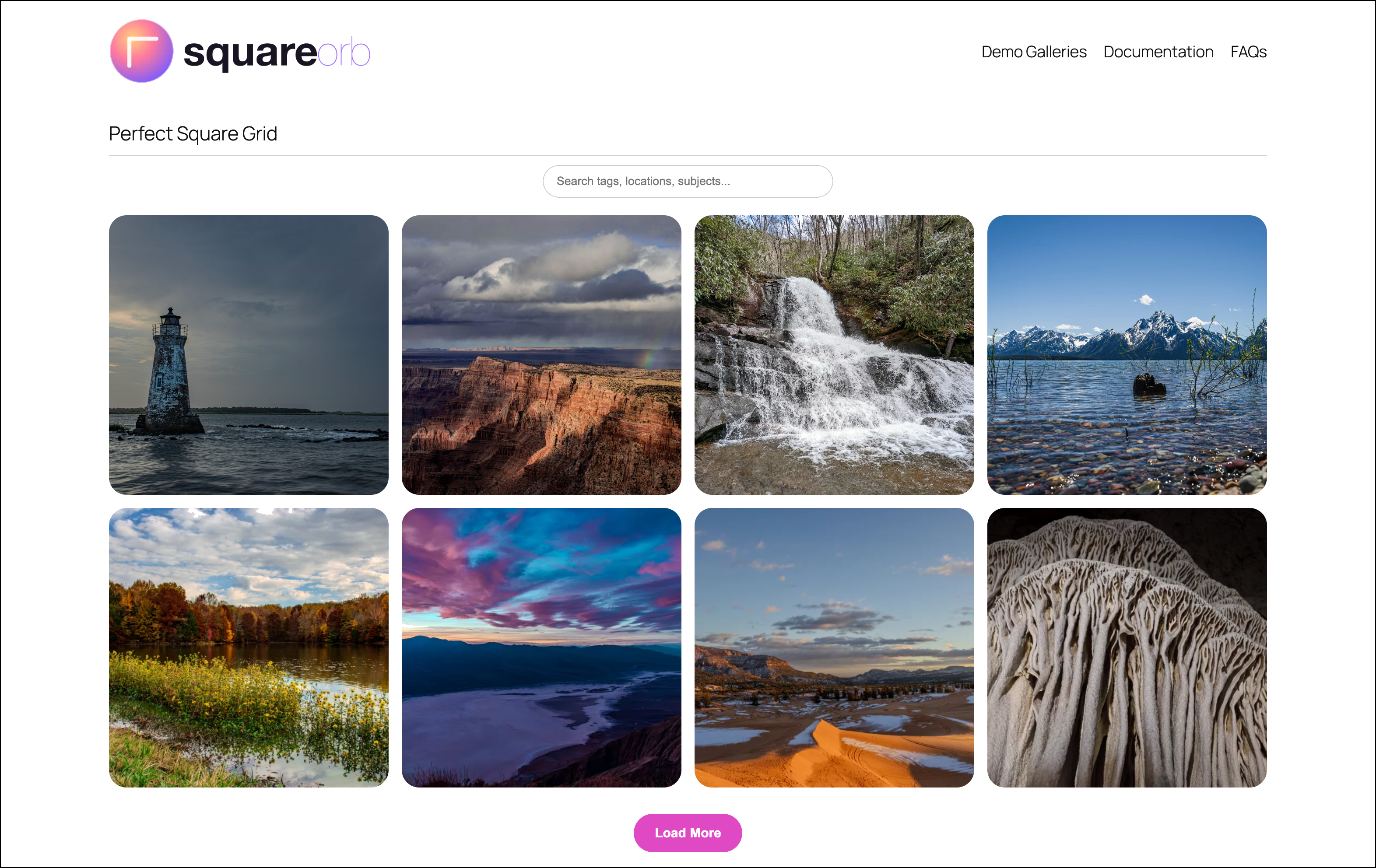
Square Orb is a gallery plugin for WordPress. Display images and videos in responsive galleries with a full-screen lightbox experience, cloud import from Google Photos and Adobe Lightroom, and an optional engagement analytics dashboard.
Check out the live demos and full documentation on the official Square Orb site.
Key Features:
- 5 layout options: Grid, Masonry, Justified Row, Carousel, and Interactive Map
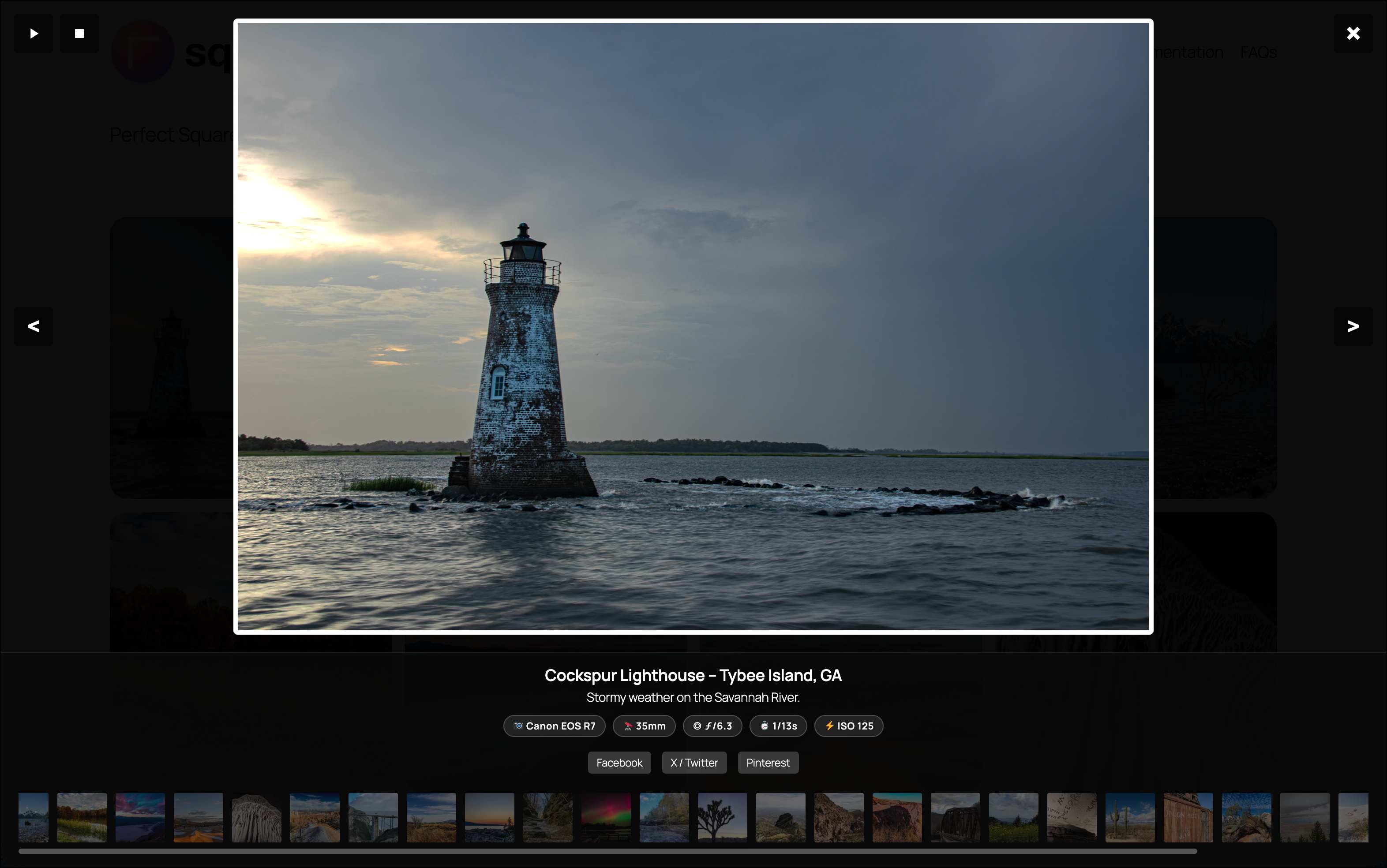
- Full-screen lightbox with 11 transition styles, slideshow, filmstrip, EXIF data, and social sharing
- Dynamic Gutenberg block inspector — settings automatically show/hide based on the selected layout
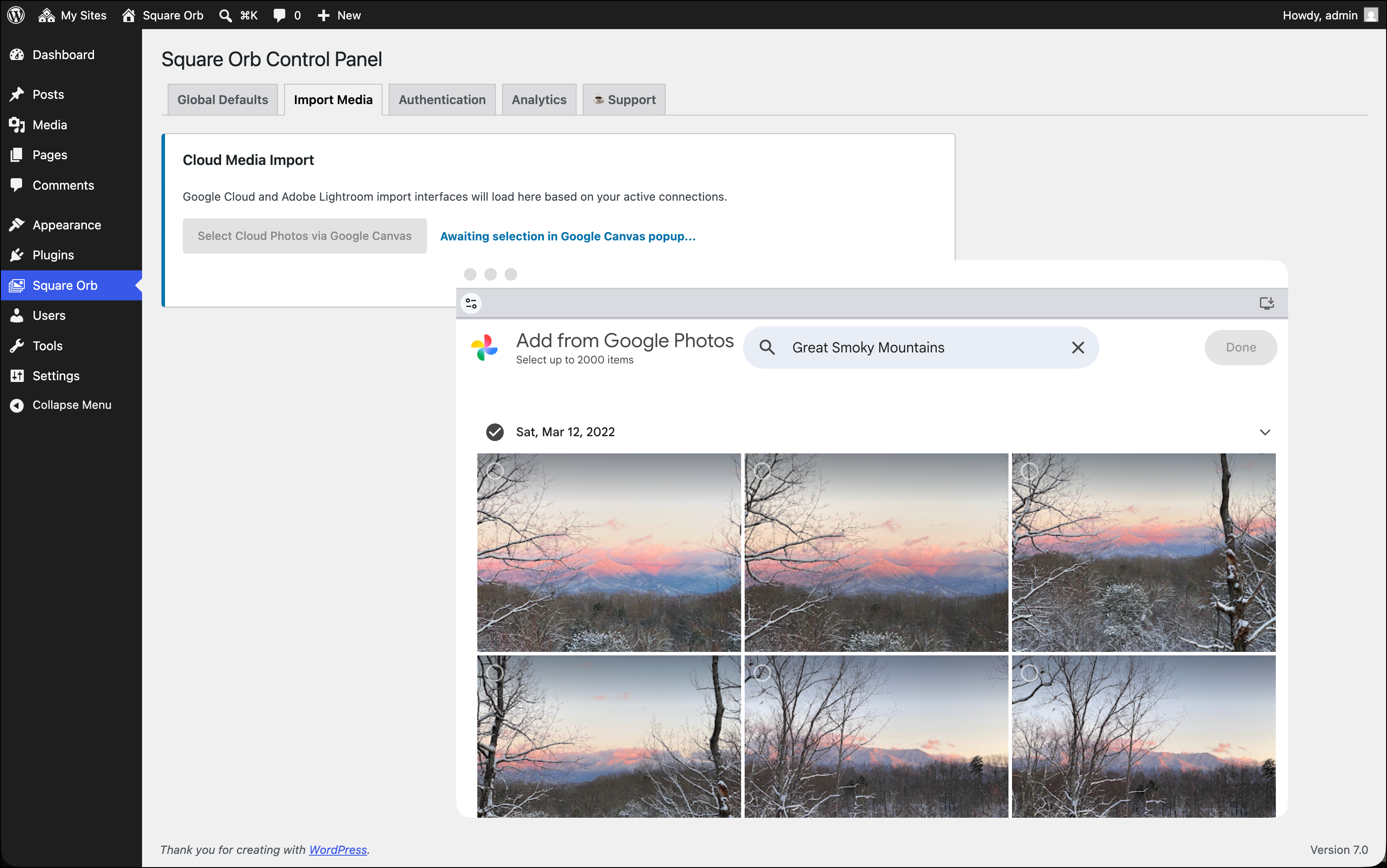
- Cloud media import from Google Photos and Adobe Lightroom
- Smart search and category filter system
- Drag-and-drop media reordering in the block editor
- Watermarking engine with auto-stamp on upload
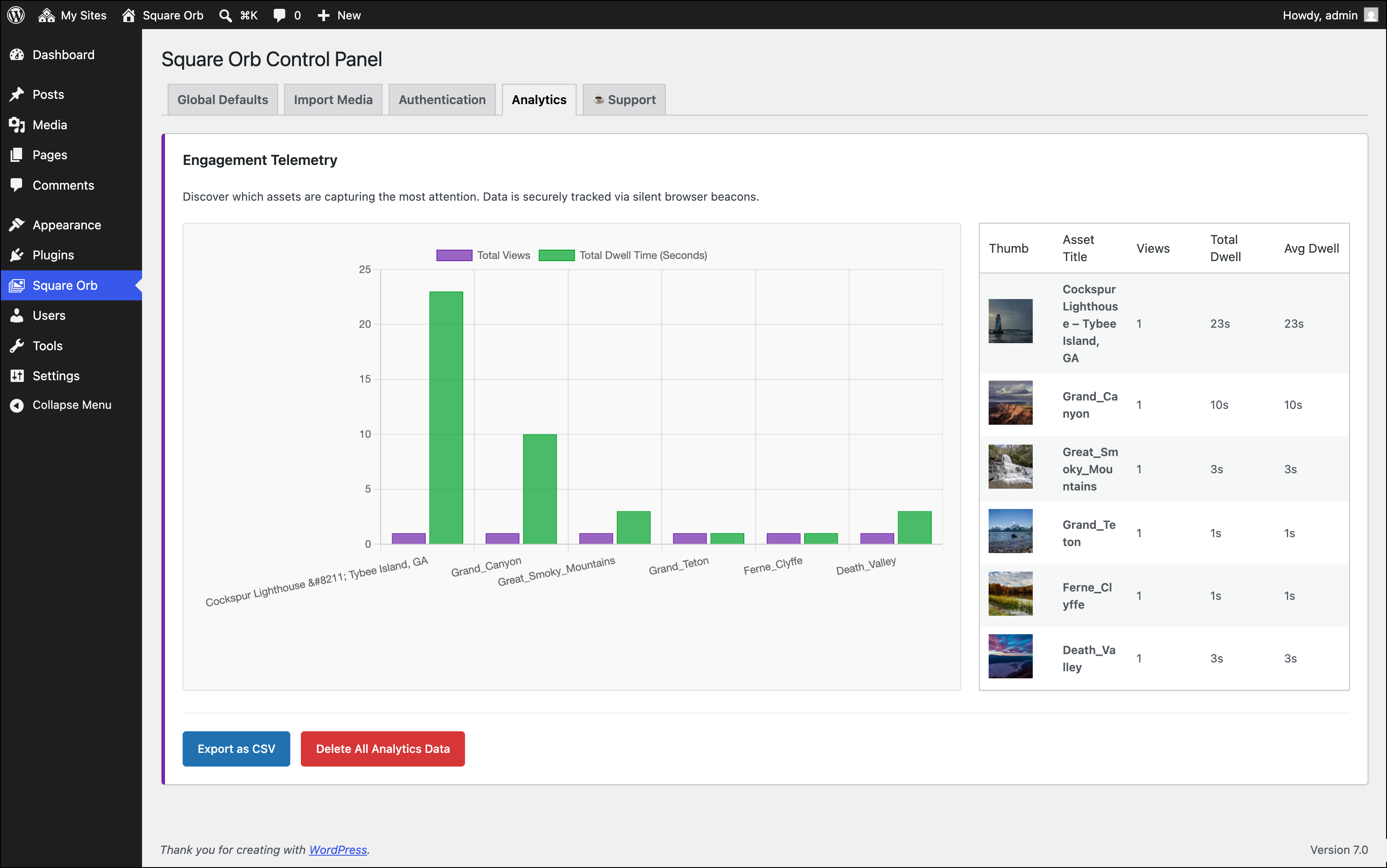
- Optional engagement analytics dashboard (opt-in, off by default)
- Gutenberg block and shortcode (
[square_orb ids="1,2,3"]) support - Transient caching for high-performance page delivery
External Services
This plugin optionally connects to the following third-party services. These connections are only established when you actively configure and use the corresponding features.
-
Google Photos API — Used to authenticate your Google account and import media items into your WordPress Media Library. Data transmitted: OAuth 2.0 authorization codes and access tokens issued by Google. Google Privacy Policy | Google Terms of Service
-
Google Vision API — Used optionally to auto-tag imported images via AI label detection. Data transmitted: Base64-encoded image content sent to Google’s Vision API. This feature requires a separate Google Cloud API key and is disabled by default. Google Privacy Policy
-
Adobe Lightroom API — Used to authenticate your Adobe account and import media from Adobe Lightroom into your WordPress Media Library. Data transmitted: OAuth 2.0 authorization codes and access tokens issued by Adobe. Adobe Privacy Policy | Adobe Terms of Service
-
Leaflet.js via unpkg.com CDN — Used to render the Interactive Map gallery layout. The CDN serves static JavaScript and CSS assets only; no user data is transmitted to unpkg. Leaflet | unpkg Terms
-
Chart.js via jsDelivr CDN — Used to render the analytics chart on the admin Analytics tab. The CDN serves static JavaScript assets only; no user data is transmitted to jsDelivr. Chart.js | jsDelivr Privacy Policy
-
Engagement Telemetry — Off by default. When explicitly enabled by the site administrator in Square Orb Global Defaults, the plugin records anonymous view counts and dwell times per gallery image. All data is stored locally in your WordPress database only. No data is transmitted to any external server. No personally identifiable information (PII) is ever collected.
Скриншоттор
Блоктор
This plugin provides 1 block.
- Square Orb Canvas
Орнотуу
- Upload the
square-orbfolder to the/wp-content/plugins/directory, or install directly through the WordPress Plugins screen. - Activate the plugin through the Plugins menu in WordPress.
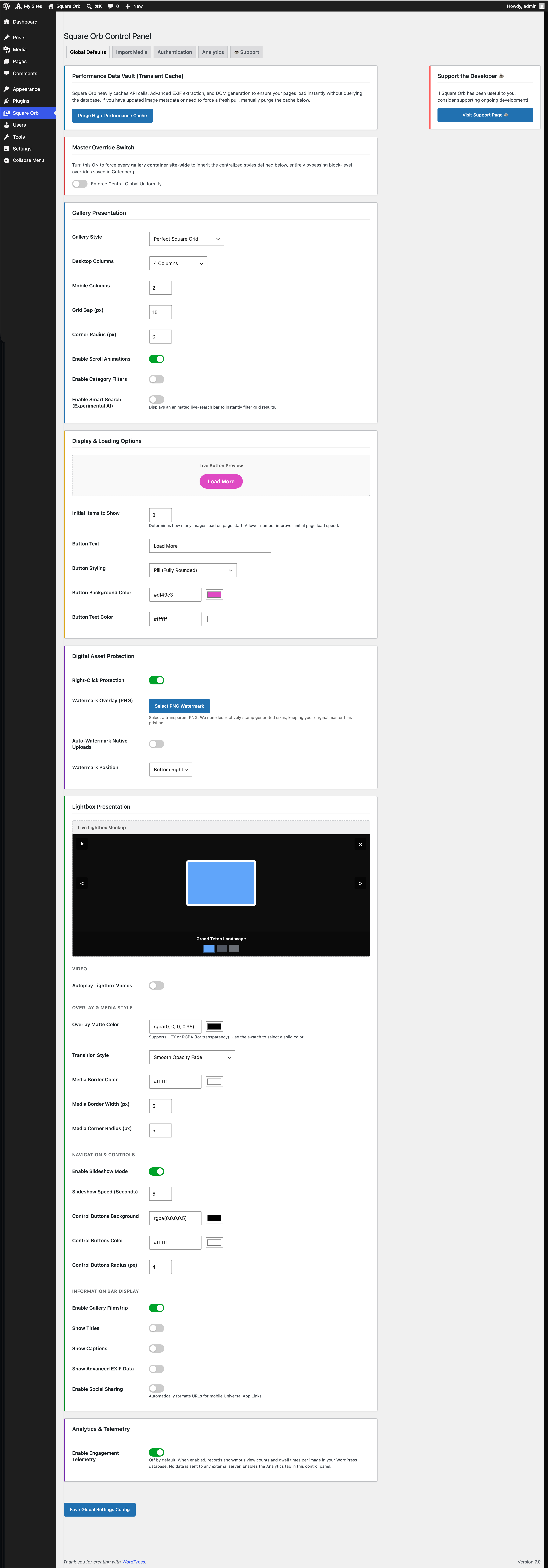
- Navigate to Square Orb in the admin sidebar to configure global display settings.
- To import from Google Photos or Adobe Lightroom, enter your API credentials on the Authentication tab.
- Insert the Square Orb block in the Gutenberg editor, or use the shortcode:
[square_orb ids="1,2,3"].
FAQ.KG
-
How do I set up Google Photos import?
-
Navigate to Square Orb Authentication, enter your Google OAuth Client ID and Secret, then click “Connect to Google Photos”. See the full step-by-step Google Photos setup guide on our documentation portal.
-
How do I set up Adobe Lightroom import?
-
Navigate to Square Orb Authentication, enter your Adobe Client ID and Secret, then click “Connect to Lightroom”.
-
Does this plugin collect any user data?
-
No, by default. The engagement telemetry system is off by default and must be explicitly enabled by the site administrator in Square Orb Global Defaults Enable Engagement Telemetry. When enabled, it records anonymous view counts and dwell times per gallery image, stored locally in your WordPress database only. No data is ever transmitted to any external server, and no personally identifiable information (PII) is collected.
-
Can I use the gallery on multiple pages?
-
Yes. Each Gutenberg block or shortcode instance is independently configured. You can also enable the “Enforce Central Global Uniformity” switch on the Global Defaults tab to apply the same styling across all gallery instances site-wide.
-
How do I display the gallery on archive or shop pages?
-
Use the
square_orb_enqueue_assetsfilter to force asset enqueuing on non-singular pages:add_filter( 'square_orb_enqueue_assets', '__return_true' );
Сын-пикирлер
There are no reviews for this plugin.
Contributors & Developers
“Square Orb” is open source software. The following people have contributed to this plugin.
Мүчөлөрү
Translate “Square Orb” into your language.
Interested in development?
Browse the code, check out the SVN repository, or subscribe to the development log by RSS.
Өзгөртүүлөр
1.0.0
- Initial public release.
- 5 gallery layout types: Grid, Masonry, Justified Row, Carousel, Interactive Map.
- Full-screen lightbox with 11 transition styles: None, Fade, Blur Dissolve, Wipe, Stage Curtain, Vertical Swipe, Slide, Zoom, Bounce, 3D Flip, Spin.
- Dynamic Gutenberg block inspector controls — irrelevant settings hidden automatically per layout.
- Cloud import from Google Photos (OAuth) and Adobe Lightroom (OAuth).
- Drag-and-drop image reordering and per-image video URL overrides in block editor.
- Smart search bar and category filter system.
- Watermarking engine with configurable position and auto-stamp on upload.
- Optional engagement analytics dashboard — off by default, admin opt-in required.
- Shortcode support:
[square_orb ids="1,2,3"]. - Transient caching for high-performance delivery.