

Сүрөттөө
Ziyegó is the Mexican multi-carrier shipping platform that lets you manage labels with DHL, FedEx, Estafeta, Paquetexpress, 99 Minutos, AMPM and more from a single dashboard. This plugin links your store with your Ziyegó account so you can:
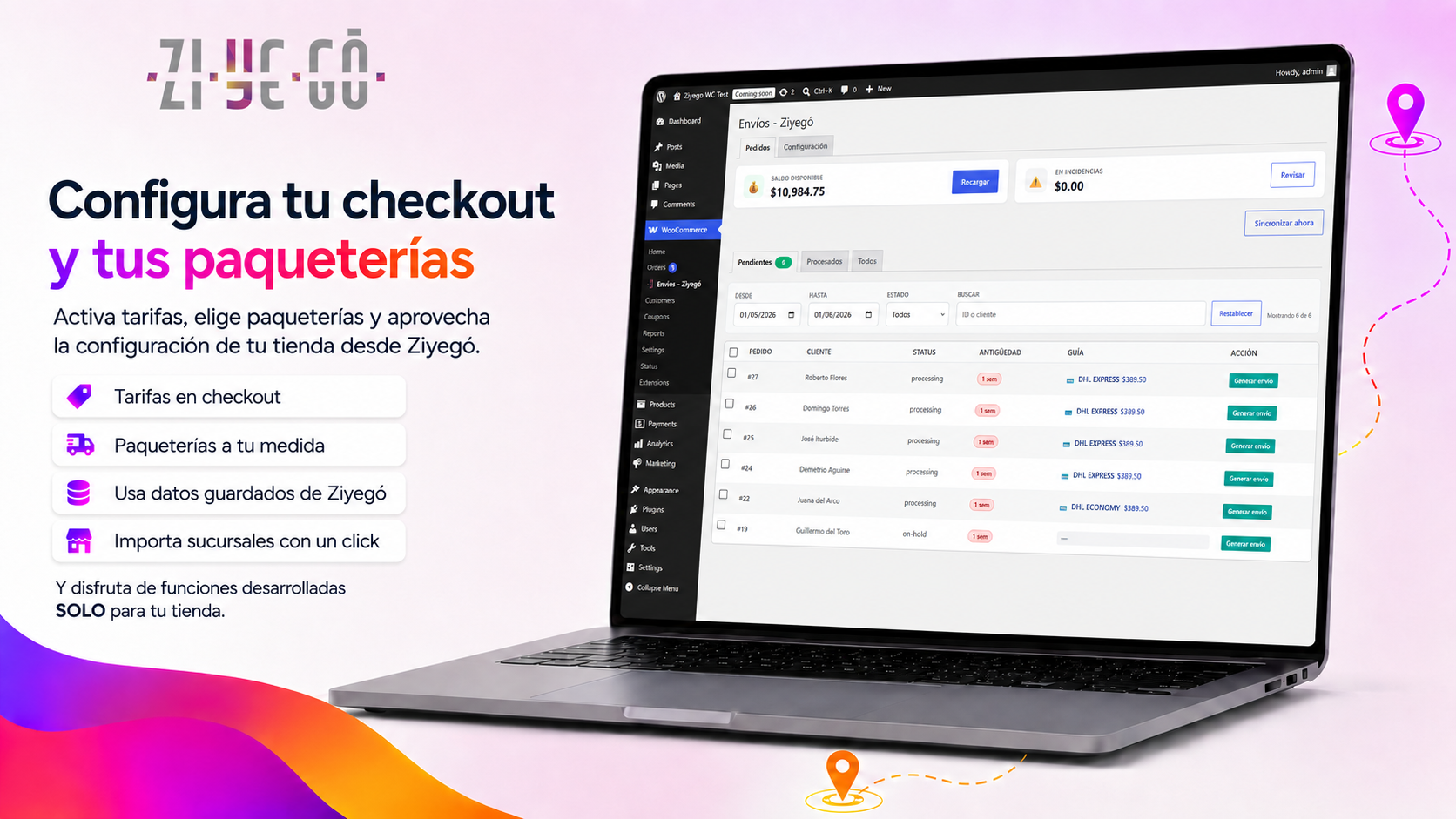
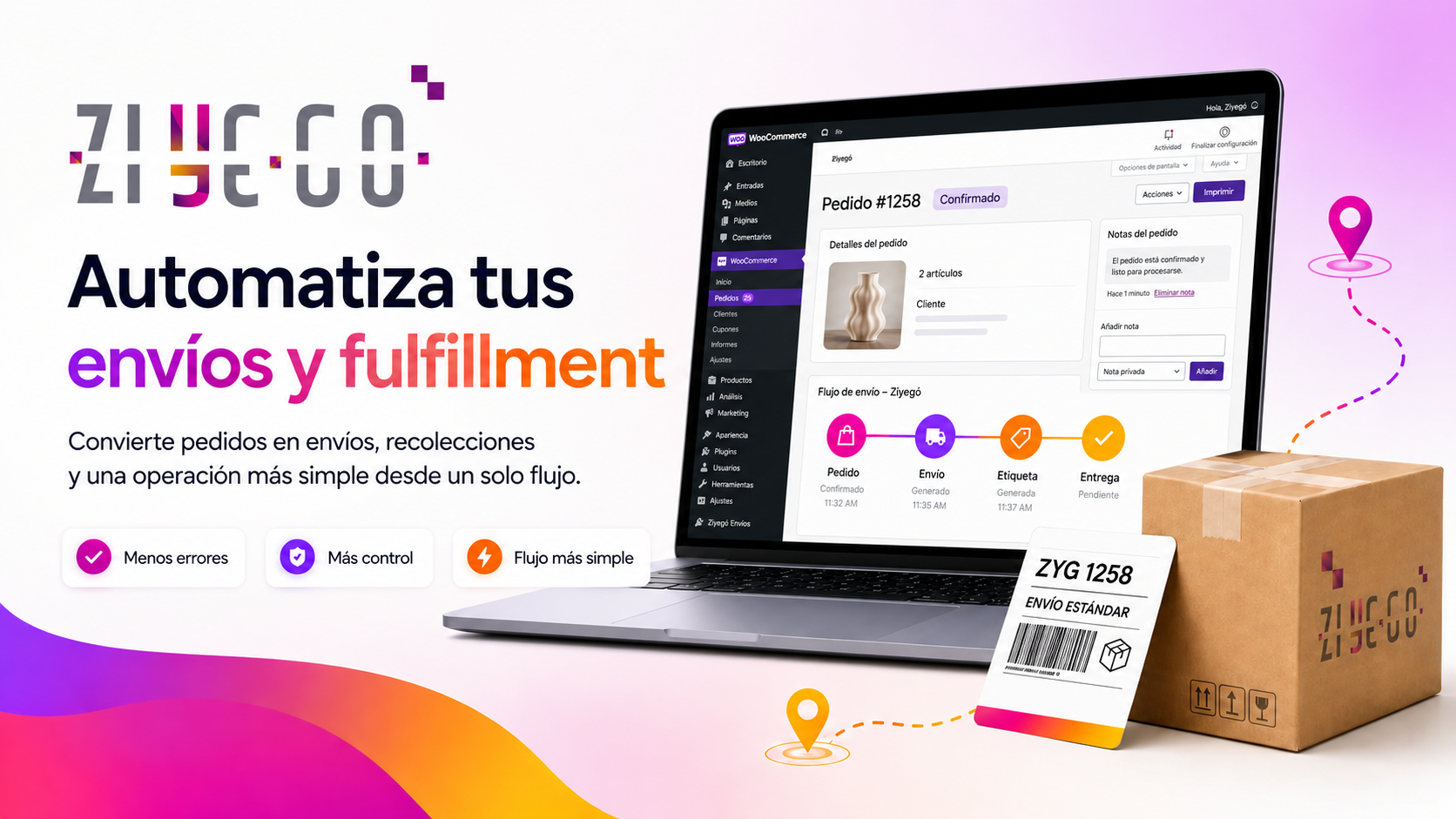
- Generate shipping labels in one click from the orders screen.
- Sync orders automatically — new orders appear in Ziyegó ready to ship.
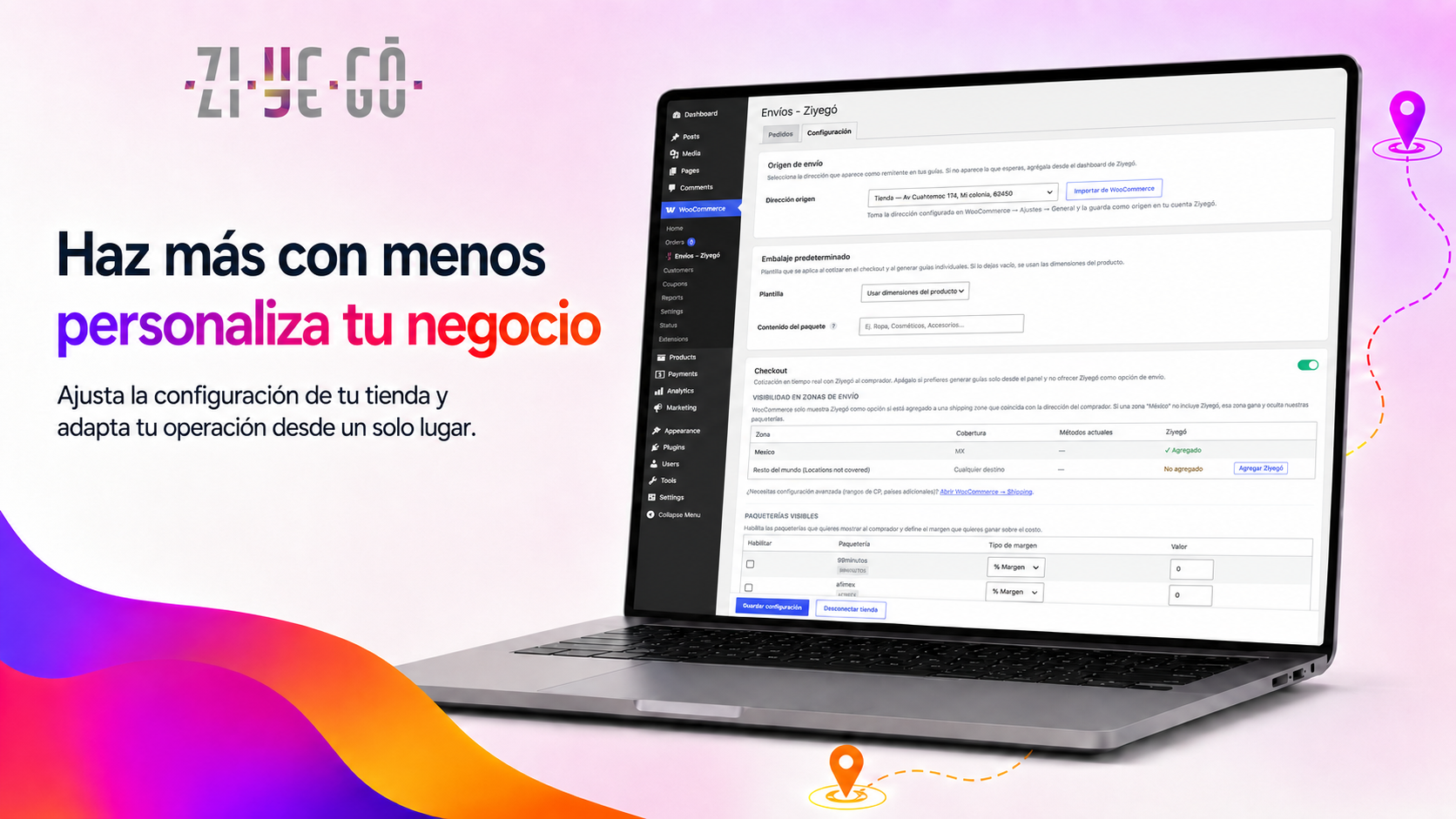
- Quote live rates at checkout — buyers pick from the carriers you enabled.
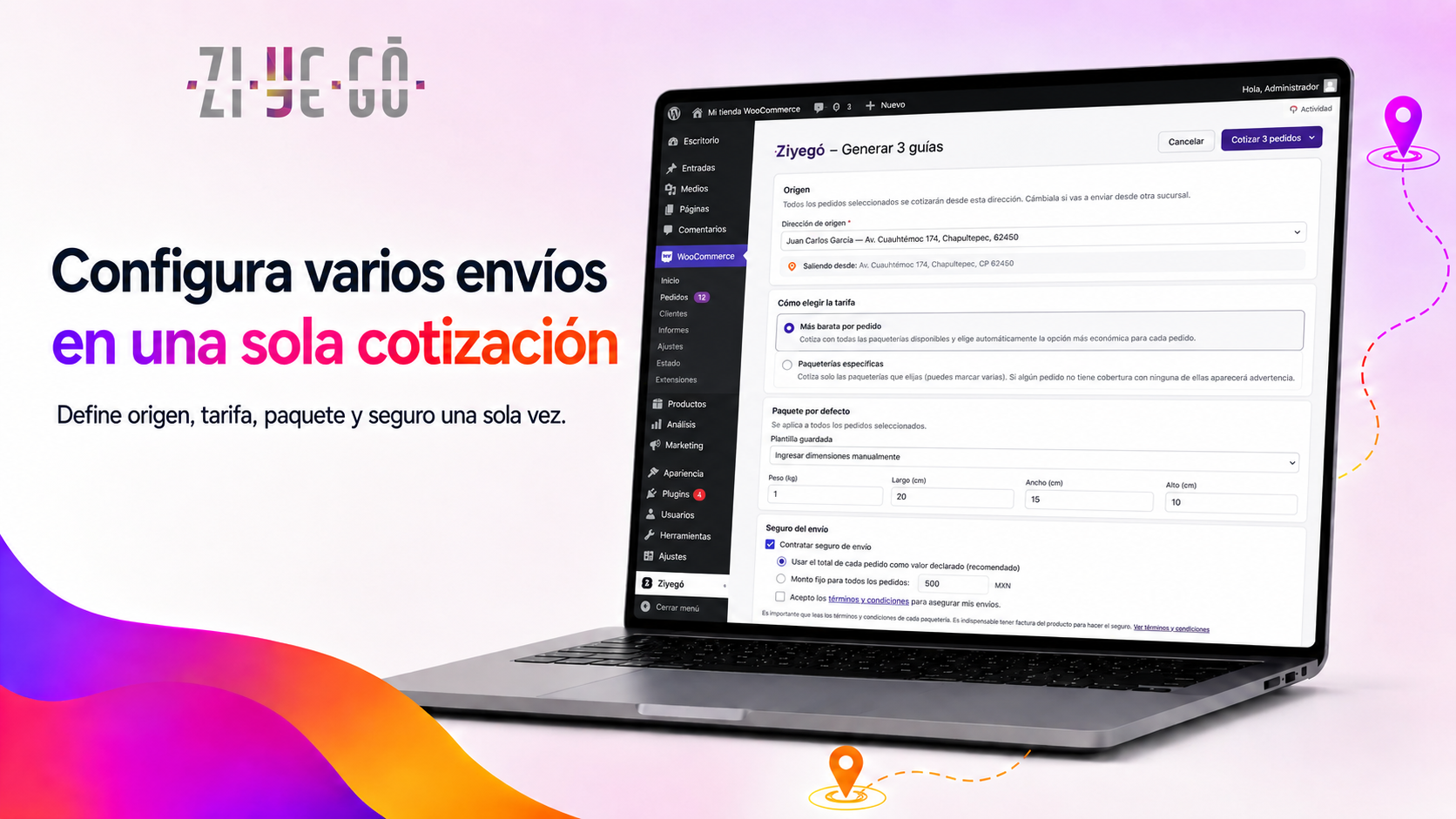
- Print labels in bulk — select multiple orders, get a single merged PDF (up to 100 per batch).
- Auto-generate after checkout — labels created automatically when the buyer pays the order.
- Notify your buyer — optional WhatsApp / email notifications to the recipient as the package moves, available on every label flow.
- Update shipping status — when the label is generated, the order is marked completed and the tracking number is exposed to the buyer.
- Customer tracking — buyers see the tracking number and a link to track.ziyego.mx on the order-received page and in confirmation emails.
This version is for merchants with an active account at https://app.ziyego.mx.
External services
This plugin communicates with the Ziyegó platform (https://apiplugins.ziyego.mx) to:
- Create and read shipping labels on your behalf, using the credentials you generate when you authorize the connection.
- Receive carrier rates so they can be shown at checkout.
- Report shipping status (tracking) back to the store.
The data sent to Ziyegó for each operation includes: order information (products, weight, dimensions), recipient data (name, address, phone, email) and the credentials (consumer_key / consumer_secret) generated under your authorization.
- Privacy policy: https://ziyego.mx/aviso-de-privacidad
- Terms of use: https://ziyego.mx/terminos-y-condiciones
- Technical documentation: Inside https://app.ziyego.mx/ecommerce/integraciones
Privacy
This plugin sends buyer personal data (name, address, email, phone) to Ziyegó (https://apiplugins.ziyego.mx) when you generate a label, exclusively to create the shipment with the selected carrier. The data is not shared with third parties other than the chosen carrier. See https://ziyego.mx/aviso-de-privacidad for details.
To request deletion of data stored at Ziyegó, contact soporte@ziyego.mx with your account email. Local data stored by this plugin (credentials, cache) is removed automatically when you delete the plugin from Plugins → Installed Plugins → Delete.
Скриншоттор
Орнотуу
- Upload the plugin folder to
/wp-content/plugins/ziyego-shipping/(or install from “Plugins Add new Upload plugin”). - Activate the plugin from the “Plugins” menu in WordPress.
- Go to https://app.ziyego.mx/m/ecommerce/integraciones, select your store type and paste your store URL.
- WordPress will show an authorization screen for Ziyegó. Approve it.
- Done. You can now generate shipping labels from the orders screen.
FAQ.KG
-
Do I need a Ziyegó account?
-
Yes. Sign up for free at https://ziyego.mx.
-
Is it compatible with HPOS (High-Performance Order Storage)?
-
Yes. The plugin declares
custom_order_tablescompatibility from WC 7.1+. -
What happens if I deactivate the plugin?
-
Existing orders in Ziyegó are kept; only the automatic sync stops until you activate and reconnect again.
-
What happens if I delete the plugin?
-
Local credentials and cache transients are removed. Synced orders, your origin address and your Ziyegó account are NOT removed. The REST consumer keys created during authorization can be revoked manually from
WooCommerce → Settings → Advanced → REST API. -
Why does it ask me to update the plugin?
-
WordPress regularly checks WordPress.org for new versions of your plugins. When a new version of Ziyegó Shipping is published, WordPress lists it on the Plugins screen and in
Dashboard → Updates, and the Ziyegó, orders and WooCommerce settings screens show a notice with an “Update now” button (it uses the standard WordPress updater). The notice is a recommendation: we suggest updating to keep receiving improvements and fixes. You can also enable automatic updates for Ziyegó Shipping from the Plugins screen. -
Does it work with multisite networks?
-
Yes. If you run a multisite network, contact us at soporte@ziyego.mx before installing.
-
Does it work if my store does not have SSL (HTTPS)?
-
The WooCommerce REST API requires HTTPS for the OAuth flow. If your store runs on plain HTTP, you will not be able to complete the connection.
Сын-пикирлер
There are no reviews for this plugin.
Contributors & Developers
“Ziyegó Shipping” is open source software. The following people have contributed to this plugin.
Мүчөлөрү
Translate “Ziyegó Shipping” into your language.
Interested in development?
Browse the code, check out the SVN repository, or subscribe to the development log by RSS.
Өзгөртүүлөр
1.2.1
- Improved: settings save automatically and a bar at the bottom of the screen shows “Saving…”, “Changes saved” or the error with a “Retry” button. While the origin address is missing, the same bar offers “Set up origin”.
- Improved: in the label wizard and in bulk generation the step buttons stay visible at the bottom while you scroll, with a short hint next to them.
- Improved: pickup and cancellation dialogs show their buttons below the fields.
- Improved: disabled buttons explain why (for example, “select at least one order to continue”).
- Fixed: after saving the settings manually, the save button could stay disabled showing “Saving…”.
- Fixed: cancelled or refunded orders no longer show “resolve incidences” as the reason they cannot get a label.
1.2.0
- New: redesigned admin screens with Ziyegó branding, a compact balance bar and one main action per screen.
- New: 4-step label wizard with a review step before your balance is charged.
- New: cancel a label choosing the reason and adding details.
- New: “Mark as shipped” sends the tracking number to WooCommerce again.
- New: schedule pickups choosing the origin address.
- New: copy the tracking number, search orders by tracking number, pagination and label PDF recovery.
- New: setup checklist and collapsible diagnostics in Settings.
- Improved: the order screen box shows the label download first; restyled tracking block in customer emails.
- New: when a newer version is published on WordPress.org, the plugin screens show a notice with an “Update now” button (standard WordPress updater).
- Tested up to WordPress 7.1 and WooCommerce 11.1.
1.1.0
- New: recipient notifications (WhatsApp / email) — opt-in on every label flow: single-order modal, order metabox, bulk generation, and auto-generated labels (channels configurable in settings).
- New: cost breakdown (shipping + notifications = total charged to your balance) shown before generating, in single and bulk flows.
- New: “View all” button on the orders panel when date filters hide orders that still need labels.
- New: refresh button for packaging templates and a link to manage them in Ziyegó.
- Improved: settings reorganized — “auto-generate on paid checkout” now lives inside the Checkout section and is only available while checkout is enabled; the carrier margin formula is now explained in place.
- Removed: “automatic order sync” toggle — sync is always on, one less thing to configure.
1.0.0
- Initial release.
- OAuth connection with the Ziyegó account.
- “Generate label” button on the orders screen (HPOS-aware).
- “Ziyegó” shipping method at checkout with live rate quoting.
- Tracking sync back to WooCommerce when a label is generated.
order.created/order.updatedwebhooks for automatic sync.- Auto-generate shipping label on paid checkout.
- Bulk generation flow with merged PDF download (up to 100 orders).
- Customer-facing tracking block on the order-received page and emails.